MenuOperation
-Style:pressEntertoselectoneofAutomaticandCustom,whenyouselectautomatic,theothersaredisableandcannotbe
adjusted.
-Size:presstoselectoneofNormal/LargeandSmall.
-Font:presstoselectoneofDefaultandfromFont1toFont7.
-TextColor:presstoselectoneofRed/Green/Blue/Yellow/Magenta/Cyan/BlackandWhite.
-TextOpacity:presstoselectoneoftheSolid/Flashing/Transparent/Translucent.
-BackgroundColor:presstoselectoneoftheBlack/White/Red/Green/Blue/Yellow/Magenta/Cyan.
-BackgroundOpacity:presstoselectoneoftheSolid/Flashing/Transparent/Translucent.
-EdgeEffectpresstoselectoneoftheNone/Raised/Depressed/Uniform/LeftShadow/RightShadow.
-EdgeColorpresstoselectoneoftheBlack/White/Red/Green/Blue/Yellow/Magenta/Cyan.
Enter
Enter
Enter
Enter
Enter
Enter
Enter
Enter
Audio
Setup
Feature
ToMove ToSelect ToExit
TimeSet
SleepTimer
AdvancedVideoMenu
Picture
Off
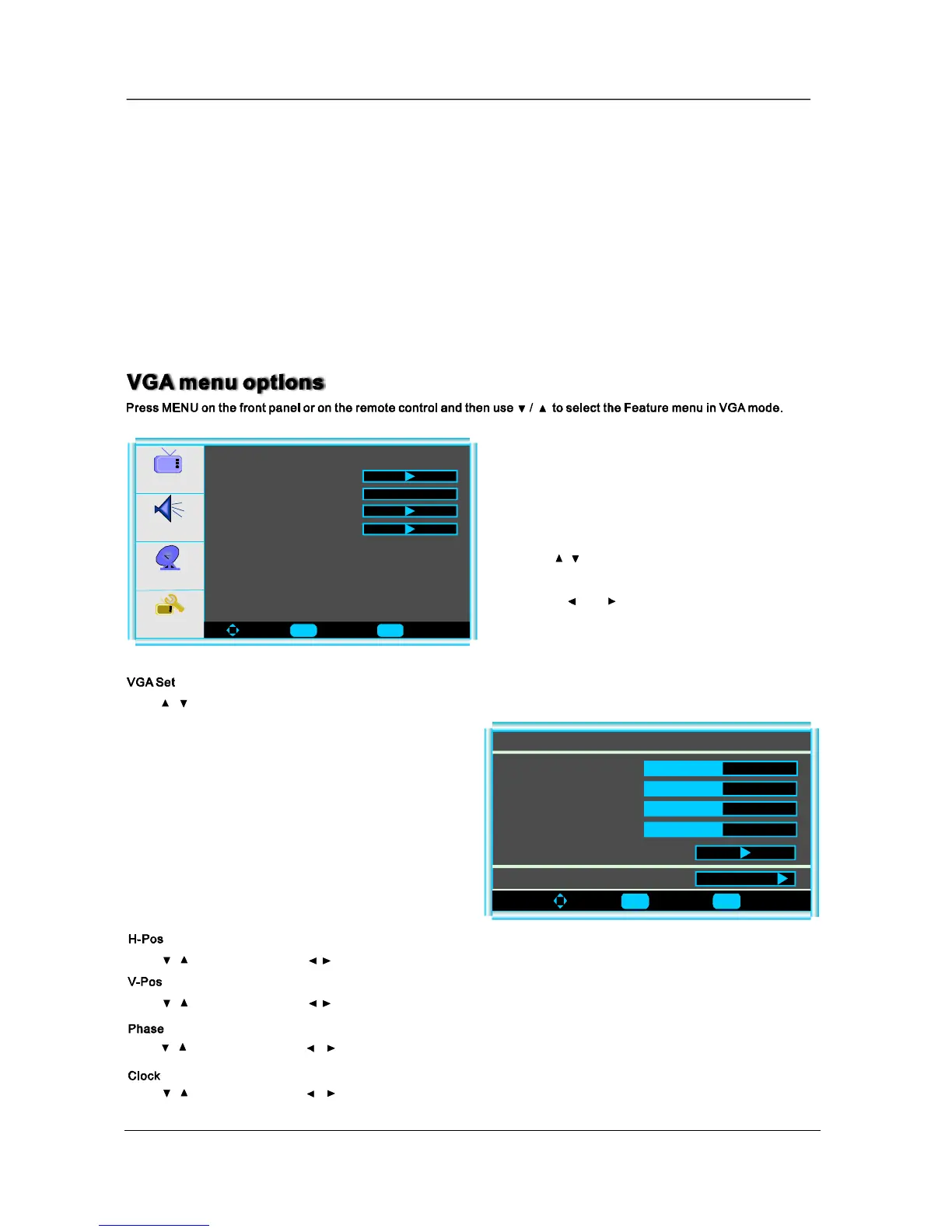
VGASet
3.Whenyouaresatisfiedwithyouradjustment,press
toexitthemainmenu.MENU
2.Pressandbuttontoadjust.
1.Use/toselectwhatyouwanttoadjustinthe
menu.Feature
Press/buttonandthenuseEntertoentertheVGAsetmenuasbelow:
ToMove ToSelect ToExit
V-Pos
VGASetting-1024x768@70Hz
H-Pos
Clock
Phase
AutoAdjust
50
50
50
50
Setting
Preset
Press/buttonandthenuse/toadjustthephaseofthepicture.
Press/buttonandthenuse/toadjusttheclockofthepicture.
Press/buttonandthenuse/adjusttheverticalpositionofthepicture.
Press/buttonandthenuse/adjustthehorizontalpositionofthepicture.
15
Enter Menu
Enter Menu


 To Next Page
 Loading...