3. OPERATION INSTRUCTION
3.4 Pre-set timer
Set the timer under stand-by mode(stop any working mode), and set the current time (clock) before
using the timer function.
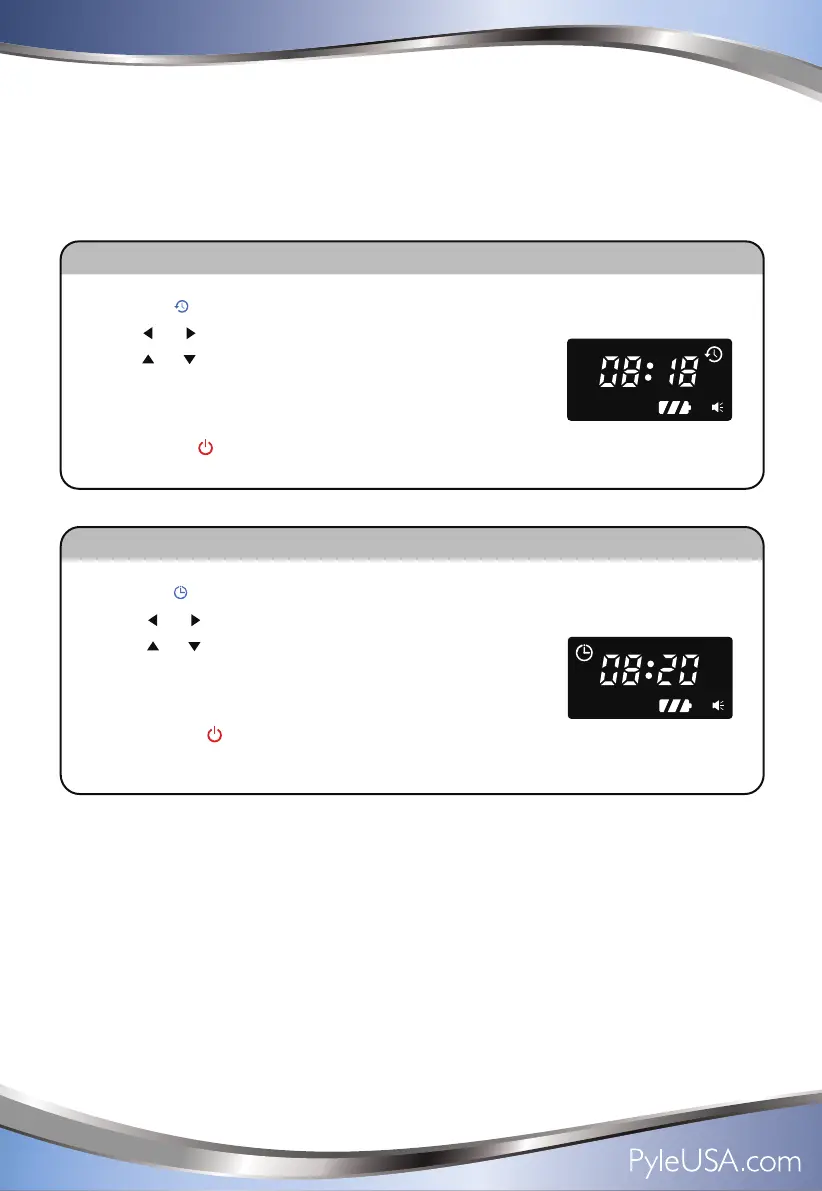
Set the Timer
1.Press the “ ” button on remote control, the timer symbol display on screen.
2.Press “ ” “ ”button to select the hour or minute.
3.Press “ ” “ ”button to set the hour or minute.
4.After setting press the Timer button to confirm setting,
timer symbol display on screen.
5.You can press “ ” button to cancel the current setting.
Set the current time (Clock)
1.Press the “ ” button on remote control, the clock symbol display on screen.
2.Press“ ” “ ”button to select the hour or minute.
3.Press“ ” “ ”button to set the hour or minute.
4.After setting press the Clock button to confirm setting,
clock symbol will disappear.r.
5.You can pres “ ” button to cancel the current setting.
8



 To Next Page