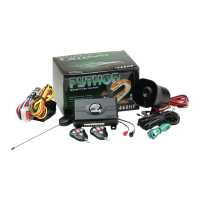
3300
© 2005 Directed Electronics—all rights reserved
ssyysstteemm ffeeaattuurreess lleeaarrnn rroouuttiinnee
The System Features Learn Routine™ dictates how the unit operates. Due to the number of features, the
features have been divided into two menus. It is possible to access and change any of the feature set-
tings using the Valet/Program switch. However, this process can be greatly simplified by using the Bitwriter™.
Any of the settings can be changed and then assigned to one of up to four transmitters, a feature called Owner
Recognition. Each time that particular transmitter is used to disarm the system, the assigned feature settings will
be recalled. Owner Recognition is only possible when programming the unit via the Bitwriter.
The learn routine may be locked if previously programmed using the Bitwriter. If the horn generates one
long honk when attempting to program the unit, the learn routine is locked and must be unlocked using
the Bitwriter™ before proceeding.
TToo pprrooggrraamm tthhee ffeeaattuurreess uussiinngg tthhee VVaalleett sswwiittcchh::
1.
KKeeyy..
Turn the ignition on and then back off.
2.
SSeelleecctt MMeennuu..
Press and
HHOOLLDD
the Valet/Program switch. When the LED flashes once and the
horn honks Menu One has been selected. Continue to hold the switch until the LED flashes
twice and the horn honks twice Menu Two has now been selected. Release the switch after
the Menu choice has been selected.
3.
CChhoooossee..
Within 10 seconds, press and release the Valet/Program switch the number of times
corresponding to the feature number you want to program and then press and hold the
switch (see
Feature Menus
).
After a second, the LED will flash to indicate which feature you have accessed. For example, in Menu Two, groups
of eight flashes would indicate access to the activation pulse setting (Feature 2-8). The horn will also honk eight
times (if connected).
4.
TTrraannssmmiitt..
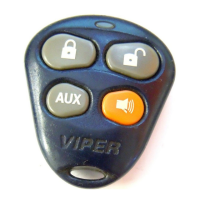
The transmitter is used to select the desired setting. Pressing will change
the feature to the LED ON setting (or will flash once for features with more than 2 set-
tings). The horn will honk once (if connected). Pressing will change the setting to
the LED OFF setting (or will flash two or more times for features with more than 2 settings).
5.
RReelleeaassee..
The Valet/Program switch can now be released.
You can advance from feature to feature by pressing and releasing the Valet/Program switch the number of times
necessary to get from the feature you just programmed to the feature you wish to access. For example, in Menu


 To Next Page
 Loading...