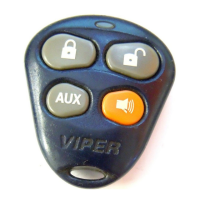
4400
© 2005 Directed Electronics—all rights reserved
ttiimmeerr mmooddee
By pressing the remote and buttons the parking lights will flash 4 times and then start the vehicle and run for the set dura-
tion. The remote start can be shut off by the transmitter by pressing the remote start button and remain in timer mode, but if any
other shut down zones or the ignition becomes active the timer mode will cancel.
1. Press Timer mode buttons.
2. The vehicle will confirm with 4 parking light flashes.
3. A 1-second delay will start.
4. The system will start the car and will run for the specified duration, unless shut down by the remote start button . If shut down
with the remote start button the system will remain in timer mode.
5. The system will start every 3 hours until canceled by the brake, hood, or neutral safety shut-down wires.
To exit timer mode, turn the ignition switch on any time the engine is running. The parking lights will flash 4 times, indicating timer
mode has been exited.
5. The system will start every 3 hours until canceled by the brake, hood, or neutral safety shut-down wires.
vvaalleett mmooddee
To enter or exit Valet Mode with the Valet/Program switch:
1. Turn the ignition on and then off.
2. Within 10 seconds, press and release the Valet/Program switch.
The status LED will light solid if you have entered Valet Mode, and will go out if you have exited Valet Mode.
ssaaffeettyy cchheecckk
Before vehicle reassembly, the remote system must be checked to ensure safe and trouble-free operation. The fol-
lowing test procedure must be used to verify proper installation and operation of the system. The installation
must be completed before testing, including connection to the brake switch and hood switch.


 To Next Page