EasyManua.ls Logo

QAL Medical 480 - User Manual

QAL Medical 480
42 pages
Print Icon
To Next Page IconTo Next Page
Loading...
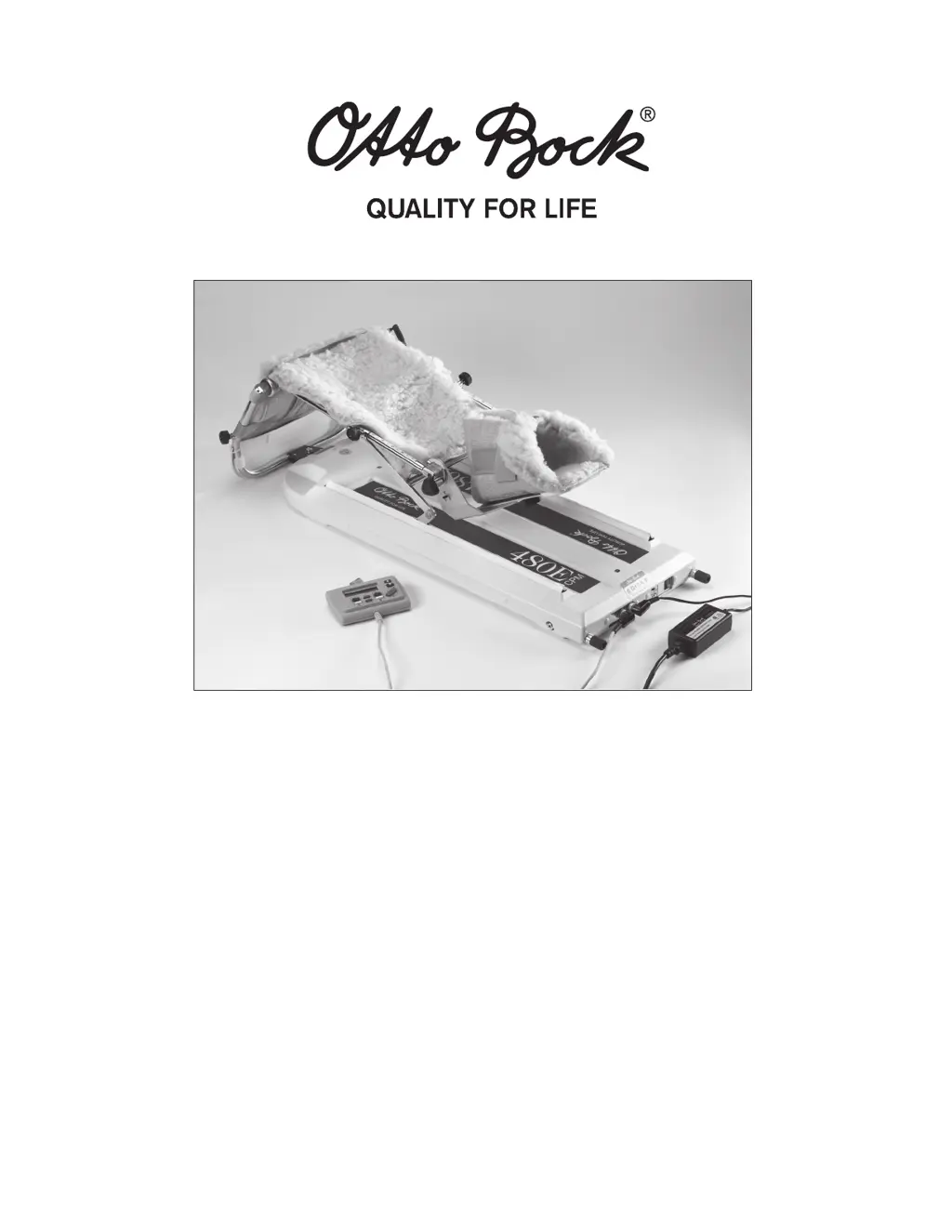
480 / 480E / 480E PRO CPM
Service and Technical Manual
©2011 QAL Medical 05070812.3 Rev. C 08/11

Table of Contents

Questions and Answers

  • S
    Shane BairdAug 16, 2025
    What to do if my QAL Medical Equipment shows error codes E1, E2, E3, E4, E6, E7, E8, E12, E13, E14, E15, E16, or E18?
    • U
      umasonAug 16, 2025
      If your QAL Medical Equipment displays error codes E1, E2, E3, E4, E6, E7, E8, E12, E13, E14, E15, E16, or E18, this could be due to several reasons. It might be out of calibration, in which case you should re-calibrate the unit following the calibration procedures. Alternatively, there could be a Main PCB failure (replace the PCB), a Controller cable break (replace the Controller cable), or a Controller PCB failure (replace the Controller).
  • J
    Jordan FloydAug 19, 2025
    Why is my QAL Medical Equipment experiencing mechanical binding or jerking?
    • G
      George HarperAug 19, 2025
      If your QAL Medical Equipment is experiencing mechanical binding or jerking, the cause might be insufficient lubrication on the track, ballscrew, and track seals. To resolve this, use a light lithium-based lubricant, such as Lubriplate #105, on the tracks and ballscrews, and apply a silicone spray on the track seals. Other potential causes include a bearing bracket assembly failure (replace the bearing bracket assembly), ballscrew failure (replace the ball screw assembly), U-Bracket/Slider Assembly failure (replace the U-bracket/slider assembly bracket assembly), or motor failure (replace the motor).
  • L
    Laura GregoryAug 22, 2025
    How to fix QAL Medical Equipment that will not power up and does not beep?
    • C
      Chelsea CollinsAug 22, 2025
      If your QAL Medical Equipment won't power up and doesn't beep, it could be due to several reasons. There might be no voltage to the Main PCB, so you should replace the power supply or replace the switch. Also check the controller cable at both ends and replace PCB.
  • K
    Kristen SwansonAug 26, 2025
    Why QAL Medical Equipment unit will not power up Unit does not beep?
    • A
      anthony39Aug 26, 2025
      If your QAL Medical Equipment unit will not power up and does not beep, it may be due to no voltage to the unit. Try replacing the power supply or replacing the switch. Also, check the pendant cable at both ends and replace pendant.
  • M
    Michael SmithAug 28, 2025
    What causes an erratic display on the QAL Medical Equipment controller?
    • J
      Jennifer HollowayAug 28, 2025
      If your QAL Medical Equipment controller display is erratic, it may be due to a controller cable break, in which case you should replace the cable. It could also be due to a Controller PCB failure, so replace the PCB, or a Main PCB failure, so check for a faulty ribbon.
  • L
    leslie55Aug 31, 2025
    What does error code E9 mean on QAL Medical Equipment?
    • S
      Stephanie KimAug 31, 2025
      If your QAL Medical Equipment is displaying error code E9, it could be due to a calibration error, so re-calibrate following the calibration procedures. Another potential cause is a Controller cable break, so replace the Controller cable, or a Controller PCB failure, so replace the Controller.
  • C
    colekevinSep 3, 2025
    What do error codes E10 and E11 mean on QAL Medical Equipment?
    • T
      Tyler ElliottSep 3, 2025
      If your QAL Medical Equipment displays error codes E10 or E11, this may be caused by a knee pot cable break, so replace the Knee Pot cable, or replace Knee Pot.
  • J
    johnsonjohnSep 6, 2025
    Why is the display on my QAL Medical Equipment pendant erratic?
    • A
      Amy SchneiderSep 6, 2025
      If your QAL Medical Equipment pendant display is erratic, it may be due to pendant failure, so replace the pendant. It could also be caused by a damaged display, so replace the pendant display.
  • S
    Susan WaltersSep 9, 2025
    How to resolve mechanical binding or jerking in QAL Medical Equipment?
    • N
      Nicole HigginsSep 9, 2025
      If your QAL Medical Equipment is experiencing mechanical binding or jerking, the cause might be insufficient lubrication on the track, ballscrew, and track seals. To resolve this, use a light lithium-based lubricant, such as Lubriplate #105, on the tracks and ballscrews, and apply a silicone spray on the track seals. Other potential causes include a bearing bracket assembly failure (replace the bearing bracket assembly), ballscrew failure (replace the ball screw assembly), U-Bracket/Slider Assembly failure (replace the U-bracket/slider assembly bracket assembly), or motor failure (replace the motor).
  • G
    Gene BrownSep 12, 2025
    What does error code E20 indicate on QAL Medical Equipment?
    • J
      Jim ThompsonSep 12, 2025
      If your QAL Medical Equipment displays error code E20, it is likely due to a Main PCB failure, so replace the PCB.

Summary

1 General Overview

1.2 Safety Considerations

Basic safety precautions to reduce risk of fire, electric shock, and injury.

1.3 Specifications

1.5 Suggested Maintenance Schedule

2 COVERS

2.1 Bottom Cover

Instructions for removal and installation of the bottom cover.

2.2 Top Cover

Instructions for removal and installation of the top cover.

3 CRADLE

4 KNEEPOT (Potentiometer)

4.3 Knee Potentiometer Replacement

Procedure for removing and installing the knee potentiometer.

5 MOTOR

6 BALLSCREW

8 MOTION CONTROLLER PENDANT

8.1 Controller Cable

Procedure for removal and installation of the motion controller cable.

8.2 Controller Keypad

Procedure for removal and installation of the controller keypad.

8.3 Controller Printed Circuit Board

Procedure for removal and installation of the controller printed circuit board.

10 MAIN PRINTED CIRCUIT BOARD (PCB)

10.1 Replacing PCB (480;480 E)

Procedure for removal and installation of the main PCB for 480/480E models.

10.2 Replacing PCB (480 E PRO)

Procedure for replacing the PCB for the 480E PRO model.

11 CALIBRATION

11.1 Calibration (480;480 E)

Procedure for calibrating the 480/480E CPM system.

11.3 Calibration (480 E PRO)

Procedure for calibrating the 480E PRO CPM system.

12 ERROR CODES

12.1 Error Codes (480;480 E)

List and explanation of error codes for 480/480E models.

12.2 Error Codes (480 E PRO)

List and explanation of error codes for 480E PRO model.

13 Troubleshooting

13.1 Troubleshooting (480;480 E Only)

Troubleshooting guide for common problems and their fixes for 480/480E models.

13.2 Troubleshooting (480 E PRO Only)

Troubleshooting guide for common problems and their fixes for 480E PRO model.

14 Assembly Drawings

14.1 Main Assembly

Exploded view and part list for the main assembly of the CPM unit.

14.2 Thigh Assembly

Exploded view and part list for the thigh assembly.

14.3 Cradle Sub-Assembly

Exploded view and part list for the cradle sub-assembly.

14.4 Foot Cradle Assembly

Exploded view and part list for the foot cradle assembly.

14.5 Ballscrew Assembly

Exploded view and part list for the ballscrew assembly.

14.6 480 U-Bracket;Slider Assembly

Exploded view and part list for the 480 U-bracket/slider assembly.

14.7 480 E;480 E PRO U-Bracket;Slider Assembly

Exploded view and part list for the 480E/480E PRO U-bracket/slider assembly.

14.8 480 E (or 480 E PRO) Motor Assembly (Faulhaber)

Exploded view and part list for the Faulhaber motor assembly.

14.9 480 E PRO ONLY Motor Assembly (Maxon)

Exploded view and part list for the Maxon motor assembly.

14.10 Motion Controller Assembly (480;480 E)

Exploded view and part list for the motion controller assembly.

14.11 480 E PRO Controller Assembly

Exploded view and part list for the 480E PRO controller assembly.

14.12 480 Wiring Diagram

14.13 480 E Wiring Diagram

14.14 480 E PRO Wiring Diagram

14.15 480;480 E Electrical Schematic

QAL Medical 480 Specifications

General IconGeneral
BrandQAL Medical
Model480
CategoryMedical Equipment
LanguageEnglish