Official
Licensed
Product
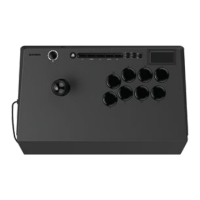
ARCADE JOYSTICK
DRONE 2
Instruction Manual
Model Number: N3
Operating Instructions
• Turn on your PlayStation@ console.
• Use the COMPATIBILITY switch (15) to select the
appropriate "PS5 setting" or "PS4 setting"
• Plug your joystick into your PlayStation@ console.
• Press the PS button (8) to initialize the joystick.
• Press and hold the PS button (8) if you would like to
change the player assignment.
pss PS4 pc
MODE Switch
• The Qanba lever (2) can be toggled between three
unique control modes:
• Directional Pad (DP)
• Left Analog Stick (LS)
• Right Analog Stick (RS)
• Slide the MODE switch (14) to toggle between the three
unique control modes.
DP LS RS
English
Features
5
6
4
0000
LED
16
2
3
O
LED
O o 15
14
7
8 9 10 11
I. USB cord and compartment 10.
2. Qanba lever
3. Qanba 30mm buttons
4. Touch pad
5. Mini buttons
6. 3.5mm headphone jack
7. OPTIONS button
8. PS button
9. L3 button
MUTE Button
12 13
TURBO button
11. CREATE button
(SHARE button for
PlayStation@4 console)
12. MUTE button
13. R3 button
14. MODE switch
15. COMPATIBILITY switch
16. Qanba lever access hole
English
• When the 3.5mm headphone jack (6) is not used, the
MUTE button (12) has no function.
• When headphones are connected to the 3.5mm
headphone jack (6), the headphone's microphone can
be toggled between two unique control modes:
• Microphone active (default setting) -
MUTE button LED off
• Microphone off - MUTE button LED on
• Press the MUTE button (12) to cycle between the two
unique control modes.
MUTE
TURBO Button
• Each of the eight Qanba 30mm buttons (3) can be
toggled between three unique turbo modes:
• Turbo Off (default) - LED off
• Push for Turbo - LED flashing red when
button pressed
• Auto Turbo - LED always flashing
• Press the TURBO button (I O) and the unique Qanba
30mm button (3) at the same time then release to cycle
between the three unique turbo modes.
TURBO
English

 Need help?
 General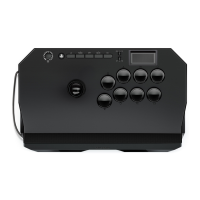

 To Next Page