EasyManua.ls Logo

QANBA TITAN B1 - User Manual

QANBA TITAN B1
2 pages
Print Icon
To Next Page IconTo Next Page
Loading...
1
2
3
6 45
7
8 9 10 11 12 13 14 15 16
17
Features
Operating Instructions
MODE Switch
• The Sanwa lever (2) can be toggled between three unique
control modes:
• Directional Pad (DP)
• Left Analog Stick (LS)
• Right Analog Stick (RS)
• Slide the MODE switch (14) to toggle between the three
unique control modes.
English
~1~
English
~2~
ARCADE JOYSTICK
TITAN
TURBO
MUTE
•When the 3.5mm headphone jack (6) is not used, the MUTE
button (12) has no function
•When headphones are connected to the 3.5mm headphone
jack (6), the headphone’s microphone can be toggled
between two unique control modes:
• Microphone active (default setting) - MUTE button
LED off
• Microphone off - MUTE button LED on
•Press the MUTE button (12) to cycle between the two
unique control modes
MUTE Button
10. TURBO button
11. CREATE button (SHARE
button for PS4™ consoles)
12. MUTE button
13. R3 button
14. MODE switch
15. COMPATIBILITY switch
16. LOCK/UNLOCK switch
17. Qanba lever access hole
English
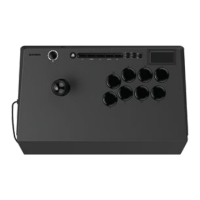
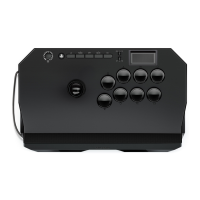
1. USB cord and compartment
2. Sanwa lever
3. Sanwa 30mm buttons
4. Touch pad
5. Mini buttons
6. 3.5mm headphone jack
7. OPTIONS button
8. PS button
9. L3 button
L3 TURBO MUTE R3
DP
LS
RS
PS5
PS4
PC
L3 TURBO MUTE R3
DP
LS
RS
PS5
PS4
PC
MUTE
DP
LS
RS
Instruction Manual
Model: B1
~3~
1. Turn on your PlayStation®4 console or PlayStation®5 console.
2. Use the COMPATIBILITY switch (15) to select the appropriate
PS5™ setting or PS4™ setting.
3. Ensure the LOCK/UNLOCK switch (16) is set to unlocked.
4. Plug your joystick into your console.
5. Press the PS button (8) to initialize the joystick.
6. Press and hold the PS button (8) if you would like to change
the player assignment.
* PC compatibility not tested nor endorsed by Sony Interactive
Entertainment.
PS5
PS4
PC
LOCK/UNLOCK Switch (Tournament Mode)
• To enable tournament mode, slide the LOCK/UNLOCK
switch (16) to the locked setting.
• In a competitive setting, players may choose to disable these
buttons:
• CREATE button (SHARE button for PS4™ consoles) (11)
• TURBO button (10)
• PS button (8)
• OPTIONS button (7)
Question and Answer IconNeed help?

Do you have a question about the QANBA TITAN B1 and is the answer not in the manual?

Summary

Operating Instructions

Mode Switch Functionality

Toggles the Sanwa lever between Directional Pad, Left Analog Stick, and Right Analog Stick control modes.

Mute Button Functionality

Controls the headphone microphone mute function when headphones are connected via the 3.5mm jack.

Turbo Button Modes

Turbo Button Operation

Explains how to set Sanwa buttons to three unique turbo modes: Off, Push for Turbo, and Auto Turbo.

Qanba Lever Access Hole

Accessing the Lever Screw

Details how to access and secure the Qanba lever screw connected to the ball top via the access hole.

Product Specifications

Technical Details

Lists key specifications including Product Name, Model, Buttons, Joystick type, Dimensions, Weight, and Cable Length.

Compliance Information

States compliance with USB 2.0 and FCC Rules, detailing operational conditions for interference.

General Safety Warnings

Handling and Care

Provides essential safety guidelines for cleaning, maintenance, storage, and proper usage.

Usage Restrictions

Outlines limitations such as prohibiting commercial use, age suitability, and warranty information.

QANBA TITAN B1 Specifications

General IconGeneral
TypeArcade Stick
CompatibilityPC, PlayStation 4, PlayStation 3
JoystickSanwa JLF
Cable Length3 m (9.8 ft)
ConnectivityWired (USB)
Buttons Count8