12
Step 9
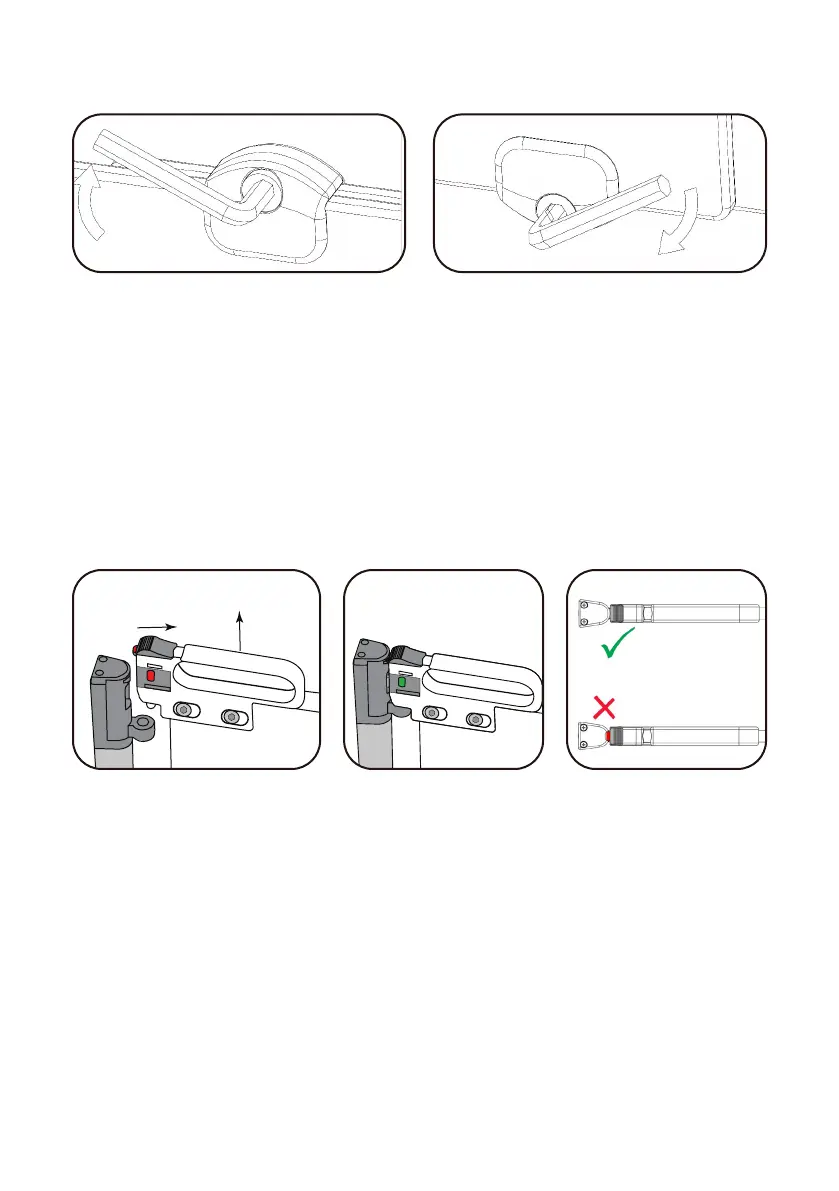
With the gate in the locked position, lift up on the panels
to make sure they are level, then use the Allen Wrenches
to tighten the four clamps.
GATE OPERATION
To open the gate slide back the locking latch, while at
the same time, lifting the gate and open the door. To
close and lock the gate, lift the gate handle and line up
the Top and Bottom Locks, then simply push down and
the At-A-Glance Indicator® will switch to green indicating
that it is locked.
IMPORTANT:
Never leave the gate unlocked or open as older children
may play with the gate causing personal injury or damage
to the gate, voiding the manufacturer’s warranty.
Slide lock and lift to open
and unlock
Closed and Locked Top View Indicator



 To Next Page