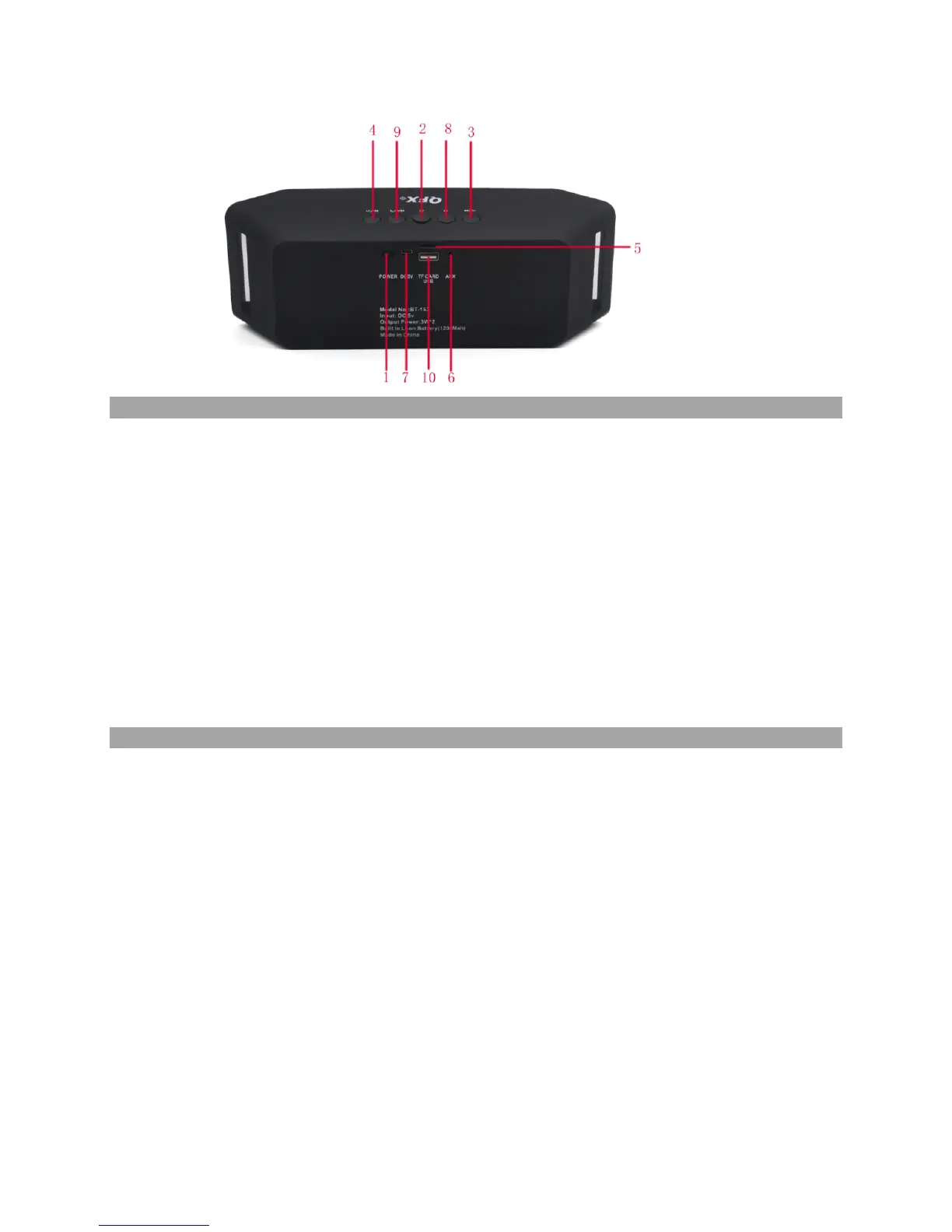
1) Power on/off: Slide the power button to “ON”/ “OFF”.
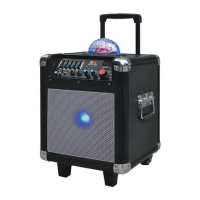
2) *:LED Disco Lights on/off switch the two flashing mode or off LED.
3) Press the button -V/І◄◄ to skip to the previous track, press and hold the button for
decreasing the volume.
4) Press the button ►►І/V+ to skip to the next track, press and hold the button for
increasing the volume.
5) TF card slots: support MP3 format.
6) Aux port: Bluetooth speaker can connect with PC,iPop and CD player.Via 3.5mm audio
cable.
7) Charging connection: Use DC5V cable to charge the speaker.
8) MODE KEY: Long press to switch through Bluetooth,FM Radio,AUX IN/USB/TF
Card functions.
9)CALL/PAUSE KEY:Short press for start or stop playing music or answer phone on FM
Radio mode. Short press to search the stations.
10)USB slots:support MP3 format.
ADVANCED FUNCTIONS
Phone function
1. Answer the phone: Long press the “Play/Pause”(Button 2) button to answer incoming
Calls.
2. Hang up the phone: Long press the “Play/Pause”(button 2) button to hang up the
connected call.
3. Maximum effective distance of built-in mic:20cm or 0.65 feet.
FM Radio function
1. Insert the AUX IN Line to the ANT jack to switch to FM mode: Turn on the Bluetooth speaker, then
press “MODE” button to access to Radio mode.
2. Channel Search: Long press the “Play/Pause” (Button 2) button for at least 3 seconds
to activate automatic search, and the Bluetooth speaker will record each effective
channels automatically.
3. Change channels: Press the “Last song”(Button 3) or “next song button(button 4).
Play music by connecting with portable storage devices


 To Next Page