---------------------------------
Setting the Clock
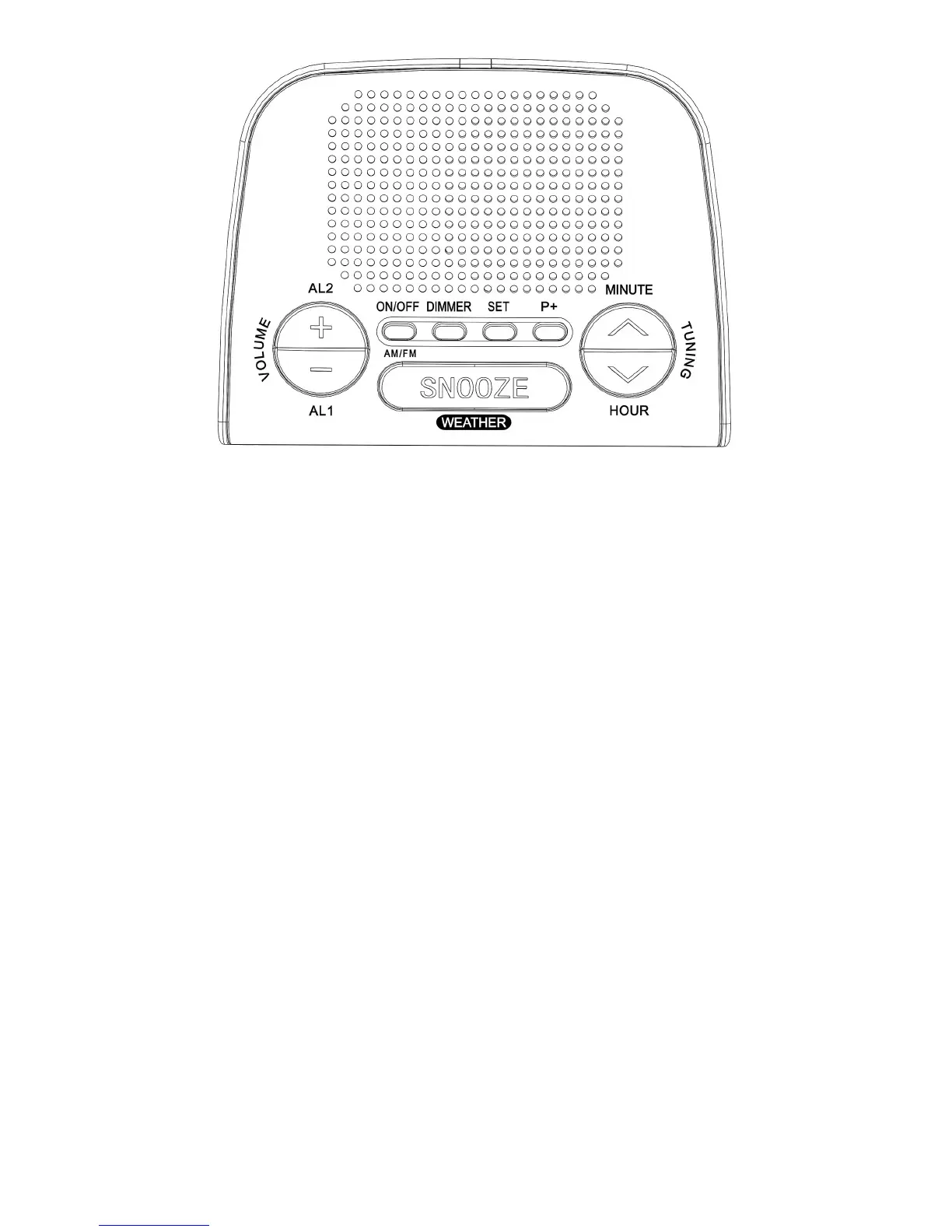
1 Plug in the unit. The display will flash
“12:00” (a.m.)
Or, press SET over 1 seconds in standby
mode.
2 To set the hour/minute, press HOUR /
MINUTE.
3 When the time appears in the display,
press SET (or wait 4 seconds).
The clock will begin to operate when the display
stop flashing, the second will start from 00 at this
moment .
• The second will not be reset at 00 if you haven’t
change hour/minute during the time setting
process.
---------------------------------
Playing the Radio
1 In standby mode, press ON/OFF to turn
on the radio and adjust VOLUME +/-.
2 Press BAND and tune in a station using
TUNING UP/DOWN.
• Press TUNING over one second, the radio will
start searching the next station instead of moving
the frequency by one step.
3 To turn off the radio, press ON/OFF over
two seconds, the word “OFF” will be
displayed.
---------------------------------
Improving the
reception
FM / WB: Extend the FM wire antenna fully to


 To Next Page