EasyManua.ls Logo

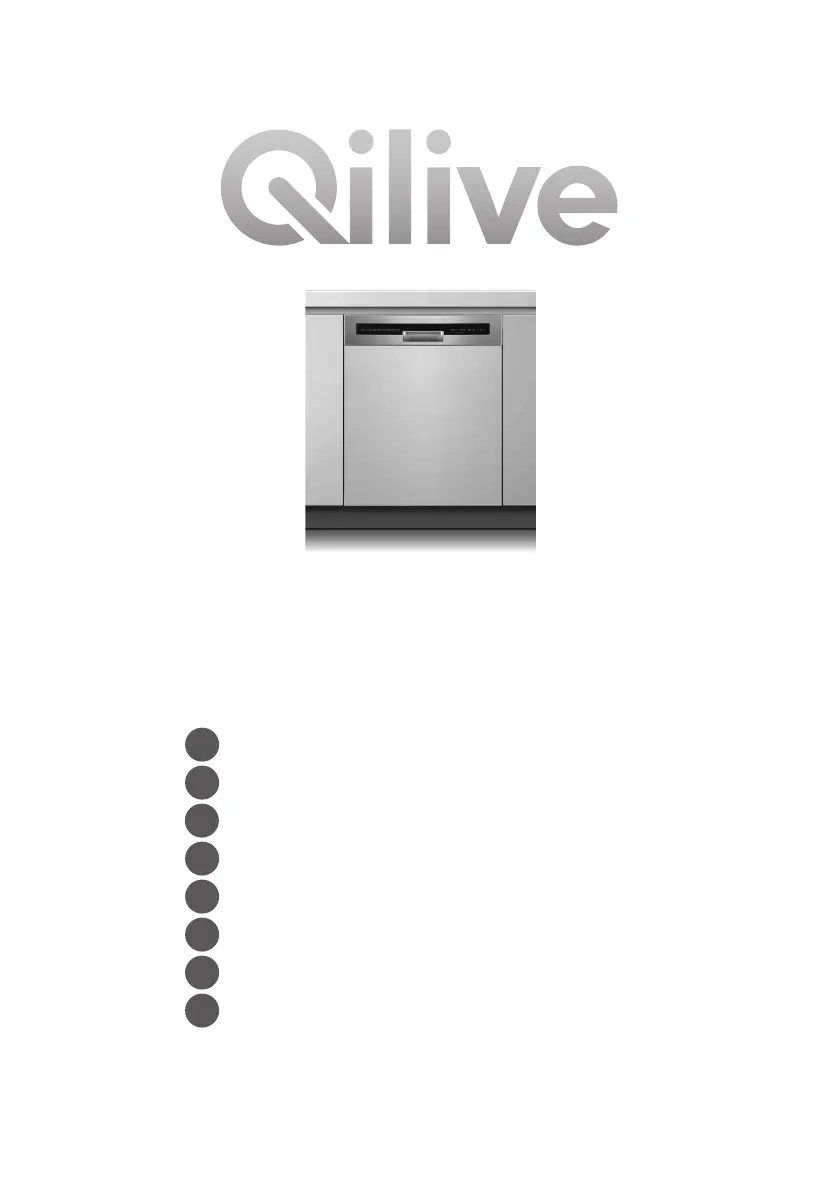
Qilive WQP12-7709S - User Manual

Qilive WQP12-7709S
260 pages
Print Icon
To Next Page IconTo Next Page
Loading...
FR
ES
PT
PL
HU
RO
RU
UA
Lave-vaisselle
Lavavajillas
Máquina de lavar loiça
Zmywarka do naczyń
Mosogatógép
Mașină de spălat vase
Посудомоечная машина
Посудомийна машина
Dishwasher
Q.6594

Table of Contents

Questions and Answers

  • A
    Anthony MilesAug 19, 2025
    What to do if my Qilive WQP12-7709S doesn’t start?
    • A
      Anita KellerAug 19, 2025
      If your Qilive Dishwasher isn't starting, several factors could be the cause. First, check the fuse or circuit breaker and replace or reset it if necessary, removing any other appliances sharing the circuit. Ensure the dishwasher is turned on, the door is securely closed, and the power cord is properly plugged into the wall socket. Also, verify that the water supply is correctly connected and turned on. Finally, make sure the dishwasher door is fully closed and latched.
  • B
    Brenda ButlerAug 21, 2025
    Why are the dishes not clean after using my Qilive Dishwasher?
    • J
      John WilkinsAug 21, 2025
      If your dishes aren't clean after a cycle in your Qilive Dishwasher, consider these possibilities: Ensure the dishes are loaded correctly, referring to Part II: Preparing and Loading Dishes. The selected program may not be powerful enough, so choose a more intensive one. You might not be using enough detergent, so increase the amount or switch brands. Check that items aren't blocking the spray arms; rearrange them to allow free rotation. Lastly, inspect the filter combination for cleanliness and proper fitting, and clean the spray arm jets if needed.
  • S
    Shane RamirezAug 23, 2025
    What to do if water is not pumped from Qilive Dishwasher?
    • A
      Ariel MitchellAug 25, 2025
      If water isn't being pumped out of your Qilive Dishwasher, check the drain hose for any twists or traps. Also, inspect the coarse filter for clogs. Lastly, ensure that your kitchen sink is draining properly, as a clogged sink can affect the dishwasher's drainage. You may need a plumber if the sink is the issue.
  • L
    leekennethAug 26, 2025
    Why the dishes aren’t drying in my Qilive WQP12-7709S?
    • R
      robert61Aug 26, 2025
      If your dishes aren't drying in your Qilive Dishwasher, consider these reasons: Ensure proper loading following the directions. Avoid unloading immediately after washing; instead, slightly open the door to let steam escape and wait until the inside temperature is safe to touch, unloading the lower basket first. The selected program might be too short; choose a longer cycle. Also, cutlery with low-quality coating can hinder water drainage, making them unsuitable for dishwasher use.
  • L
    Linda HendricksAug 27, 2025
    Why are there rust stains on the cutlery after washing in my Qilive WQP12-7709S Dishwasher?
    • X
      xwillisAug 27, 2025
      Rust stains on cutlery after washing in your Qilive Dishwasher can occur for several reasons: The items may not be corrosion resistant, so avoid washing them in the dishwasher. If dishwasher salt was recently added, always run a full wash program without any crockery afterward, and avoid using the Turbo function (if available). Also, ensure the softener lid is securely tightened.
  • K
    Katherine BlanchardAug 30, 2025
    What to do if there are suds remaining in the tub of my Qilive WQP12-7709S Dishwasher?
    • N
      Nicholas OwenAug 30, 2025
      If you find suds remaining in the tub of your Qilive Dishwasher, it could be due to using the wrong detergent. Use only detergents designed for dishwashers to prevent excess suds. If suds persist, open the dishwasher to let them subside, then add 1 gallon of cold water to the bottom. Close the dishwasher, select any cycle, and let it drain. After draining, check if the suds have cleared; repeat if needed. Also, make sure to wipe up any rinse-aid spills immediately.
  • J
    Jack WoodwardSep 1, 2025
    How to remove the white film on inside surfaces of my Qilive WQP12-7709S?
    • J
      James PetersenSep 1, 2025
      To remove white film on the interior surfaces of your Qilive Dishwasher, which is likely due to hard water minerals, clean the interior using a damp sponge with dishwasher detergent. Wear rubber gloves to protect your hands. It is important to only use dishwasher detergent inside your dishwasher; other cleaners may cause foaming or suds.
  • B
    Brenda WhiteSep 3, 2025
    Why is my glassware cloudy after using Qilive WQP12-7709S Dishwasher?
    • C
      Christian ParksSep 3, 2025
      Cloudy glassware after using your Qilive Dishwasher can be caused by a combination of soft water and using too much detergent. If you have soft water, try using less detergent and selecting a shorter cycle to wash your glassware.
  • K
    Kevin ColeSep 5, 2025
    Why is there a rattling noise in my Qilive Dishwasher?
    • W
      wwilsonSep 5, 2025
      A rattling noise in your Qilive Dishwasher usually indicates that items of crockery are loose. To resolve this, interrupt the program and rearrange the items.
  • B
    Brenda WongSep 7, 2025
    Why is there a knocking noise in my Qilive WQP12-7709S Dishwasher?
    • W
      wkingSep 7, 2025
      A knocking noise in your Qilive Dishwasher often means that a spray arm is hitting against an item in the basket. To fix this, interrupt the program and rearrange the items that are obstructing the spray arm.

Summary

SAFETY INSTRUCTIONS

INSTALLATION

Power Connection

Instructions for safely connecting the dishwasher to the electrical power supply.

Water Supply and Drain

Guidelines for connecting the water inlet and drain hoses correctly.

USE

Loading the Salt and Adjusting Salt Consumption

How to fill the salt reservoir and adjust salt usage based on water hardness.

Rinse Aid Detergent

Information on using and refilling the rinse aid dispenser.

Detergent Dispenser

Instructions for filling and adjusting the detergent dispenser for optimal cleaning.

DISHWASHING PROGRAMS

CLEANING AND CARE

TROUBLESHOOTING

Common Problems and Solutions

Guidance on resolving common issues like the dishwasher not starting or poor cleaning.

Qilive WQP12-7709S Specifications

General IconGeneral
Appliance placementFreestanding
ColourStainless steel
Control typeButtons
Built-in displayYes
Display typeLED
Inlet hose length1.5 m
Outlet hose length1.5 m
Noise level49 dB
Number of washing programs6
Delayed start timerYes
Delay start (max)24 hours
Water consumption per cycle12 L
Width598 mm
Depth600 mm
Height845 mm
Weight42 kg
Annual energy consumption258 kWh
Annual water consumption3360 L
Drying classA
Delay startYes
Child lockYes
Dimensions (H x W x D)845 x 598 x 600 mm
Washing programsEco, Intensive, Glass, Rapid, Soak
Product sizeFull size (60 cm)
Number of place settings12 place settings

Related product manuals