
 Need help?
Do you have a question about the QNect QN-IPC04 and is the answer not in the manual?
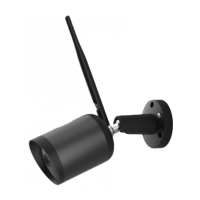
Visual identification of the Wi-Fi camera's external components with numbered labels.
Detailed technical features including frequency, power, lens, audio, storage, and dimensions.
Instructions for downloading the app, creating an account, and starting the device connection process.
Steps for connecting the camera to your Wi-Fi network and final physical installation.
Critical safety guidelines for device operation, handling, and electrical shock prevention.
Important warnings, cleaning instructions, and advice against attempting device repair.
Product compliance statement and details on accessing detailed operating instructions.
 General
| Weatherproof Rating | IP66 |
|---|---|
| Motion Detection | Yes |
| Image Sensor | 1/2.7" CMOS |
| Lens | 2.8mm |
| Video Compression | H.264 |
| Power Supply | 12V DC |
| Night Vision | Yes |
| Storage | MicroSD card |

 To Next Page
