9
English
FN + ESC for 3 seconds for reset
Fn
+
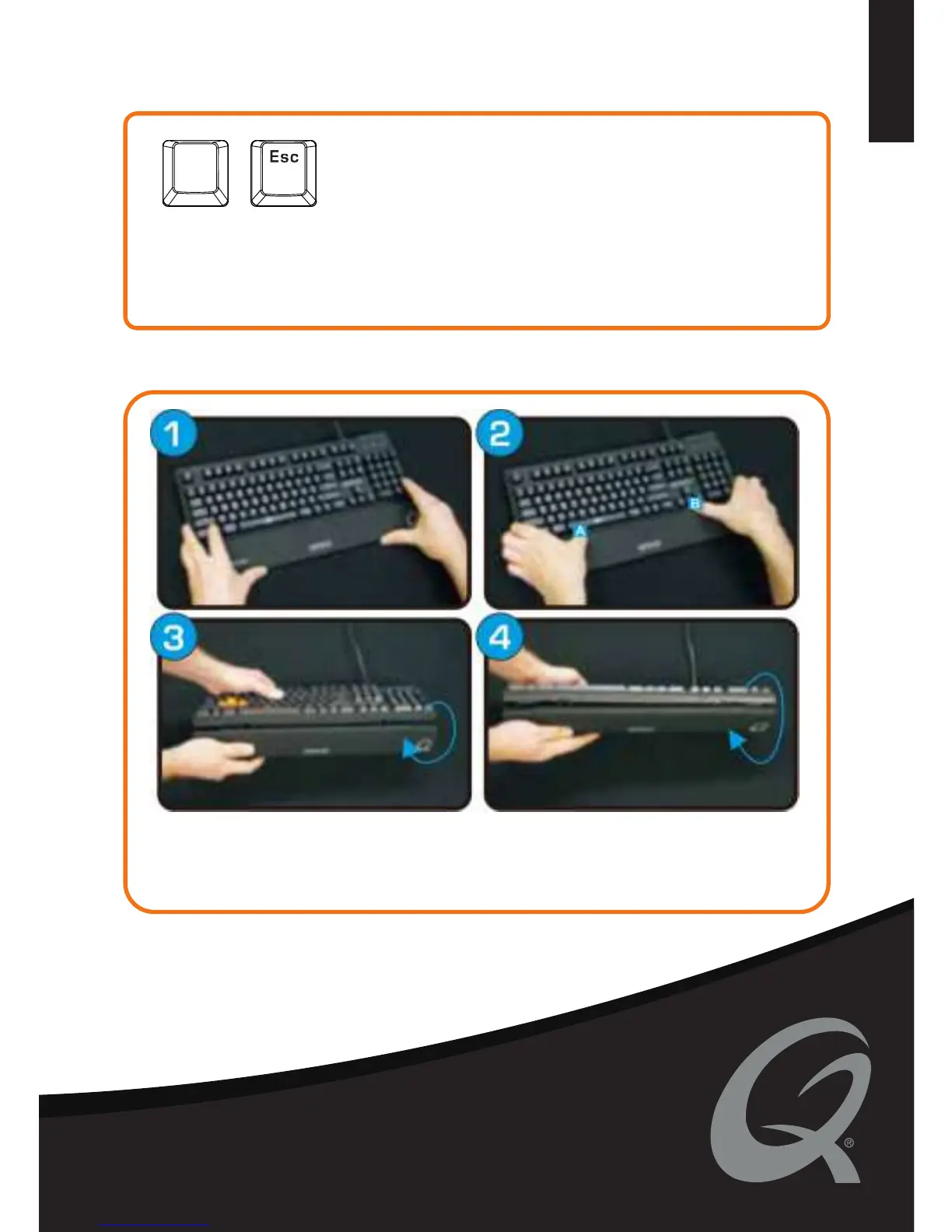
WRIST REST
NOTICE! When keyboard has unexpected problem, you can reset keyboard by holding
FN+ESC for 3 second, LED will flash once, current profile will be reset to default setting.
Reset function only working under current profie.
1. Place the keyboard on top of the wrist rest pins
2. Press on the keyboard with your tumbs above the pins A and B until you snap it into place
3. When removing just bend the wristpad
4. Bend 360 degrees until it snaps of its position
HARDWARE RESET


 To Next Page