780 Handheld Test Instrument Page 26
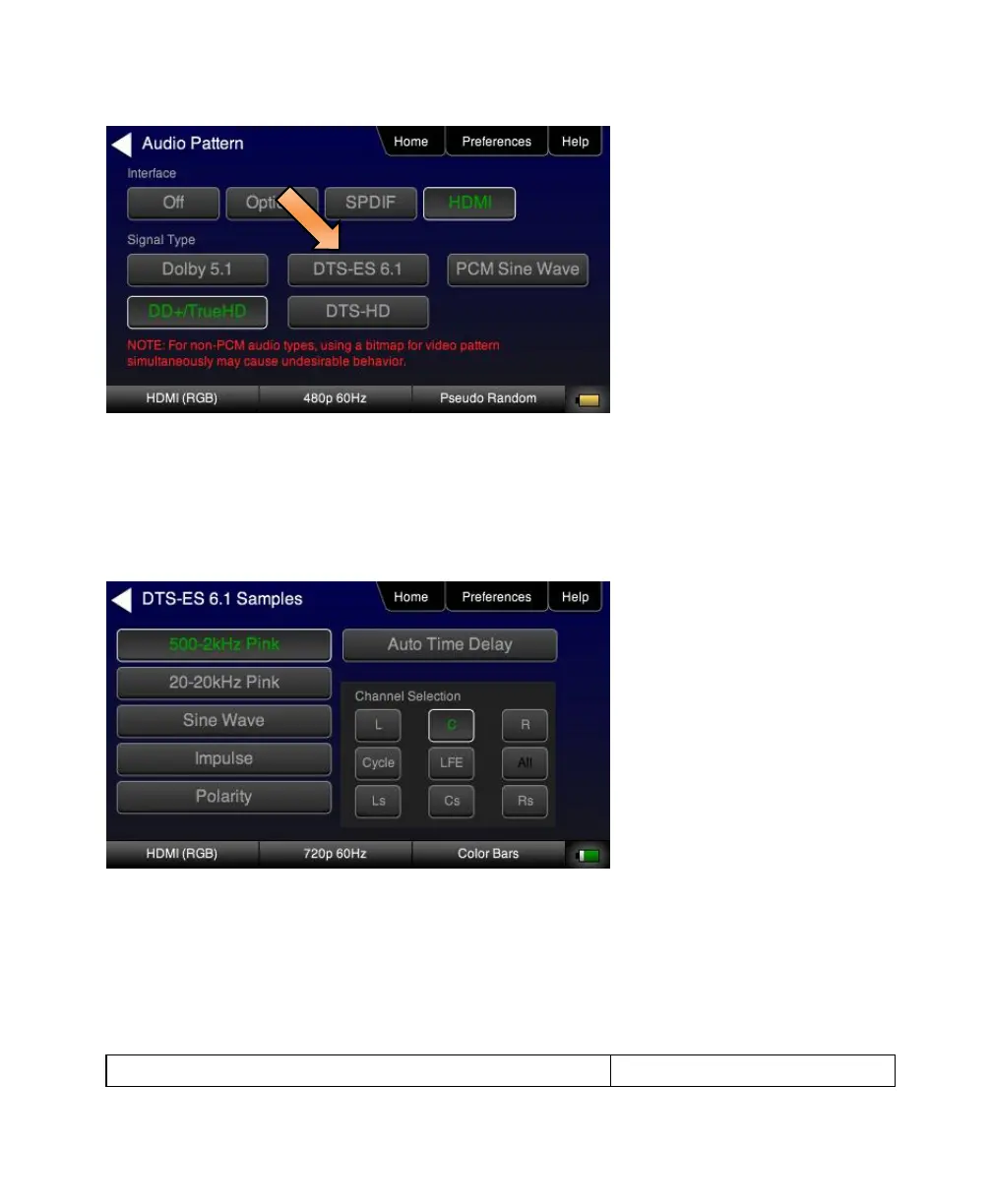
3. Touch select the desired Interface from the Audio Pattern menu (refer to the screen shot above which shows
HDMI). The options are Optical, SPDIF or HDMI.
4. Double touch select the Dolby Digital 5.1 or DTS-ES 6.1 item on the Audio Pattern menu (refer to the screen shot
above).
The following screen appears (DTS-ES shown):
5. Touch select the desired audio test pattern. (500-2kHz Pink is shown selected in the sample screen shot above
and Sine Wave shown in the screen shot below.) Use the information in Table 4-6 below to understand the
application of each audio test pattern.



 To Next Page