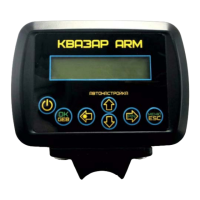
The device menu is called up by pressing the \ esc Menu
button. Menu block diagram:
Audio Menu - AUDIO SETTINGS.
Volume-adjustment of the volume level. The range of volume
levels is 0-31. Operating values at the level of 5-10.
Volume variation Sets the sound level of the target,
depending on the level of response. The finer (or deeper) the
target - the quieter the sound of the target. The larger the
target or the less its depth, the louder the sound. The range of
change is 1-7. The buttons "Left" and "Right" - decrease and
increase the range of volume changes, "OK" - memorization,
"Esc" - exit without storing. I recommend setting the value to
2-3.
Sound freq max-maximum frequency (pitch) of sound — the
higher the frequency, the more “squeaky” the instrument, I
recommend trying different values and choosing the most
comfortable one for your ears


 To Next Page