EasyManua.ls Logo

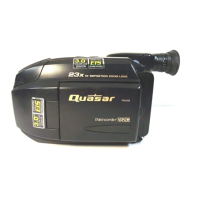
Quasar Palmcorder PalmSight VM-L459 - User Manual

Quasar Palmcorder PalmSight VM-L459
56 pages
Print Icon
To Next Page IconTo Next Page
Loading...

Table of Contents

Question and Answer IconNeed help?

Do you have a question about the Quasar Palmcorder PalmSight VM-L459 and is the answer not in the manual?

Quasar Palmcorder PalmSight VM-L459 Specifications

General IconGeneral
BrandQuasar
ModelPalmcorder PalmSight VM-L459
CategoryCamcorder
LanguageEnglish

Summary

Getting Started

Things You Should Know

Unpack your Camcorder

Lists and describes the accessories provided with the camcorder.

Safety Precautions

Important Safeguards

General Precautions and Warnings

Usage and location precautions to avoid shock, damage, and overheating.

Quick Operation Guide

Battery Charging and Cassette Insertion

Procedures for charging the battery and inserting a cassette.

Playback Using the LCD Monitor

How to play back recorded tapes using the LCD monitor.

Camera Recording Basics

Steps to begin recording video using the camcorder.

Supplying Power

Battery Charging Procedures

Procedure for charging the camcorder's battery pack.

AC Adaptor and Car Battery Cord

Using AC adaptor and optional car cord for power.

Using the Battery Pack

How to attach and remove the battery pack from the camcorder.

Cassette Information

Cassette Handling and Timing

Cassette insertion, removal, and recording/playback time details.

MENU Mode

Menu System Navigation

Step-by-step guide to accessing and operating the menu.

Setting the Clock

Time Zone and Clock Settings

Procedure to set the camcorder's time zone and clock.

Built-in Auto Light

Camera Recording

Simple Recording Procedure

Basic steps to start and stop recording video.

Recording Using the LCD Monitor

How to use the LCD monitor for viewing and recording.

Playing Back Recordings

Playback on EVF or LCD Monitor

How to play back recordings using the EVF or LCD monitor.

TV Playback and Viewing Setup

Connecting the camcorder to a TV for playback.
Playing Back Recordings in a VCR

Copying your Tapes (dubbing)

Power Zoom; Backlight

Focus

High Speed Shutter

Fade In;Out

Fade

Digital Zoom

Digital E.I.S.

Security Mode

Time Lapse

Intelligent Titler

Viewfinder;LCD Monitor Indications

Specifications

Before Requesting Service

Warranty

Related product manuals