15
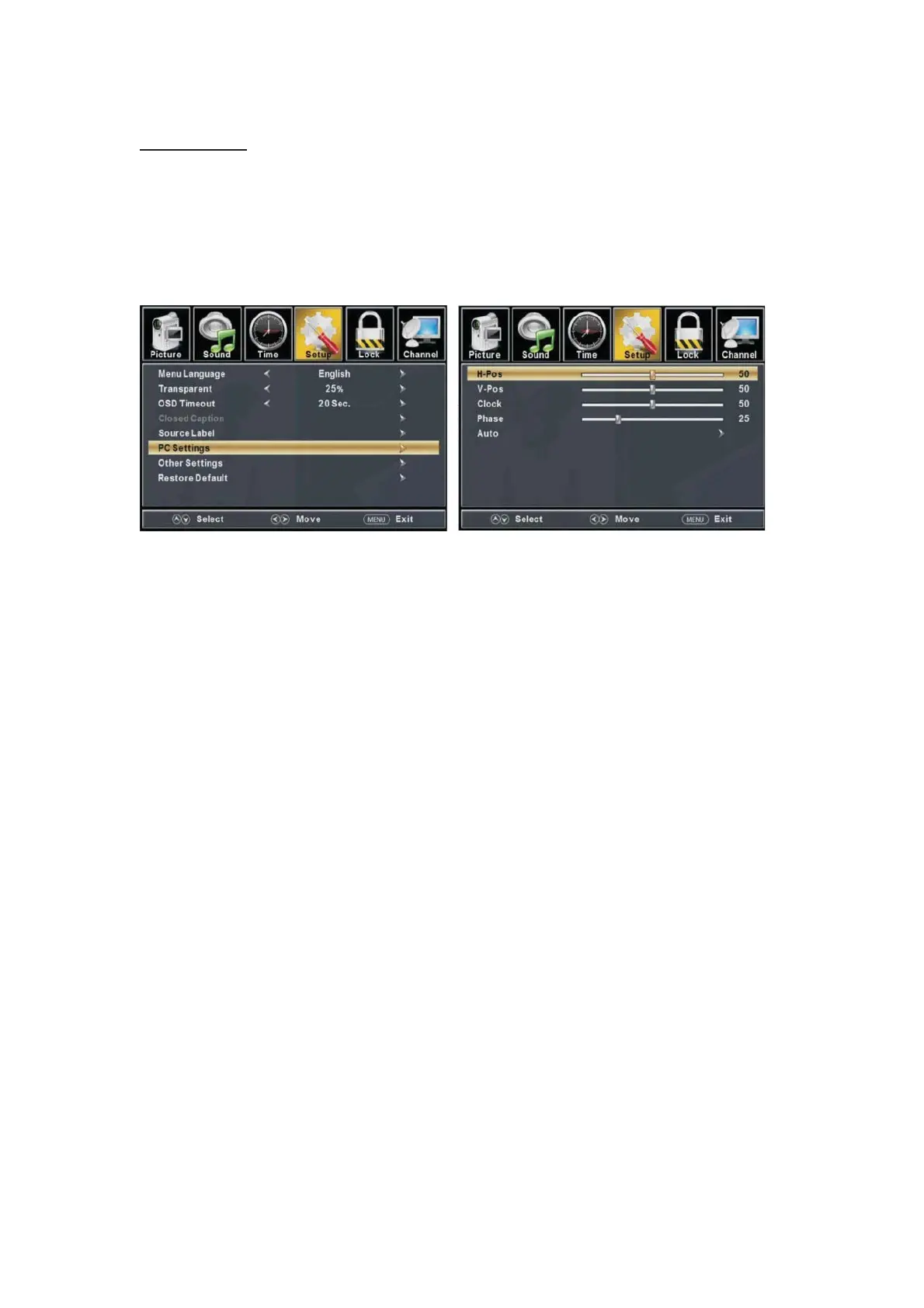
PC Setting
Press the “MENU” button to enter the OSD menu .Then press “e/f” button to select
the “Setup” menu. And then press
“d” button to select “PC Setting” and press the
“
ENTER/f” button to enter sub-menu.
1. Press “c/d” button to select “H-Pos” and press the “
e/f
” but
ton to adjust.
2. Press “c/d” button to select “V-Pos” and press the “
e/f” button to adjust.
3. Press “c/d” button to select “Clock” and press the “
e/f
” button to adjust.
4. Press “c/d” button to select “Phase” and press the “
e/f
” but
ton to adjust.
5. Press “c/d” button to select “Auto” and press the “
ENTER/f
” button to do auto adjust.
Note: The pictures in regard to function are provided for reference purposes only.



 To Next Page