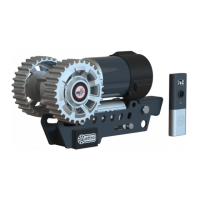
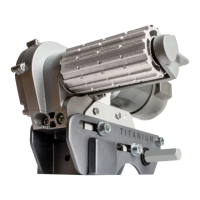
(Fig.2 - Installation Manual) A: Drive Roller
B: 12V Motor
C: Connection Terminals (+ and -)
D: Base Unit
E: Drive Unit
F: Gear Housing
Always ensure that you are close enough to engage the caravan’s handbrake when manoeuvring on uneven terrain and
gradients/slopesincaseofmechanicalfailure.Donotusethemoverasabrake,whenyouhavenishedmanoeuvring
always engage the caravan’s handbrake, and disengage the movers when not in use.
SAFETY FIRST! Ensure that there are no persons or obstructions in the vicinity of the caravan prior to testing.
Please make sure you read the safety instructions very carefully and make sure that you follow these guidelines!
Make sure that the battery that supplies the mover is fully charged and in good condition.
Make sure that the caravan is free from the vehicle and the handbrake is on. Also make sure that the corner-
steady feet are fully raised.
Engage both rollers as described in ‘Operation-Mover engagement’. For the manual engagement movers this only needs to be
done on one side of your caravan since the other side will automatically follow via the cross actuation bar.
Turn on the Battery Power Isolation Switch (29).
Before operating the Mover, release the handbrake.
Store remote control in a safe place (out of reach of children or other unauthorised people.
The Remote Control handset (2) is powered by two ‘AA’ 1.5V batteries (refrain from using lower voltage rechargables), and is
activated by double-pressing the button (Fig.1C). Once activated the display will illuminate. If the handset has not been used 60
Fig.1 A = Handset display
B = Directional thumb stick
C = Multi-function button
indicates an issue, or that the handset hasn’t connected to the control box. Ensure isolation key is turned on before powering on
the handset, and allow up to 10 seconds for a connection to be established.
Page 5
Operation - Remote Control Handset First Use
A
B
C
D
E
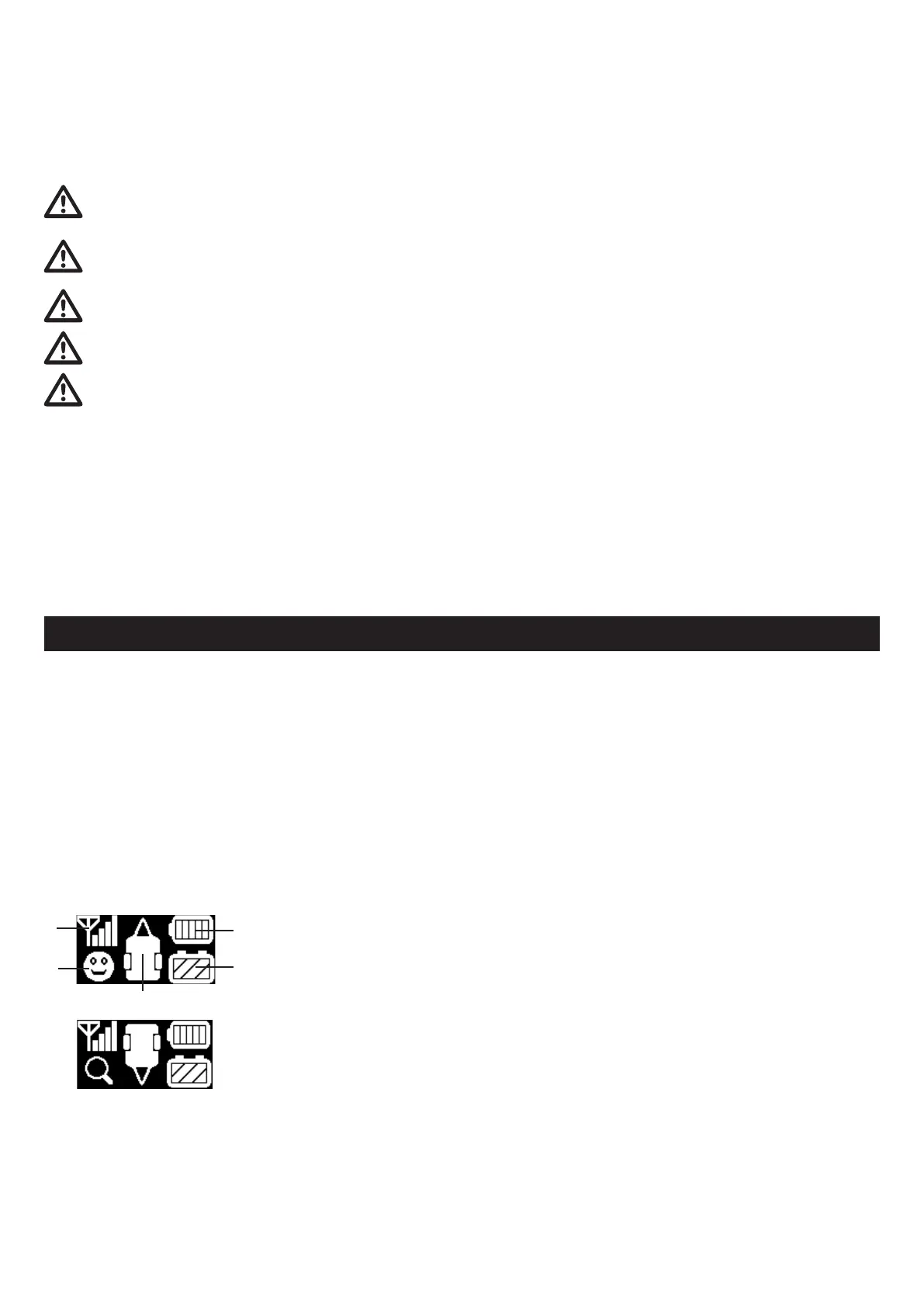
(A) Signal strength - Indicates signal strength between handset and control unit inside the
caravan.
(B) System status - If a smiling face is showing the system is working correctly.
- If a magnifying glass is showing, the handset is waiting to pair.
- If an ‘E’ number is showing refer to page 8/9 for error diagnosis.
(C) Handset battery status - Indicates handset battery level.
(D) Leisure battery status - Indicates voltage level of leisure battery, for maximum
performance ensure battery is fully charged and showing 4 bars before operating mover.
(E) Mover orientation - This shows the direction of travel of the caravan, when the thumb
stick is moved the caravan will follow in this direction. By default the hitch is designated as
orientation, the rear of the caravan will then move forward when the thumb stick is moved
upwards.
Caravan orientation ipped &
Handset searching for signal


 To Next Page
 Loading...