EasyManua.ls Logo

Qudo QDIN62SG - User Manual

Qudo QDIN62SG
9 pages
Print Icon
To Next Page IconTo Next Page
Loading...
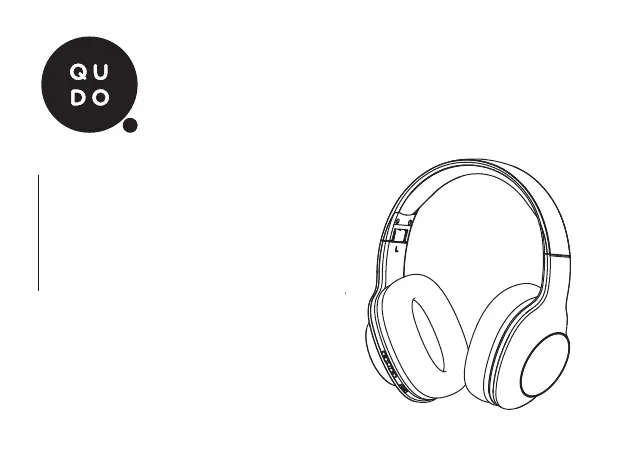
BASS BOOST
WIRELESS
HEADPHONES
INSTRUCTION MANUAL
MODEL: BASS BOOST

Questions and Answers

  • M
    Meghan HarrisAug 4, 2025
    Why Qudo Headphone cannot be paired with the mobile device?
    • M
      moorejamesAug 4, 2025
      If your Qudo Headphones won't pair with your mobile device, here's what to check: * Ensure you've followed the pairing steps correctly by turning off the headphones and repeating the process. * Make sure any previously connected devices are disconnected by either disabling Bluetooth or removing 'Bass Boost' from their Bluetooth device list. * Verify the battery level and recharge the headphones if needed.
  • S
    Stephen CookAug 14, 2025
    What to do if audio from Qudo QDIN62SG Headphone is lagging?
    • D
      Devin SmithAug 15, 2025
      If you experience audio lagging or dropouts on your Qudo Headphones, it might be due to signal interference. Try leaving the area to reduce interference from sources like cellular signal towers and Wi-Fi antennas. Also, turn off the headphones and remove 'Bass Boost' from your mobile device, then re-initiate the pairing process.
  • L
    Lisa WrightAug 25, 2025
    How to fix Qudo QDIN62SG that cannot be recharged?
    • J
      james82Aug 25, 2025
      If your Qudo Headphones aren't recharging, check the USB charging cable connections at both ends to ensure they are secure. Also, verify the USB power source is working correctly.

Summary

Product Overview and Controls

Volume and Track Controls

Controls for volume adjustment and track navigation.

Bass Boost Feature

Instructions on activating and deactivating the bass boost.

Power Button and Indicator

Usage of the power button and understanding the LED indicator.

Ports and Microphone

Details on the 3.5mm AUX port, USB charging port, and microphone.

Device Operation and Pairing

Power On;Off Instructions

Step-by-step guide to turning the headphones on and off.

Bluetooth Pairing Guide

Instructions for pairing the headphones with a new Bluetooth device.

Music Playback and Call Functions

Music Playback Controls

How to control music playback, volume, and bass boost.

Hands-free Call Management

Managing phone calls, including answering, ending, and redialing.

Connectivity, Charging, and Troubleshooting

Wired Connection Mode

Instructions for connecting the headphones using a 3.5mm audio cable.

Charging the Headphones

How to connect the USB cable and charge the device.

Troubleshooting Common Issues

Solutions for common problems like no recharge or connectivity issues.

Safety Precautions and Specifications

Important Safety Cautions

Guidelines for battery life, environment, and safe usage.

Product Specifications

Technical details including model, Bluetooth version, and battery capacity.

Package Contents and Warranty

Included Package Contents

List of items included in the product packaging.

Product Warranty Information

Details of the product warranty for Australian customers and claim process.

Qudo QDIN62SG Specifications

General IconGeneral
BrandQudo
ModelQDIN62SG
CategoryHeadphone
LanguageEnglish