4
Drivers are compatible with Windows only.
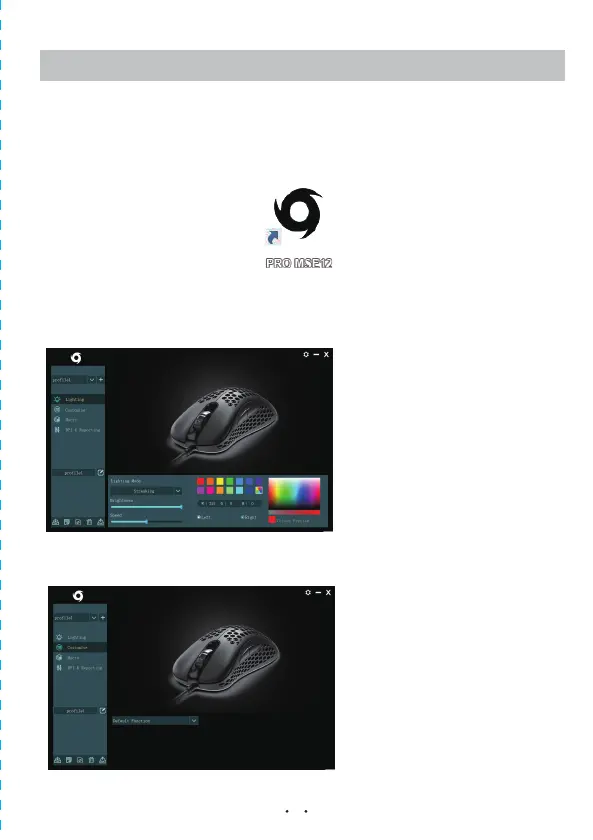
2. Once you have followed the installation steps, the driver icon will show up in your standard location.
3.Once you click on the driver icon, it will bring up the driver menu as shown below.
Click on “Lighting” to change the light mode.
4.Click on “Customise” to change your mouse buttons.
Advanced Driver Features
1. Visit www.officeworks.com.au/drivers to download the customisable drivers.


 To Next Page