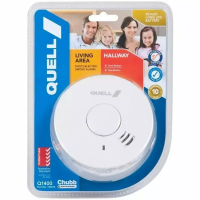
3. Switching on Your CO Alarm
NOTE: Your CO alarm must be installed by a competent person using the guidance that follows:
1.
The alarm is shipped turned off and is acvated the first me the mounng bracket is aached.
To acvate the alarm:
a) For Wall Mounng - install the mounng bracket using the instrucons on page 10 and
slide the alarm unl it snaps into place.
b) For Tabletop Applicaons - simply slide the bracket onto the unit unl it snaps into
place.
2. To test the alarm, press the test buon. The alarm will beep once followed by 4 loud
pulses, then a brief pause and then 4 more pulses, ending with a single beep. The alarm has
a ‘ramp-up’ horn so during the test sequence it will sound more soly, making it more
comfortable for the user. This confirms that the alarm is powered up and working.
3. Check that the green LED flashes at 30 second intervals to show that the alarm has power.
This is easiest to see in a dark area, or with lights switched off.
7



 To Next Page