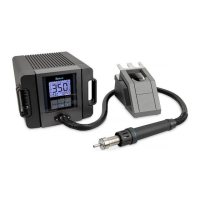
USER MANUAL
CAUTION: Make sure that the station is always switched off when plugging
in or unplugging the mains cable.
1. Place the soldering iron in the soldering iron stand.
2. Connect the soldering iron connection cable to the soldering station.
Please note the position of the notch in the plug (top side), then slightly
screw in the locking ring.
3. Insert the mains plug into a safety socket
4. Switch on the soldering station.
NOTE: Always place the soldering iron in the soldering iron stand when you are
not working with it.
2.4.1 Change Temperature
Raise Temperature: Click button, the temperature will rise 1°C, the window
will display the current setting temperature. If press the button for at least
1s, the setting temperature will rise rapidly. Loose the button when the value
is up to the required temperature.
Reduce Temperature: Click button and then the temperature will drop 1°C,
and the window will display the current setting temperature. If pressing
button not loosely at least 1s, the setting temperature will drop rapidly. Loose
the button when the value is down to the required temperature.
2.4.2 One Favorited Temperature Setting
3 fixed temperatures are stored on the ★ button at the factory:
1. Switch on the station, press the ★ button to switch between the 3
pre-programmed fixed temperatures.
2. Use the / buttons to change to the desired temperature as the
new SOL value
3. Save the newly set temperature by pressing and holding (3s) the ★
button. OK is displayed.
4. Carry out this procedure for each of the 3 fixed temperatures.


 To Next Page
 Loading...