USER MANUAL
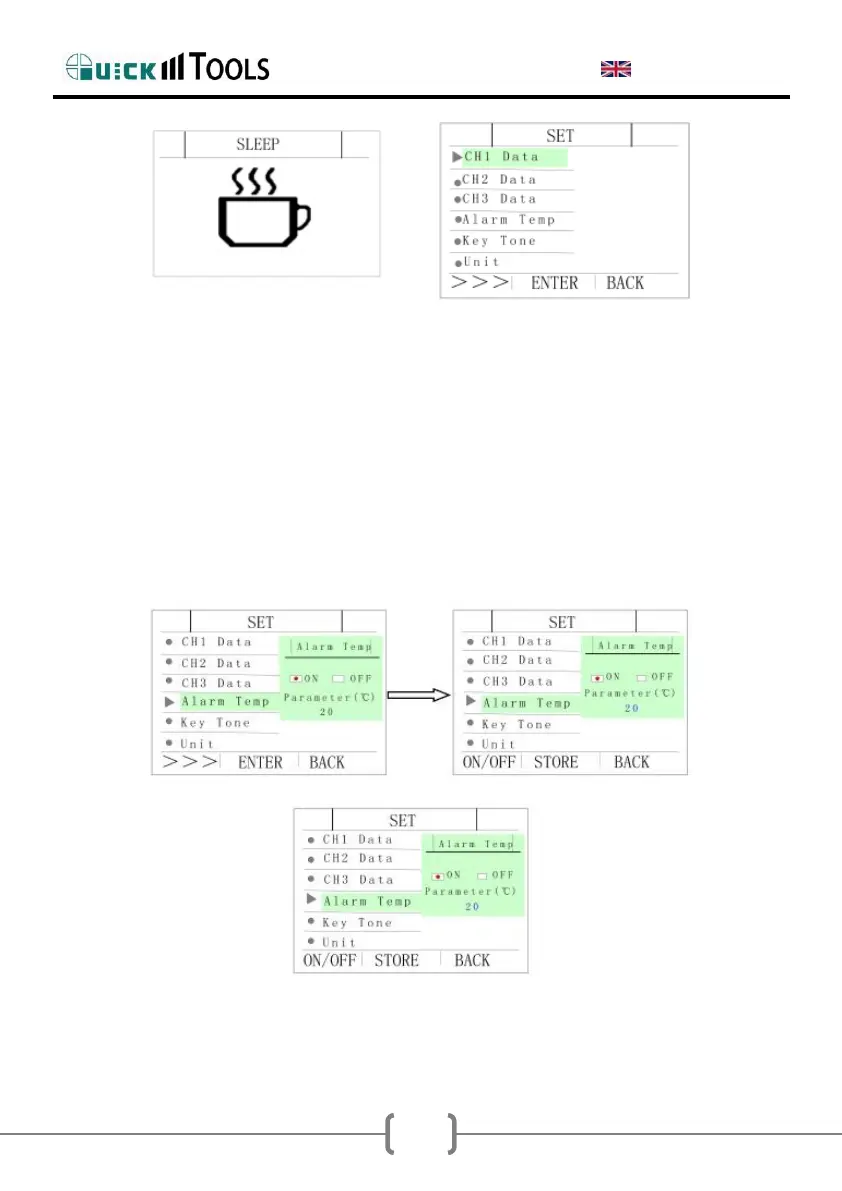
2.6.2. Setting alarm temperature
Press T+ , select “Alarm temp”, press CH, enter into alarm temperature
setting interface, press CH again , select temperature alarm function,
press T+ select ON or OFF, OFF express not alarm, ON express alarm,
press “T-” or “F-” modify temperature range. The range of alarm
temperature is: 2-99℃.


 To Next Page