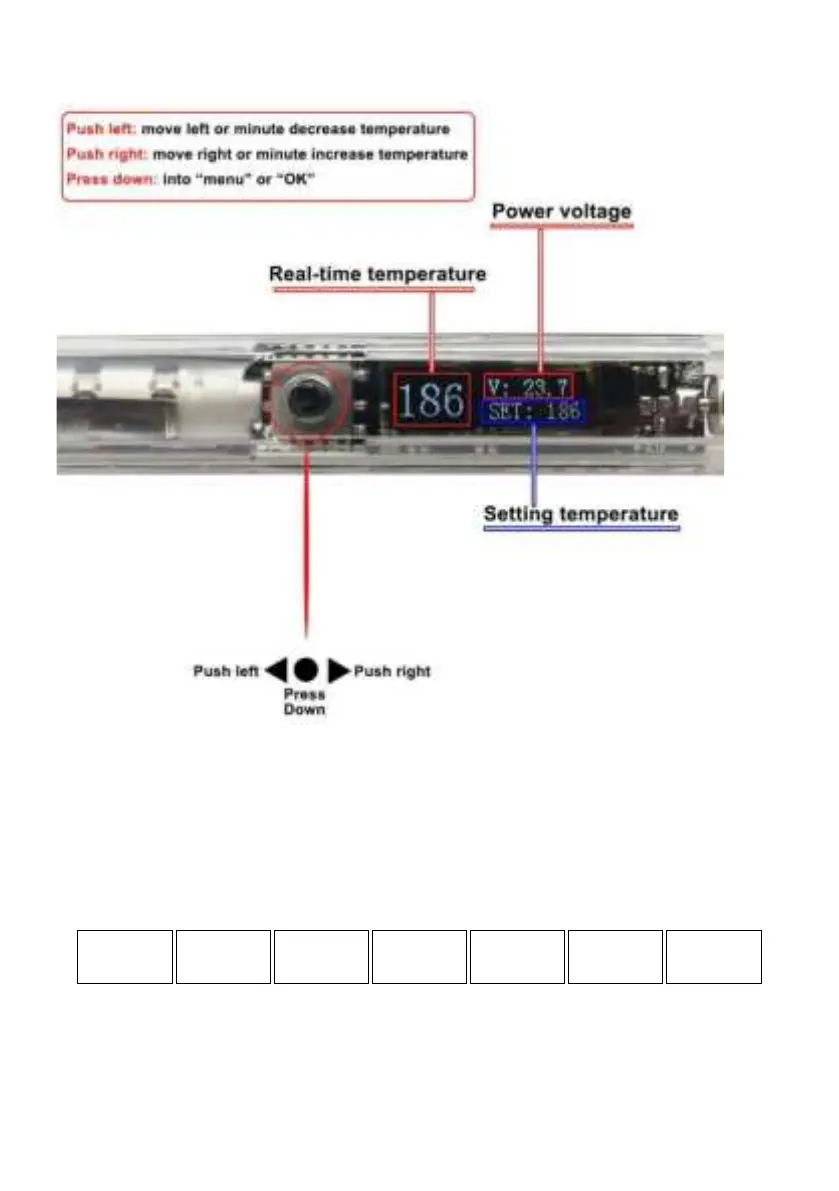
1. Functions of press key and display description
• "Push to the right" means move to the right or increase the
value.
• "Push left" means move to the left or decrease the value.
• "Press down" means confirm or enter the main menu.
2. Menu description:
• ACT: Calibration - Calculation formula: calibration value =
measuring temperature - setting temperature.
• HSL: Brightness - brightness adjustable range is 2-100, 2 is
darkest, 100 is the brightest.


 To Next Page