
 Need help?
Do you have a question about the QUIGG KM 2017Wi.20 and is the answer not in the manual?
Guidelines for intended and appropriate use of the appliance.
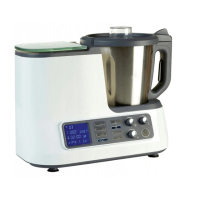
Identification of main parts with labels.
Details and parts of the stainless steel mixing bowl.
Explanation of control panel buttons and functions.
General safety guidelines for operating the appliance.
Hazards and precautions when using electrical appliances.
Additional safety advice concerning power cord and appliance use.
Specific risks associated with the food processor's WI-FI function.
Warnings about fire hazards and preventing injuries.
Safety for handling components and preventing accidents.
Precautions regarding liquids, contacts, and EM interference.
Understanding warning symbols and important information indicators.
Instructions for installing and assembling the food processor.
Info on Wi-Fi connection and downloading the companion app.
Detailed explanation of screen display elements and symbols.
Detailed description of control panel buttons and Wi-Fi function.
Using weighing key and speed control knob.
Safety and procedure for removing and installing blades.
Essential steps for correctly installing blades and sealing ring.
Procedure for correctly fitting and locking the lid onto the mixing bowl.
General guidelines for using the food processor with the mixing bowl.
Using left-hand rotation for mixing and gentle preparation.
Using the integrated kitchen scale for weighing ingredients.
Step-by-step guide to using the kitchen scale and its tare function.
Using the mixing/mixing function, including the TURBO function.
Step-by-step guide for kneading dough.
Proper use of mixing blade for beating, whipping, and emulsifying.
Safety precautions and operation of the integrated heating function.
Setting and monitoring temperatures for cooking and heating.
Step-by-step guide for using the appliance with the heating function.
Correct steamer placement and safety during steaming.
Step-by-step guide for using the appliance with the steamer.
General instructions and safety for using preset programs.
Instructions for CONFITURE (JAM) preset program.
Instructions for KNEAD 1 and KNEAD 2 programs.
Safety precautions when using the cooking basket.
Versatile uses of the cooking basket, including as a sieve.
Table of common faults and their solutions.
Safety and general advice for cleaning the appliance.
How to clean spatula, paddle, steamer, etc.
Key technical details of the food processor and Wi-Fi module.
 General
| Brand | QUIGG |
|---|---|
| Model | KM 2017Wi.20 |
| Category | Food Processor |
| Language | English |

 To Next Page