

EasyManua.ls Logo

Racepak 610-KT-SPRTMN - User Manual

Racepak 610-KT-SPRTMN
36 pages
Print Icon
To Next Page IconTo Next Page
Loading...
Installation and Operation Manual
#610-KT-SPRTMN
949-709-5555
30402 Esperanza Rancho Santa Margarita, CA 92688 USA Fax: 949-709-5556
www.racepak.com
Question and Answer IconNeed help?

Do you have a question about the Racepak 610-KT-SPRTMN and is the answer not in the manual?

Summary

II: Hardware Installation

III: Datalink II Software

IV: Configuring the Sportsman Data Logger

Modifying System Configuration

Steps to modify system setup by opening and editing car configuration files.

Editing Device;Channel Parameters

Details how to edit device/channel parameters using the edit dialog box.

Understanding Channel Description Fields

Explains fields like Type, Unit Serial #, Input Number, V-Net ID, and Name.

Sending Configuration and Saving Changes

Details sending configuration to the logger and saving the car configuration file.

Adding or Removing V-Net Devices

Instructions to update configuration files when adding or removing V-Net devices.

V: Operating the Sportsman Data Logger

Configuring Record Parameters

Details setting record parameters like start channel, start value, and record length.

Setting Record Trigger Parameters

Explains setting start channel, start value, and record length for triggering recording.
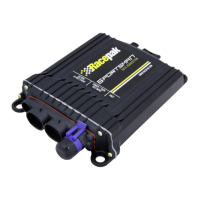
Racepak 610-KT-SPRTMN Specifications

General IconGeneral
BrandRacepak
Model610-KT-SPRTMN
CategoryOther
LanguageEnglish