8 9
STEP 1 STEP 2
Pair flow meter. Turn water off.
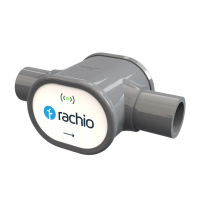
Take the Wireless Flow Meter to the backflow
preventer where it will be installed.
Do not put the batteries in the Flow Meter
until prompted.
Open the Rachio app. From the “More” tab, select
“Accessories,” then add the Rachio Wireless
Flow Meter. You will be guided through the
pairing process and then prompted to continue
installation.
Turn off water to the irrigation system at the
backflow or at the main shut-off.
Drain the system by running any zone for one
minute using the Quick Run feature in the
Rachio App.


 To Next Page