
 Need help?
Do you have a question about the Rachio Wireless Flow Meter and is the answer not in the manual?
Access online support resources and FAQs for troubleshooting.
Contact customer support via phone for assistance.
Bring the flow meter to the installation site and do not insert batteries until prompted.
Open the Rachio app, navigate to Accessories, and add the Wireless Flow Meter.
Turn off water to the irrigation system at the backflow or main shut-off valve.
Run a zone for one minute using the Rachio App's Quick Run feature to drain.
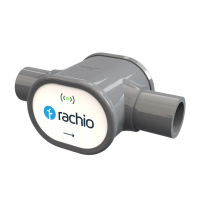
Firmly push the flow meter and fittings together with a twisting motion until flush.
Reference the chart to identify pipe material and size for cutting instructions.
Follow specific marking and cutting instructions for 3/4 inch copper or poly pipe.
Follow specific marking and cutting instructions for 1 inch copper or poly pipe.
Follow specific marking and cutting instructions for PVC or PEX pipe.
Make precise cuts on the innermost marks and clean pipe edges using a deburring tool or sandpaper.
Orient the flow meter with water flow, push fittings firmly, and adjust as needed.
Restore water supply and inspect the installation site for any leaks.
 General
| Brand | Rachio |
|---|---|
| Model | Wireless Flow Meter |
| Category | Measuring Instruments |
| Language | English |

 To Next Page