Using Your Verbatim autodialer
Verbatim Owner's Manual 5-3
! Note:
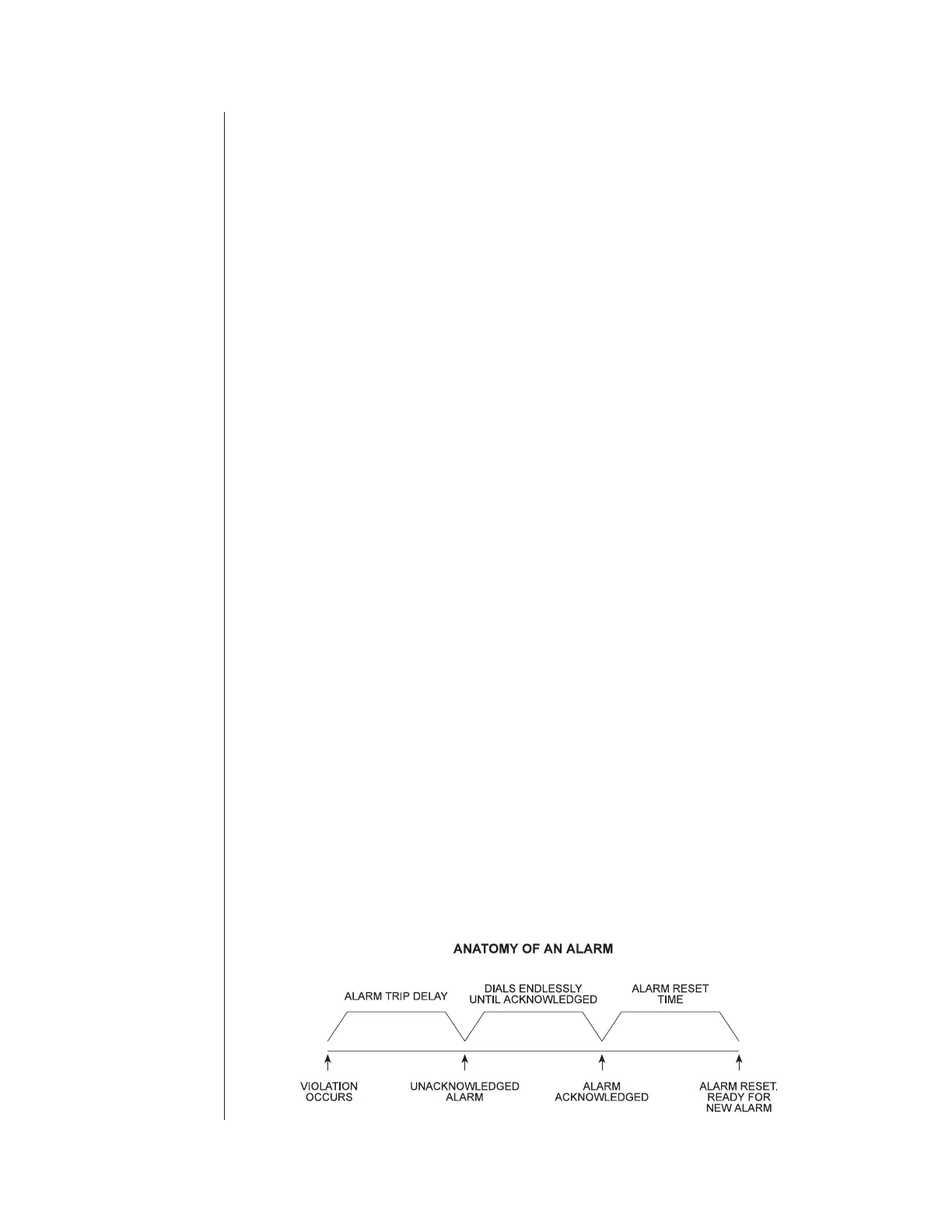
When the autodialer goes into alarm, it dials each phone number in sequence
until it receives an acknowledgement. The alarm may be acknowledged after
the warble tone by pressing a touch tone "9"; by calling the unit back after it
says, "goodbye," or by pressing NORMAL on the front panel. After
acknowledgement, the dialer will not call out again on that channel until it is
reset. This is usually done automatically after a set period of time called the
Alarm Reset Time, which allows the person who acknowledged the alarm time
to go fix the source of the problem without further callouts from the dialer.
After the reset time, the unit is automatically reset, and any alarms present at
that time will cause a dial out.
v Exception:
Power Failure alarms only cause two spoken messages: 1) When power has
been off for longer than the Power Failure Trip Delay, "Power is Off" is
reported. 2) When power has been off and is later restored the message
"Power is On" is reported.
5.4 Continued Dialing in the Absence of
Acknowledgment
The Verbatim autodialer will then wait for the programmed Time Between
Alarm Calls (default 2 minutes; See Section 6.2.12, "Miscellaneous
Programming Tips," to change default time), during which you may call the
Verbatim autodialer back to acknowledge the alarm. If no acknowledgment is
received at the end of this period, the next phone number will be dialed. The
process will be repeated indefinitely, repeatedly going through all the
designated phone numbers, until acknowledgment is received.
v Exception:
If you want further calling terminated when channels return to normal you
may so program the unit by using the "Set Return to Normal" command
(Code 923). See Appendix K.


 To Next Page
 Loading...
