Box Manual for ATS200 v1.0
© 2024 page 9 of 13
5 Menu structure of soft buttons
The menu structure is subject to change without further notice depending on the
firmware version. This manual is based on firmware “V5.2b_Dark”.
Notes: Not all buttons/parameters are available in all bands.
5.1 Top line on display
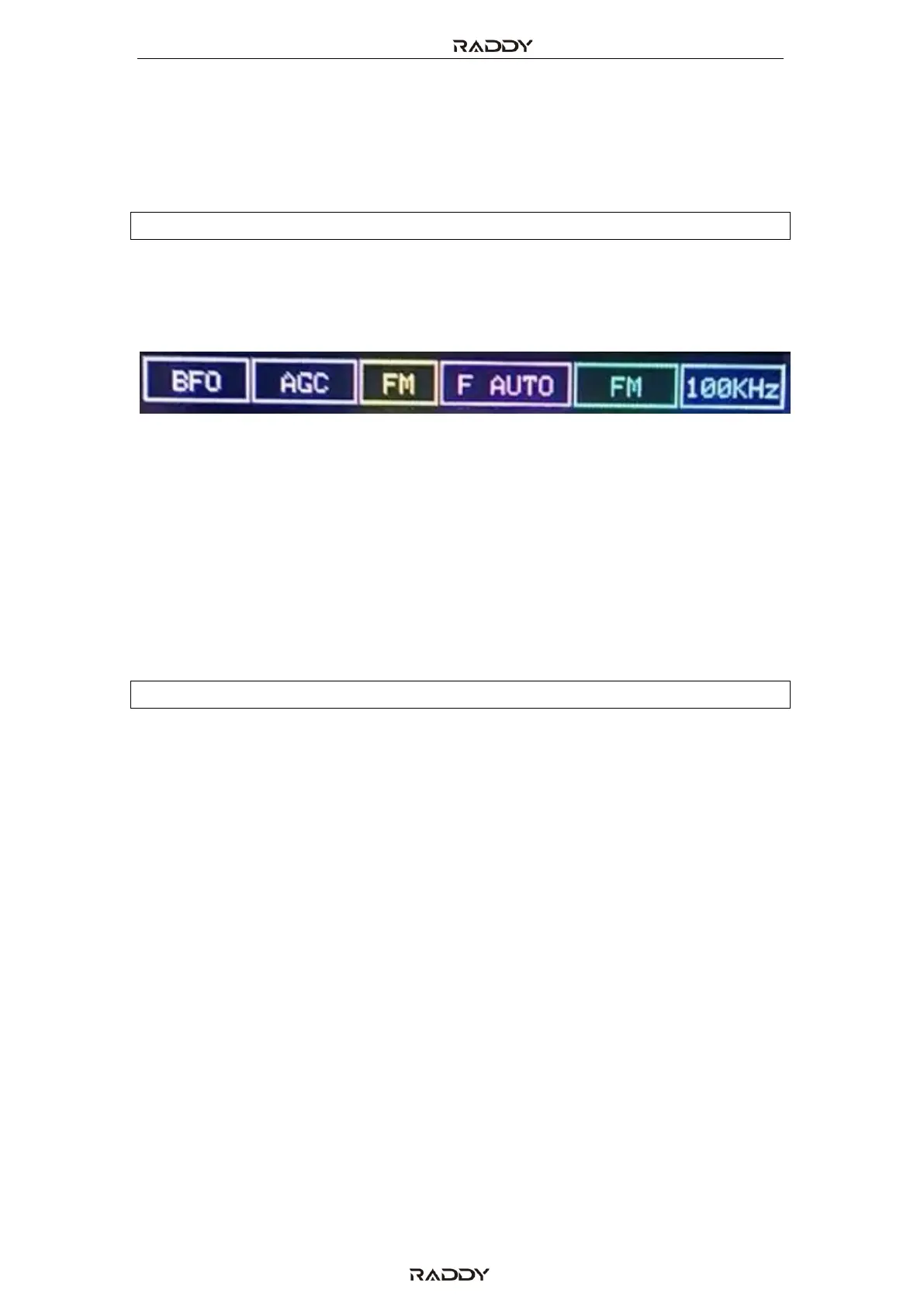
The top display line (above the frequency display) does show various settings,
depending on the selected band, such as:
• Beat Frequency Oscillator (BFO). Only available in CW mode. Represents the
audio frequency signal heard when receiving continuous wave (Morse code)
transmissions.
• Gain/attenuation: AGC, ATT 1…26)
• FM/AM/USB/LSB: demodulation mode
• Bandwidth-filter (F-AUTO, F2.2 kHz, F4.0 kHz, F110kHz)
• Band: FM, LW, MW, 120M, 90M, 75M, 49M, 41M, 31M, 25M, 22M, 19M, 17M,
15M, 13M, 11M, CB, AIR/6M
• Channel stepping: depending on selected band: 1 kHz, 5 kHz, 9 kHz, 10 kHz,
100 kHz
Notes: Not all values possible in all bands.
5.2 Soft buttons:
To switch between the two screen parameter pages, use the soft-key “NEXT” or
“BACK” displayed in the bottom right of the screen
5.2.1 HAM
Select one of the various HAM radio bands, such as: 800M, 630M, 160M, 80M,
60M, 40M, 30M, 20M, 16M, 14M, 12M and 10M.
5.2.2 BAND
Select one of the radio station frequency bands FM (normal FM radio band), Long
Wave (LW), Middle Wave (MW), 120M, 90M, 75M, 49M, 41M, 31M, 25M, 22M, 19M,
17M, 15M, 13M, 11M, CB and AIR/6M.
5.2.3 FREQ
Within a selected band, you can enter the frequency via a numerical keypad
5.2.4 BFO
The Beat Frequency Oscillator (BFO) is only selectable in CW mode and represents
the audio frequency signal heard when receiving continuous wave (Morse code)
transmissions.



 To Next Page