19
00
:
00
SETTINGS
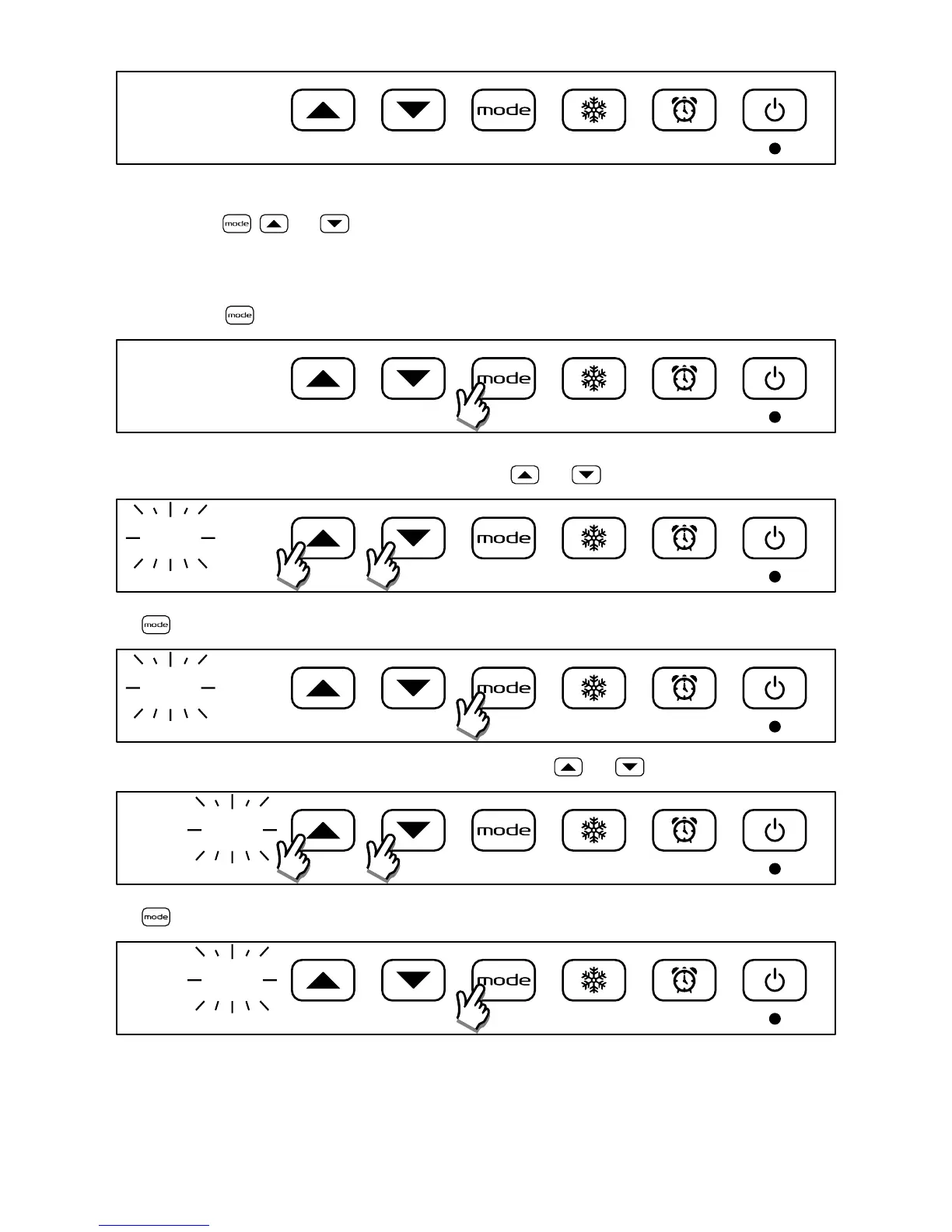
The following keys , and , will allow you to adjust the current hour and day of the week (1 = Monday), the
Comfort temperature and to activate or deactivate the open window detection function.
E.g.: To set 08:30, Tuesday, Comfort temperature of 25°C and enable the open window detection previously disabled,
proceed as follows:
Press and hold the button for 3 seconds to enter the settings menu:
3"
00
:
00
Set the time:
The 2 digits of the hour start blinking: set the current hour using and buttons
00
:
00
Press to conrm
08
:
00
The 2 digits of the minutes start blinking: set the current minutes using and buttons
08
:
00
Press to conrm
08
:
30



 To Next Page