20
- Insert the three wall plugs supplied with the product
- Insert the 2 upper screws, contained in the same bag, taking care to leave a distance of 8 mm between the
head of the screws and the wall;
- Gripping the heater rmly, hook it onto the two screws; CAUTION! Before releasing the heater make sure
it is attached to the 2 screws.
- Then secure the product with the lower screw.
3.
toWels holder (on aPPlicaBle versions)
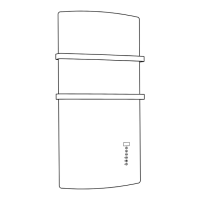
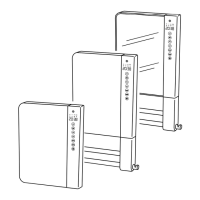
• Before installing the wall-mounted fan heater it is necessary to x the towel bar supplied separately from the
product. To this purpose:
- Remove the 2 plastic covers as shown in picture 5;
- Fasten the bar to the fan heater with the 3 screws supplied as shown in picture 6;
- Replace the 2 plastic covers as shown in picture 7;
- Fix the plastic covers using the 2 supplied screws as shown in gure 7.
• Please do not push or embed towel close to the air outlet grid (picture 9) but place them as shown in picture 8.
4.
• This product is tted with a lter to protect the heating element from dust and dirt.
• The lter is removable to be easily cleaned with water (picture 10).
• To keep the heater in perfect condition, clean the lter once every six months REMEMBERING TO PUT IT BACK
AGAIN AFTERWARDS.
• Every 120 working hours, the user is notied of the need to clean the lter on the back of the product. The warning
is given in the form of a running message on the display:
" CLEAn FILtEr - PULIrE FILtro "
.
• Even when the display is showing the message above, the product goes on working in the mode active when
the notication appears.
• If any key is pushed the text is removed from the display and the built-in counter is reset.
5.
coMMand descriPtion and Functioning
• The heater is tted with a double pole electromechanical ON/OFF switch on its left side. Switching off the product
the supply voltage is disconnected from all the internal components.
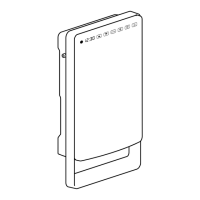
• The following controls are available on the front panel (picture 11):
A - Presence Sensor
B - Anti-freeze mode LED indicator
C - Eco mode led indicator
D - Comfort mode led indicator
E - Open window detection LED indicator
F - Display
G - Boost function
H - Ok/conrm
I - Show and increase
J - Show and decrease
K - Mode
L - Menu
M - Stand-by
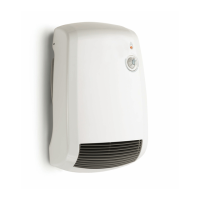
This fan heater features a presence sensor and an automatic power management function.
The presence sensor allows a reduced energy consumption, lowering automatically the ambient temperature when no
presence is detected in the room for at least 10 minutes. Once someone is detected, Windy comes automatically back
to the set comfort temperature. The automatic electronic power selection, instead, manages the consumption through
an accurate and comfortable regulation keeping constant the selected temperature - according to what has previously
been set on the electronic thermostat.


 To Next Page