22
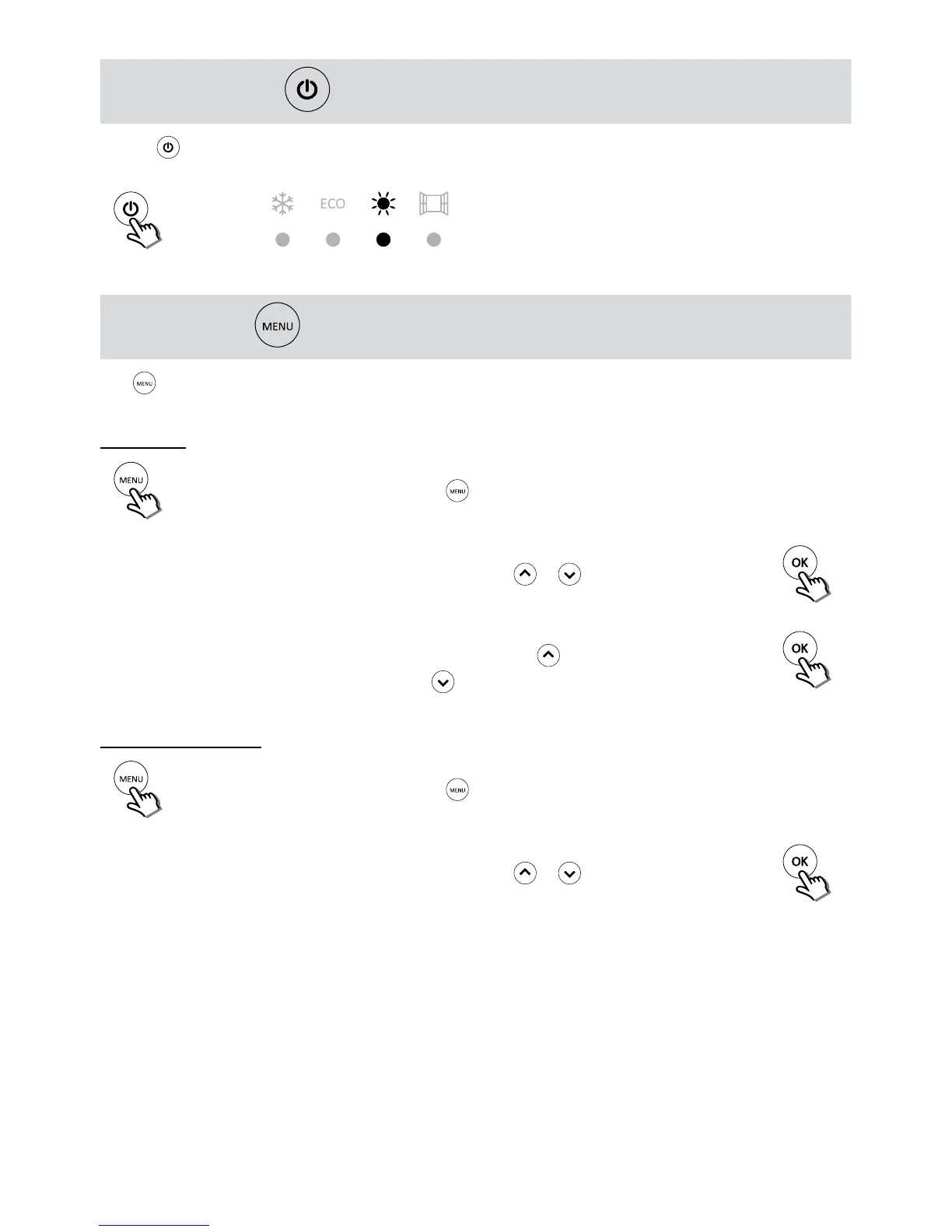
STAND-BY BUTTON
Use the button to switch On or set in Stand-by the product. When ON is pressed the set working temperature
LED lights up.
Example of activation in Comfort.
MENU BUTTON
The button allows access to the product settings - time, day, weekly program and open window detection
adjustment.
Time setting
Hour
Activate time display/change
by pressing the
button until the word "Hour" appears.
After 3 seconds:
00
:
00
The 2 digits representing
the hour blink
Select the current hour
by using the
or
key
Press the OK key
to conrm
21
:
00
The 2 digits representing
the minutes blink
Select the current minu-
tes by using the or
key
Press the OK key
to conrm
Day of the week setting
dAY
Activate day of the week display/change
by pressing the
button until the word "dAY " appears.
After 3 seconds:
Mo
The 2 digits representing
the day blink
Select the current day
by using the
or
key
Press the OK key
to conrm


 To Next Page