EasyManua.ls Logo

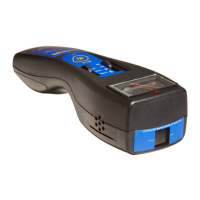
Radiation Alert Inspector+ - User Manual

Default Icon
16 pages
Print Icon
To Next Page IconTo Next Page
Loading...
&
User Manual
®

Questions and Answers

  • R
    Richard MyersJul 27, 2025
    What to do if the display is blank on my Radiation Alert Inspector+ Measuring Instruments?
    • D
      Derrick MezaJul 27, 2025
      If your Radiation Alert Measuring Instrument shows a blank display, first, install a new 9-volt battery. If the count light and audio are working, the LCD may need to be replaced. This could be due to no battery, a dead battery, a poor battery connection, or a defective LCD.
  • C
    Cheyenne GoodwinAug 5, 2025
    Why does my Radiation Alert Inspector+ Measuring Instruments have a false high reading?
    • J
      John YatesAug 5, 2025
      If your Radiation Alert Measuring Instrument gives a false high reading, it might be due to several reasons. First, try drying the instrument in a warm, dry place, as moisture can cause this issue; if the problem persists, it requires service. Also, remove the instrument from direct sunlight and ultraviolet sources. If the high count drops, the mica window coating may have washed off the Geiger tube due to getting wet, and the tube will need to be replaced. Replacing the Geiger tube is suggested if the issue is a continuous discharge. Lastly, move the instrument away from possible sources of electromagnetic or radio frequency radiation.
  • K
    Kevin CookeAug 17, 2025
    How to fix a Radiation Alert Inspector+ Measuring Instruments when the display works, but no counts are registered?
    • M
      makaylapriceAug 17, 2025
      If the display of your Radiation Alert Measuring Instruments works but no counts are registered, the cause may be a defective Geiger tube or a bad cable. Look through the window to check the mica surface of the tube; if it is wrinkled or a break is visible, replace it and check the EXP cable connection.

Summary

1 Introduction

How the Inspector+ Detects Radiation

Explains the Geiger-Mueller tube's role in detecting radiation pulses.

Precautions

Lists essential care and handling instructions to maintain instrument condition.

2 Features

The Display

Describes the LCD indicators and their meanings for various modes and conditions.

The Switches

Details the function of the Mode Switch and Off/On/Audio Switch.

3 Operation

Units of Measurement

Explains how to switch between conventional and SI units.

The Detector

Describes the internal Geiger-Mueller tube and external probe.

The Input;Output Ports

Details the Cal Input and Output ports for interfacing.

Starting the Inspector+

Response Time and Autoranging

Explains how the instrument adjusts response time and automatically changes range.

Operating Modes

Details operation in Dose Rate and Total/Timer modes for counts and rates.

Timed Count Procedures

Using Dose Rate Modes While Timer is On

Explains using dose rate modes concurrently with the timer.

Taking a Total Count

Describes how to take a total count without using the timer.

Using The Alert

Instructions on setting and using the radiation level alert function.

Utility Menu

Guide to accessing and using the Utility Menu for settings adjustment.

4 Common Procedures

Establishing the Background Count

Guidance on measuring normal background radiation levels for accurate comparison.

Environmental Area Monitoring

How to monitor ambient radiation levels in an area.

Checking for Surface Contamination

Procedure for detecting radioactive contamination on surfaces.

5 Maintenance

Calibration

Explains when and how to calibrate the instrument.

Calibrating Using a Source

Step-by-step guide for calibrating the Inspector+ with a radioactive source.

Calibrating Electronically

Troubleshooting

Service

6 Basics of Radiation and Its Measurement

Ionizing Radiation

Explains what ionizing radiation is and its types.

Radiation Measurement Units

Defines units used for measuring radiation exposure and dosage.

Appendix A - Technical Specifications

Appendix B Sensitivity to Common Isotopes

Appendix C Inspector EXP+ Carrying Case

Appendix D- Options

Inspector Protective Case

Describes the protective case for the Inspector+ for harsh environments.

Observer Software

Information about the Observer software for data logging and analysis.

Warranty

Radiation Alert Inspector+ Specifications

General IconGeneral
TypeGeiger Counter
DetectorGeiger-Muller Tube
Accuracy±15%
DisplayLCD display
AudioAudible alarm
OutputsUSB
Power Supply9V battery
Operating Temperature-10°C to 50°C
Detection Range0.001 to 100 mR/hr (0.01 μSv/hr to 1 mSv/hr)

Related product manuals