42
43
Charging the Battery
31 2
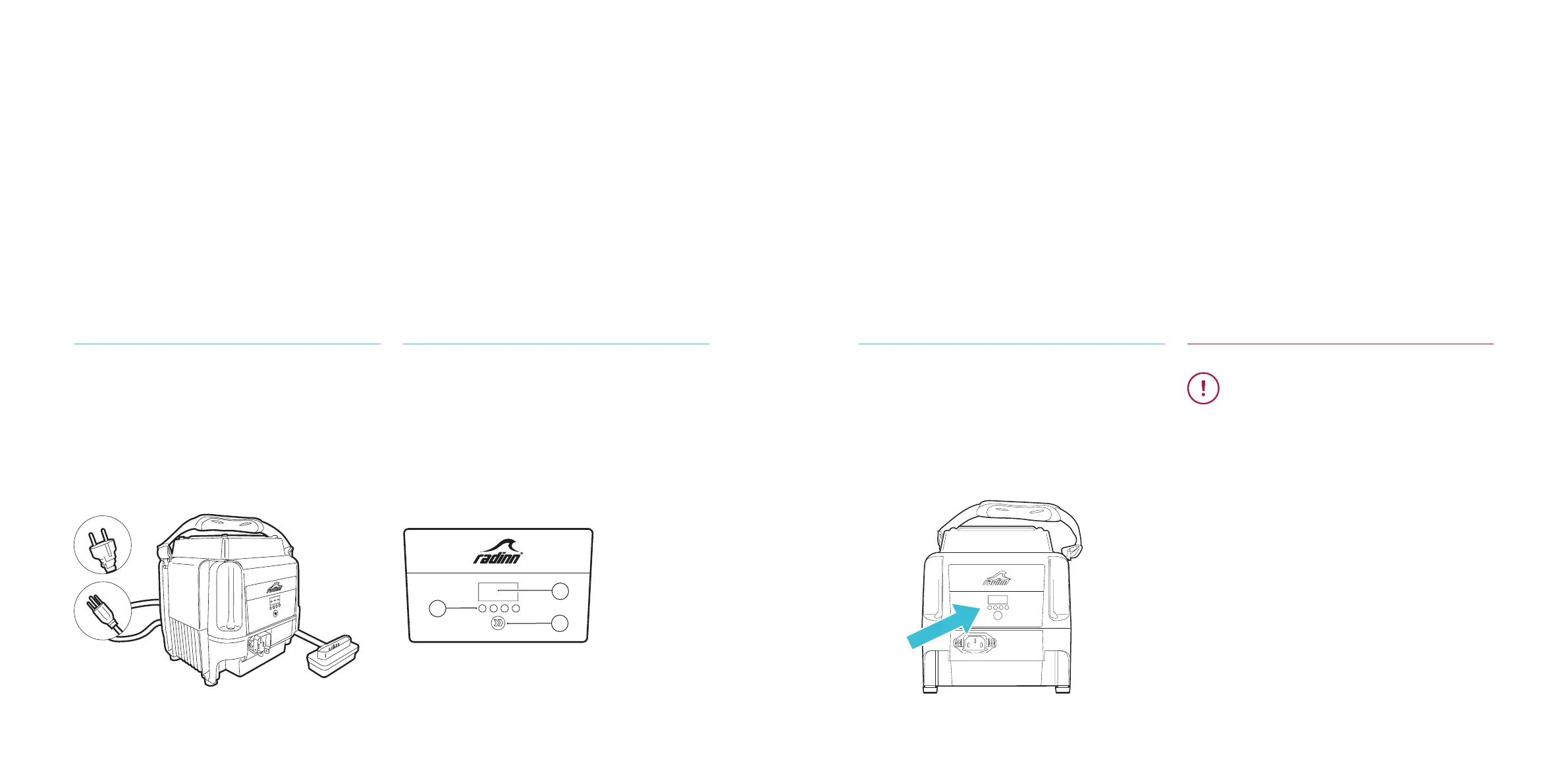
Connect the power cable to the power
supply. Then connect the charging cable
to the battery.
By pressing the Select button for one
second at a time, the charger will switch
between three different charging proles.
During charging the selected prole will
show in the digital display together with
chasing LEDs below.
When the charging is complete all four
LEDs show constant light. Disconnect the
AC input cord from the wall outlet before
disconnecting the charging plug from
the battery.
IMPORTANT:
Always fully charge the battery before
using it.
Never fully discharge the battery.
Read Battery Maintenance to extend the
lifetime expectancy of your batteries.
If the battery temperature is too high it
will not charge. Please let the battery cool
off before charging.
Never leave the charging plug conneced
to a fully charged battery.
BOARD PREPARATIONS BOARD PREPARATIONS
1. Digital Display
2. LED Indicators
3. Select Button
1
2
3



 To Next Page