52
53
3 421
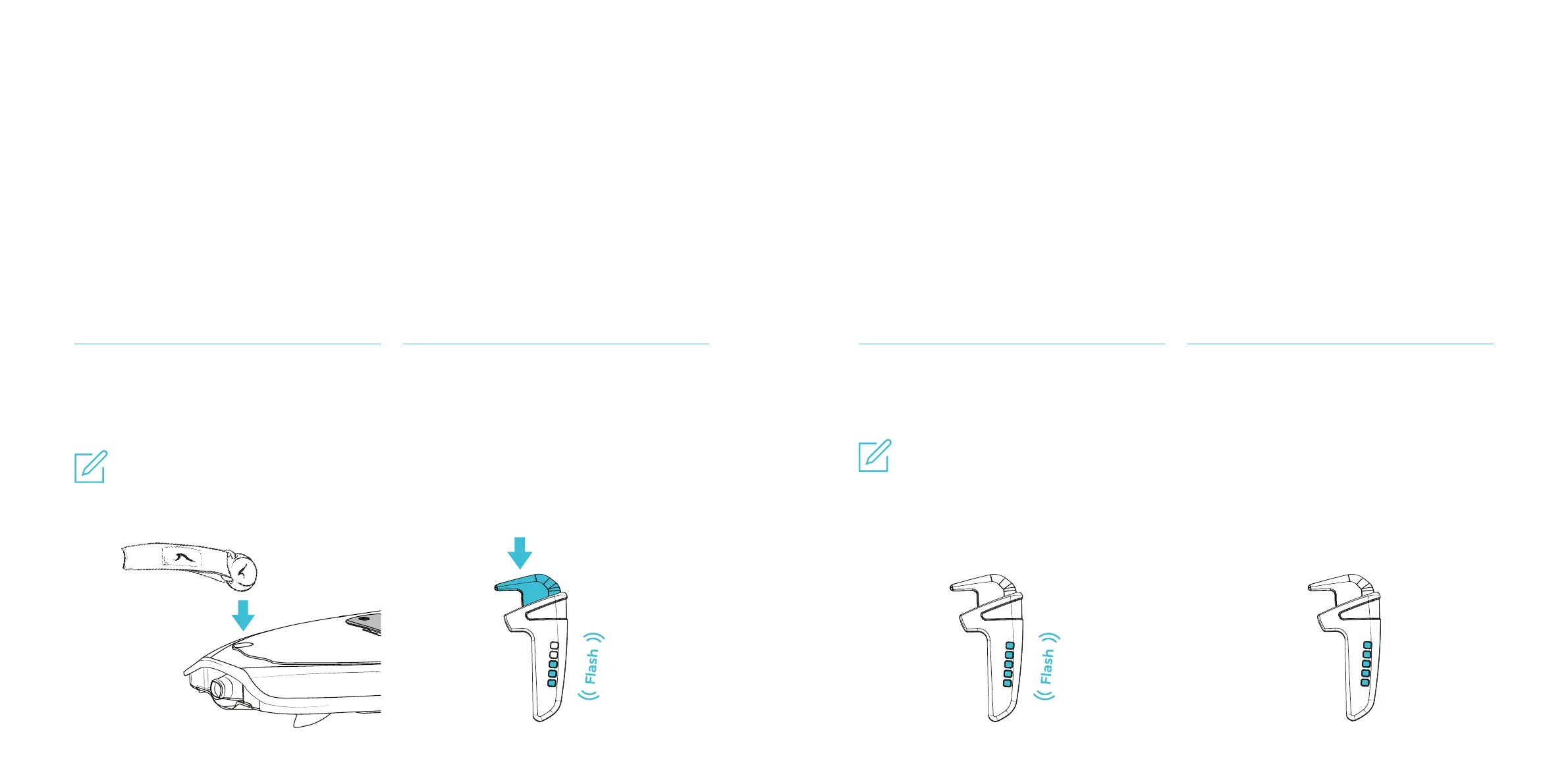
Attach the magnetic key leash to the kill
switch holder on the board until you hear a
low signal.
Press the throttle lever all the way down
until the LEDs start ashing. Then let go
of the lever.
The ashing LEDs indicate that the
throttle is trying to connect to the board.
(The number of LEDs ashing indicates
the battery level of the Hand controller.)
When the Hand controller successful-
ly pairs with the board, all ve LEDs will
ash once.
When the pairing is complete, the LEDs
stop ashing and indicates the remaining
capacity of the battery. Charge the batte-
ry again if not all ve LEDs light up.
Then gently push the lever to check if it’s
properly paired. If there is no response
from the jet, please repeat from step 2.
Pair board with
Hand Controller
BOARD PREPARATIONS BOARD PREPARATIONS
Note:
It will normally take less than one second
to complete the pairing but can take up
to one minute in rare cases. If the Hand
controller does not nd the board after 60
seconds – repeat step 2.
Note:
It’s easier to hear the signal in a quiet
surrouding.



 To Next Page