EasyManua.ls Logo

Radio Engineering Industries Digital BUS-WATCH R1001 - User Manual

Default Icon
96 pages
Print Icon
To Next Page IconTo Next Page
Loading...
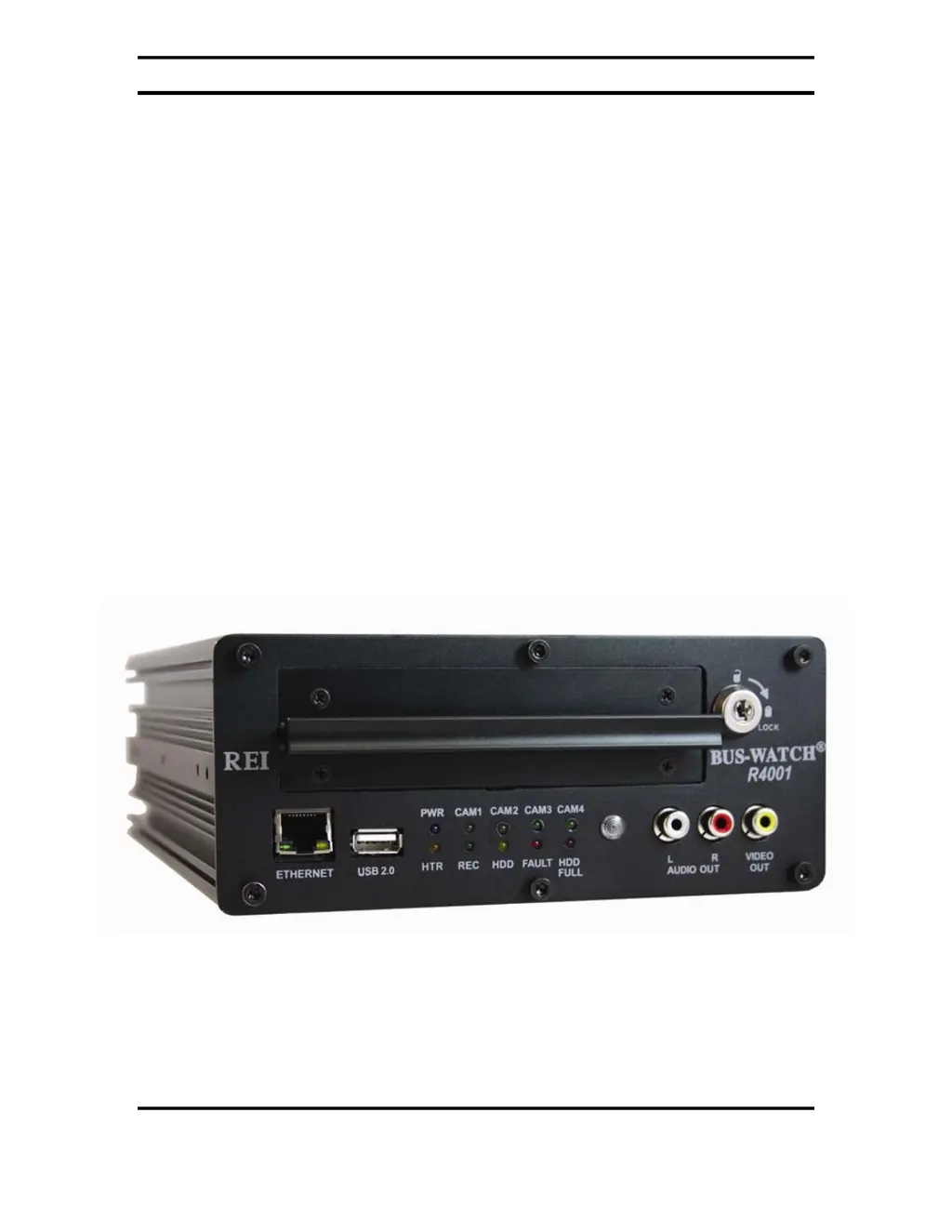
Digital BUS-WATCH®
Digital
BUS-WATCH
®
R1001 / R4001
Hardware User Manual
Hardware Installation Manual
Page 1 of 96
Radio Engineering Industries, Inc.
640370 -- Rev 0 -- 8/17/2007

Table of Contents

Questions and Answers

  • E
    Ellen StevensAug 9, 2025
    What to do if the HDD Full LED is on in Radio Engineering Industries Security System?
    • J
      Jon PetersonAug 9, 2025
      If the Radio Engineering Industries Security System displays a lit 'HDD Full' LED, it means the hard drive is full of video. To resolve this, you can configure the DVR to overwrite the existing video. Alternatively, you can remove some video files or format the hard drive.
  • L
    leblancgeorgeAug 13, 2025
    How to troubleshoot a Radio Engineering Industries Security System that is not powering on?
    • A
      Anthony BurkeAug 14, 2025
      If your Radio Engineering Industries Security System isn't powering on and the power LED is off, it could be due to a few reasons. First, check that the power cable is properly installed, ensuring you have 12VDC on the memory (white wire), a chassis ground (black wire), and 12VDC on the ignition (red wire). Another potential cause is an incorrect record mode setting, so verify that setting. Lastly, make sure the hard drive is installed and correctly locked into place.
  • B
    Benjamin WrightAug 19, 2025
    What to do if I can't access the menu on my Radio Engineering Industries Security System?
    • J
      jenkinsbruceAug 19, 2025
      If you cannot access the menu on your Radio Engineering Industries Security System, the remote control might not be working. Check the batteries or try a different remote. Alternatively, the DVR might be in installer mode, so you'll need to exit installer mode.
  • J
    Jimmy CastilloAug 25, 2025
    What does it mean if the Fault LED is on in Radio Engineering Industries Security System?
    • J
      James GonzalezAug 25, 2025
      If the Radio Engineering Industries Security System displays a lit fault LED, it indicates that the camera(s) may not be connected. Verify the camera connection to resolve this issue.
  • X
    xgregoryAug 29, 2025
    How to fix no audio out on Radio Engineering Industries Security System?
    • J
      Jane ThomasAug 29, 2025
      If there's no audio output from your Radio Engineering Industries Security System, it could be because audio recording is disabled. Enable audio in the settings. Another possibility is that the volume is turned all the way down. Use the UP ARROW on the remote control to increase the volume.
  • W
    williamsryanSep 3, 2025
    Why is the Ethernet connection not working on my Radio Engineering Industries Security System?
    • J
      Jerry BurchSep 3, 2025
      If you are experiencing issues with the Ethernet connection on your Radio Engineering Industries Security System, the problem might be due to using the wrong network cable type. Try using a crossover cable (REI P/N 530068). Another potential cause is that the DVR IP settings are not configured correctly. Make sure to configure the network settings. It could also be the PC IP settings are not configured correctly.

Radio Engineering Industries Digital BUS-WATCH R1001 Specifications

Video Specifications IconVideo Specifications
video input channels4 Channel Inputs
video input level1V pp / 75 ohm
video output2 x Composite Video, 1x Ethernet, and 2 x USB 2.0
image resolution720 (H) x 486 (V)
video compressionMPEG-4
frame rate1 to 30fps Selectable
Audio Specifications IconAudio Specifications
audio input channels4 independent channel inputs
Environmental Specifications IconEnvironmental Specifications
relative humidity10%~95% at 40°C, Non-Condensing
operating temperature-40°C ~ +65°C
shock resistance225Gs 2ms (Operating) / 900Gs 1 ms (Storage / Transit)
vibration resistance1.0G, 5 ~ 500Hz (Operating), 5.0G, 5 ~ 500Hz (Storage / Transit)
Power Specifications IconPower Specifications
power requirement12VDC @ 2A / 24VDC @ 1A
power consumption24W Maximum