Please read this user’s guide before
installing, setting up and using your new product
www.radioshack.com
Thank you for purchasing your Digital
AM/FM/WX (Weather) Radio from RadioShack.
It provides excellent AM and FM radio reception
and local weather information. You can store up to
20 radio stations and access them with the touch
of a button.
radio user’s guide
You can power your radio with AC power or with
batteries. The attached AC power cord’s plug is
polarized and fi ts into AC power outlets only one
way. If the plug does not fi t your outlet, turn the
plug over and try reinserting it. If it still does not
fi t, contact a qualifi ed electrician to change your
outlet, or use a different AC outlet.
1. Remove
the battery
compartment
cover.
2. Extend the AC
power cord and
plug it into a
standard 120V
AC outlet. Or,
insert four size C batteries according to the
polarity markings in the compartment.
3. Replace the cover.
12-888
Digital AM/FM/WX Radio
The clock is the default display. PM appears for
afternoon time.
1. Hold down MEMORY SET until you hear a beep.
The hour digits fl ash.
2. Rotate TUNER/SEEK to adjust the hour, and press
MEMORY SET to confi rm. The minutes fl ash.
3. Rotate TUNER/SEEK to adjust the minutes, and
then press MEMORY SET to confi rm. A beep
sounds to confi rm the time is set.
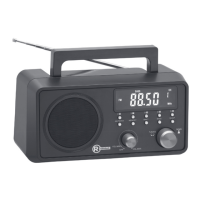
Note: Actual product may vary
from the images found in this
document.
WARNING: To reduce the risk of fi re or shock hazard, do not
expose this product to rain or moisture.
CAUTION
RISK OF ELECTRIC
SHOCK. DO NOT OPEN.
CAUTION: TO REDUCE THE RISK OF ELECTRIC SHOCK, DO
NOT REMOVE COVER OR BACK. NO USER-SERVICEABLE
PARTS INSIDE. REFER SERVICING TO QUALIFIED
PERSONNEL.
This symbol is intended to alert you to the presence of
uninsulated dangerous voltage within the product’s enclosure
that might be of suffi cient magnitude to constitute a risk of
electric shock. Do not open the product’s case.
This symbol is intended to inform you that important
operating and maintenance instructions are included in the
literature accompanying this product.
!
!
STATION PRESETS — To hear a preset station, press the
STATION PRESET button corresponding to a frequency
saved in that location. Press the button twice to
access stations 6-10.
MEMORY SET — Hold down to enter clock setting mode. Then, press to confi rm your
hour and minutes settings. In radio mode, tune to the desired frequency, and then
hold down MEMORY SET to save the frequency in a desired location (1-10).
RADIO/CLOCK — Press to toggle
between radio and clock mode.
DYNAMIC BASS — Press to activate the dynamic bass
(DBS). DBS appears on the display when DBS is on.
TUNER/SEEK — Rotate to adjust the hour and minutes
in clock mode. Rotate to search for a radio station in
radio mode.
VOLUME — Turn clockwise until it clicks to turn on the
radio. Then, rotate to your desired listening level.
BAND — Press to listen to
AM, FM, or WX radio.

 Need help?
 General


 To Next Page