EasyManua.ls Logo

Radio Shack 1500474 - User Manual

Radio Shack 1500474
14 pages
Print Icon
To Next Page IconTo Next Page
Loading...
1500474
Users Guide
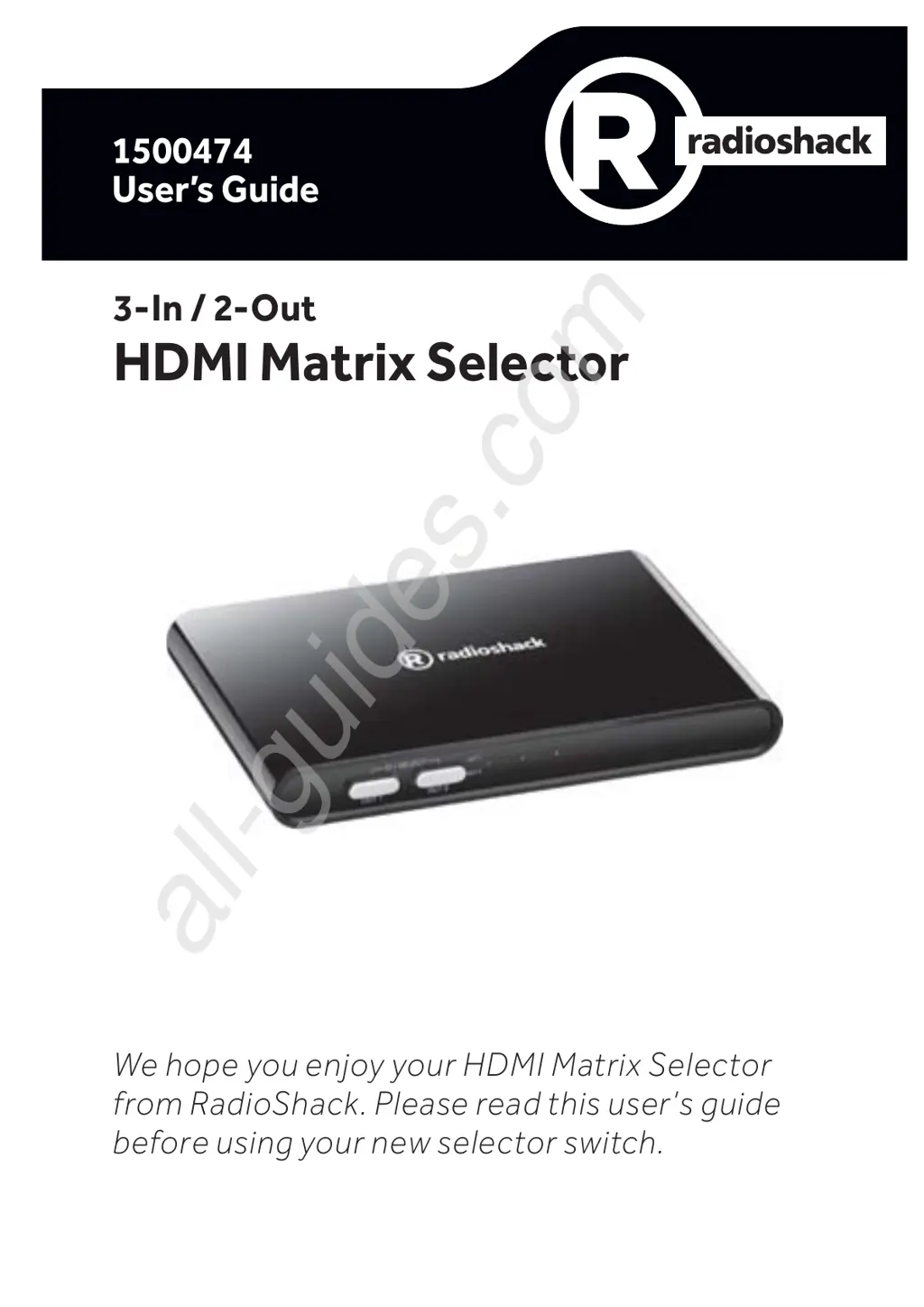
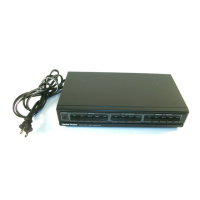
We hope you enjoy your HDMI Matrix Selector
from RadioShack. Please read this users guide
before using your new selector switch.
3-In / 2-Out
HDMI Matrix Selector
All manuals and user guides at all-guides.com
all-guides.com

Questions and Answers

  • K
    Katie CombsAug 16, 2025
    Why does my Radio Shack Switch remote control not work?
    • M
      Matthew RossAug 17, 2025
      If the Radio Shack Switch's remote control isn't working, first, replace the battery. If that doesn't solve the issue, ensure there are no obstacles blocking the path between the remote and the switch.
  • J
    Julie GreenAug 19, 2025
    What to do if there is no video or audio from Radio Shack Switch?
    • C
      Cheryl SheppardAug 19, 2025
      If you're experiencing a lack of video or audio with your Radio Shack Switch, verify the HDMI cable isn't damaged. Also, confirm that all devices in the signal chain are HDMI compliant. If the problem persists, try turning your TV off and then back on.
  • N
    Nicole KimAug 22, 2025
    Why does my Radio Shack Switch have video but no audio?
    • B
      Brendan AndrewsAug 22, 2025
      If your Radio Shack Switch has video but no audio, try the following: 1. Ensure your TV's input is set to HDMI. 2. Verify your HDMI cable is version 1.4 or higher. 3. Reselect your input source by pressing G/SELECT or 1 - 3 on the remote control. 4. If your TV only supports 2-channel audio, adjust the source device's audio settings to 2-channel PCM. 5. Turn the TV off and then back on.
  • E
    Emily GriffithAug 25, 2025
    How to fix Radio Shack Switch when LED doesn’t light?
    • C
      Catherine HallAug 26, 2025
      If the LED on your Radio Shack Switch isn’t lighting up, ensure the power adapter is correctly plugged in. Also, check that the A/V device's power cord is properly connected.
  • M
    michellewallaceAug 27, 2025
    What to do if unable to switch input on Radio Shack Switch?
    • N
      Nathan RodriguezAug 27, 2025
      If you're unable to switch the input on your Radio Shack Switch using the G/ SELECT button, first make sure nothing is physically preventing the button from being pressed. If the button is free, try switching off, unplugging, and then replugging the power cord before switching the device back on.
  • Z
    Zachary YangAug 30, 2025
    Why is the LED flashing on my Radio Shack 1500474?
    • W
      wilsonrobertAug 30, 2025
      The LED on the Radio Shack Switch will flash when the selected input port is empty.
  • D
    Debbie HarrisSep 2, 2025
    Why is there no video or audio on my Radio Shack Recording Equipment?
    • W
      williamcarlsonSep 2, 2025
      If you are experiencing a lack of video or audio, first ensure the HDMI cable is undamaged. Then, verify that all devices in the signal chain are HDMI compliant. If problems persist, try turning off the TV and then turning it back on.
  • M
    Michelle SweeneySep 4, 2025
    What to do if my Radio Shack Recording Equipment has video but no audio?
    • A
      angela00Sep 5, 2025
      If you have video but no audio, ensure your TV’s input is set to HDMI and that your HDMI cable is securely connected. Try pressing the G/SELECT button or 1-3 on the remote control to reselect your input source. If the issue continues, turn the TV off and then back on.
  • M
    Melissa HardySep 7, 2025
    What to do if the remote control for my Radio Shack Recording Equipment does not work?
    • N
      Nicole DavidsonSep 7, 2025
      If the remote control isn't working, begin by changing the battery. Also, ensure there are no obstructions between the remote and the switch.
  • Y
    Yolanda BuchananSep 10, 2025
    How to fix the LED if it doesn't light on my Radio Shack Recording Equipment?
    • W
      William GordonSep 12, 2025
      If the LED doesn’t light up, make sure the power adapter is properly plugged in and check that the TV device's power cord is also correctly connected.

Summary

3-In;2-Out HDMI Matrix Selector

Package Contents

Lists all items included in the product box for user reference.

Features

Highlights the key capabilities and functionalities of the HDMI matrix selector.

Setup

Controls and Operation

Install Battery

Battery Notes

Provides important safety and disposal guidelines for button-cell batteries.

Use Your Devices

Troubleshooting

LED doesnt light

Addresses issues where the selector's power or status indicator light is not illuminated.

No video or audio

Provides solutions for scenarios where no video or audio signal is output from the selector.

Unable to switch input using the;SELECT button

Helps resolve problems with changing input sources using the selector's main button.

Has video but no audio

Offers troubleshooting steps for when video is present, but audio is missing.

Remote control does not work

Provides solutions for when the remote control fails to operate the selector.

LED is flashing

Explains the meaning of a flashing LED indicator on the selector.

Specifications

FCC Information

Limited Warranty

Radio Shack 1500474 Specifications

General IconGeneral
BrandRadio Shack
Model1500474
CategorySwitch
LanguageEnglish

Related product manuals