Radiolink Electronic Limited
www.radiolink.com
(2) Please put the F110 on a level surface, the green LED will blinking after power
on about 2 seconds, do not move F110 when green LED blinking.
(3) F110 finished the calibration after green LED off.
Attention: Head direction have been determinate, if you put not same as the
direction that when you calibrate, it will back to the same direction automatically
when F110 start to fly, that we called Head Front Forward Point Without Compass.
F110 sells with receiver R6DSM or R8FM .
(1) Place the transmitter and the receiver close to each other within 1 meters.
(2) Turn on the transmitter, then power on the R6DSM or R8FM.
(3) Connect R6DSM or R8FM to flight controller CS360(it default connect).
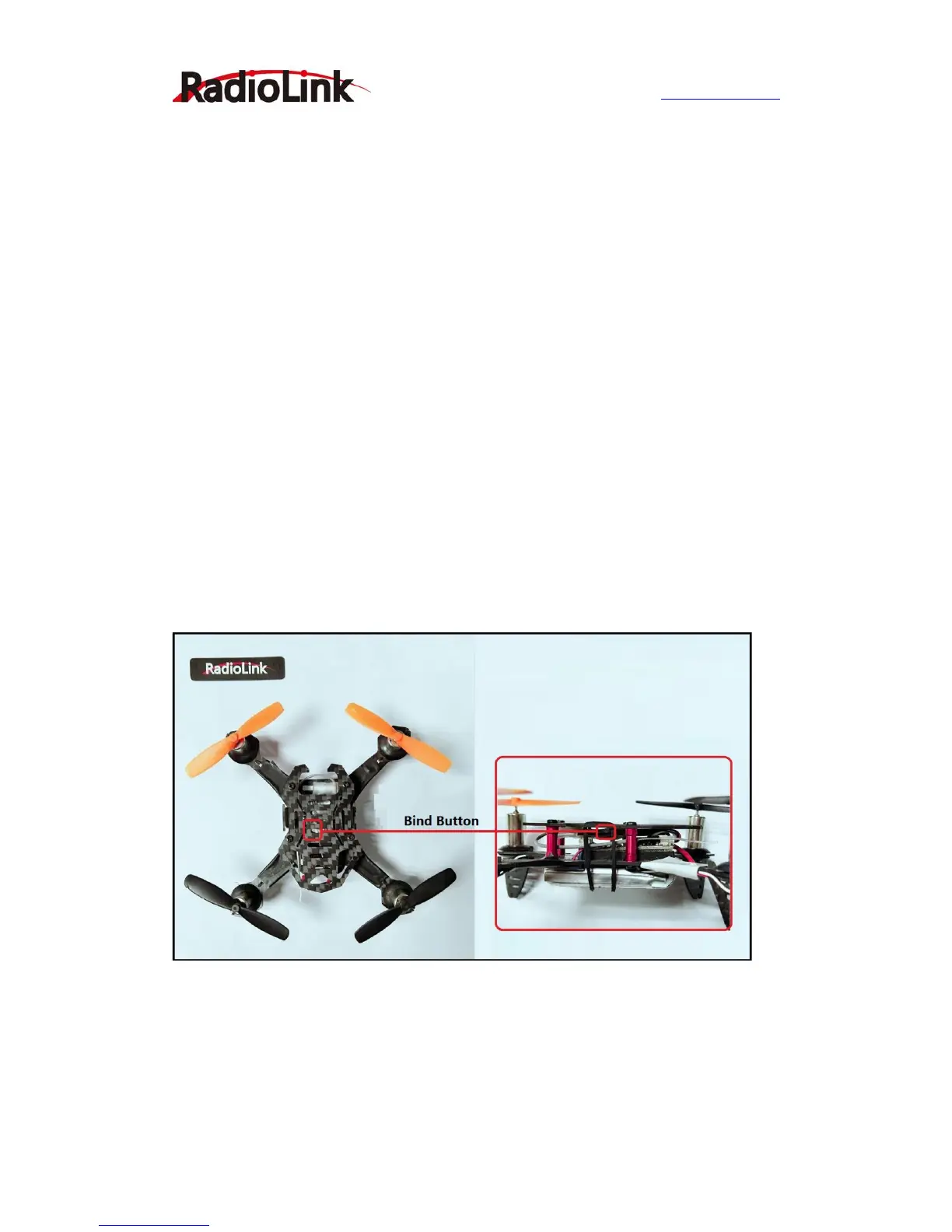
(4) There is a black button on the R6DSM and R8FM, press the binding button twice
in two seconds and release, receiver light start blinking, after about 8 times blinking,
match code success when receiver signal LED always on!
Attention: If your transmitter is AT10II, it will default that the channel is setup 12CH,
you have to setup channel from 12CH to 10CH in SYSTEM menu because R6DSM is
a 10 channels receiver.(AT9, AT9S and AT10 are the same)
F110 now just support S-BUS signal, both R6DSM and R8FM support S-BUS and
PPM signal, please make sure that the LED of R6DSM/R8FM is blue which shows
R6DSM/R8FM output S-BUS signals.
Both R6DSM and R8FM can recognize signal by check the bind LED. Blue/purple LED
indicates S-BUS signal and red LED indicates PPM signal.
If you need change signal from PPM to S-BUS, please short press the ID SET switch
two times within 1 second, the signal is changed from SBUS to PPM. The red LED
indicates the PPM and blue/purple indicates S-BUS.


 To Next Page