EasyManua.ls Logo

RADIOMETER TCM3 - Page 81

RADIOMETER TCM3
145 pages
Print Icon
To Next Page IconTo Next Page
To Previous Page IconTo Previous Page
Loading...
TCM3
and
TCM30
Service
Manual
2.
TCM3
Display
PCB
Introduction
Three
Versions
Display
on
901-645
and
901-836
Display
on
902-470
Audio
Alarm
and
Keyboard
1002N2_1
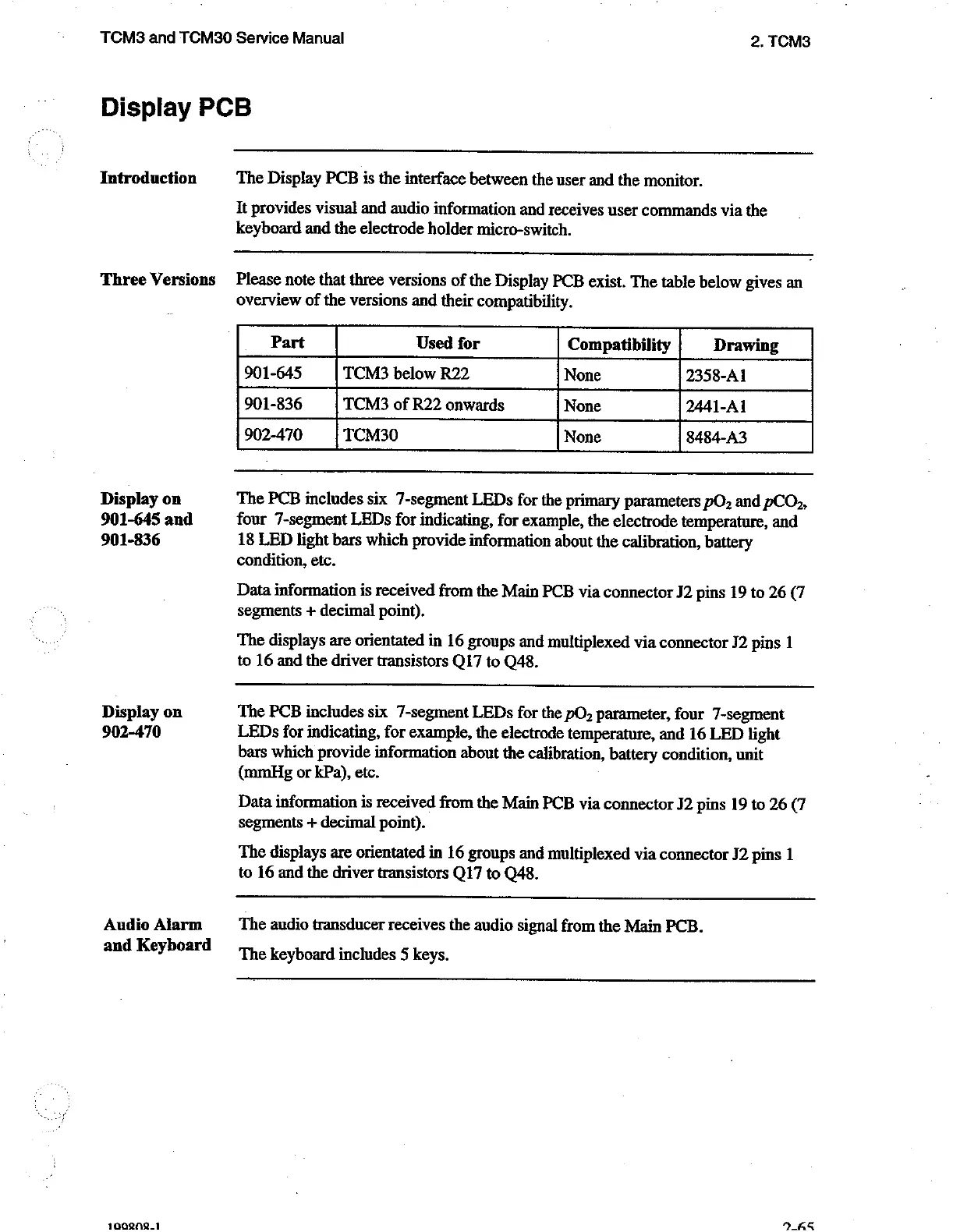
The Display
PCB
is
the
interface
between
the
user
and
the
monitor.
It
provides
visual
and
audio
information
and
receives
user
commands
via
the
keyboard
and
the
electrode
holder
micro-switch.
Please
note
that
three
versions
of
the
Display
PCB
exist.
The
table
below
gives
an
overview
of
the
versions
and
their
compatibility.
Part
Used
for
Compatibility
Drawing
901-645
TCM3
below
R22
None
2358-A1
901-836
TCM3
of
R22
onwards
None
2441-Al
902-470
TCM30
None
8484-A3
The
PCB
includes
six
7-segment
LEDs
for
the
primary
parameters
pO,
and
pCO»,
four
7-segment
LEDs
for
indicating,
for
example,
the
electrode
temperature,
and
18
LED
light
bars
which
provide
information
about
the
calibration,
battery
condition,
etc.
Data
information
is
received
from
the
Main
PCB
via
connector
J2
pins
19
to
26
(7
segments
+
decimal
point).
The
displays
are
orientated
in
16
groups
and
multiplexed
via
connector
J2
pins
1
to
16
and
the
driver
transistors
Q17
to
Q48.
The
PCB
includes
six
7-segment
LEDs
for
the
pO,
parameter,
four
7-segment
LEDs
for
indicating,
for
example,
the
electrode
temperature,
and
16
LED
light
bars
which
provide
information
about
the
calibration,
battery
condition,
unit
(mmHg
or
kPa),
etc.
Data
information
is
received
from
the
Main
PCB
via
connector
J2
pins
19
to
26
(7
segments
+
decimal
point).
The
displays
are
orientated
in
16
groups
and
multiplexed
via
connector
J2
pins
1
to
16
and
the
driver
transistors
Q17
to
Q48.
The
audio
transducer
receives
the
audio
signal
from
the
Main
PCB.
The
keyboard
includes
5
keys.

Related product manuals