EasyManua.ls Logo

RADLEY 05 Series - User Manual

Default Icon
2 pages
Print Icon
To Next Page IconTo Next Page
Loading...
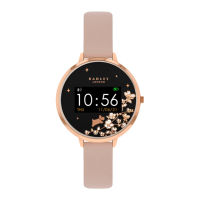
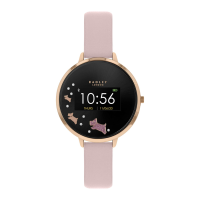
Thank you for purchasing your RADLEY LONDON smart watch Please follow these instructions carefully
and we’ll soon have you up & running with your new watch.
Firstly, please double check the
Series Number of your RADLEY
LONDON watch, you’ll find this on
the sticker on the back of your
watch. These instructions are for our
Series 05 models, if you have one of
our other models, please head back
to our website & download the
appropriate instructions.
IOS
ANDROID
To download our app, search for the
RADLEY LONDON WATCH app or
scan the appropriate QR code for
installation. Use your smart phone
camera or QR code reader app.
The RADLEY LONDON WATCH app
will work on the following
smartphones:
Android (version 4.4 and above)
Apple IOS (version 8.0 and above)
Please ensure the app is the latest
version and has Bluetooth 5.0
To switch on the watch, press and hold the touch key until the display is on.
To switch off the watch, press the touch key repeatedly until ‘more’ icon shows
on the display and then long press to enter in ‘Power off’, long press the touch
key again.
You can press the touch key, or turn on gesture control in advanced settings of
RADLEY LONDON WATCH app. and raise your hand to illuminate the screen.
CHARGING GUIDE
CONNECTING BAND TO MOBILE PHONE
1. Enable Bluetooth on your smartphone.
2. Open the RADLEY LONDON WATCH App. on your smart phone, set your
profile within settings.
3. Tap connect device within settings.
4. Select Smart Bracelet as shown.
5. Follow the steps, search for RADLEY LONDON device name & connect.
6. Within the notifications section, select the notification types you wish your
smartwatch to receive.
OPERATION INTRODUCTION
GETTING TO KNOW THE SCREENS
DISCONNECTING YOUR SMART WATCH & PHONE
time screen
There are 3 different time screens to select from, press the
touch key to select the one you prefer.
sleep
Wear the watch to fall asleep during 9:00 p.m. to 9:00 a.m.; the
watch can record your sleep data of last night on the next day. Press
the side button to check the sleep data.
find your phone or smartwatch
Once the smartwatch is connected to the App., the find phone
feature will be available. Access via sub menu and then more.
Press the touch key to open the ‘Find the phone', then double tap
the touch key and your phone will sound a locator alarm. To find
your smartwatch from your phone, select find device from
settings menu.
messages
Unread messages will be displayed in ‘Message’ interface. Press the
touch key to enter and read the messages on the watch.
more
Press the touch key repeatedly until MORE icon shows on the
display and long press the touch key to access ‘Power off’, ‘About’,
‘Find Phone’ and ‘Reset’.
activity reminder
Turn on the sedentary reminder you’ve set in the RADLEY LONDON
WATCH app. Your watch will vibrate to remind you to take a little
excercise.
camera control
Once connected to the App., the photo feature will be accessible
via settings. By selecting ‘take photo’, you can take an image on
your camera phone by pressing the touch key on your watch. The
photo will automatically save onto your phone gallery for Android
devices, or the option to save/retake on iOS devices.
1. Open the RADLEY LONDON WATCH App. on your smartphone.
2. Tap disconnect device in Settings.
3. Forget your device on your smart phones Bluetooth settings.
power o
Long press the touch key to turn off the watch.
call alerts
After successfully connecting with the RADLEY LONDON WATCH
app, turn on ‘Notifications’ in Settings, and you will receive call
notifications on your smartwatch.
daily activities
The smartwatch will record your daily activity automatically. Press
the touch key to check pedometer, distance and calories. After
syncing with the RADLEY LONDON WATCH app, these sports data
can be also checked within the app.
music control
Open your phone’s default music APP, long touch for entering in
BT music, then click in this interface for controlling music:
Play/Stop/Next song/Last song.
heartrate
View your current heart rate, and average walking, running, hiking
and cycling rate. Your watch will continue to detect your heart rate
as long as you wear it… even when you sleep! Use the touch button
until you select the Heart Rate icon. Hold the touch button until the
icon changes to BPM. It will detect the current heart rate. If you
want the feature to be active on selective times, then you select this
by opening RADLEY LONDON WATCH App, selecting ‘Settings’ and
‘Advance Settings’. Select Heart rate and set the tone you wish the
feature to be active.
reset
Long press the touch key, your watch will be reset and restart.
Charging for automatic power-on:
1. Open the charger case and place the watch head into the case.
2. Connect the metal pins of the USB cable with the metal point on the back of
the bracelet until the charging icon appears on the screen.
3. Close the case and plug the USB into the port or plug.
4. Once a power charger is plugged in, the watch will be auto activate.
5. Please charge the band when it displays low battery.
6. A 2 hour charge time is sufcient to fully charge your smartwatch, please
ensure you do not exceed a 2 hour charge period.
activity tracking
Press the touch key repeatedly until Sports icon is displayed & long
press the touch key to enter in the multi-sport mode. The smart
watch has 4 sports modes: Walking, Running, Cycling and Hiking.
Long press touch key to select and then enjoy your sport. The smart
watch will record your data. After your sports, you can long press
the touch key twice to stop recording and save the sports data. You
can also check your sports data in the app. Note: If your exercise
time is less than 5 minutes, the data will not be saved.
Running
Walking
History
1600
2305
1.8
Steps
07 02
weather
After connecting with the RADLEY LONDON WATCH app, you can
select city in advanced settings of the app. and the weather of this
city will be displayed on your smartwatch.
C
C
Find phone
Reset
Long press
to turn off
Heart Rate
Please note: Your RADLEY smartwatch will reset every day at midnight. Data is stored on
the tracker for 7 days. For best results, ensuring activities and a full history are recorded, we
recommend you sync your smartwatch to the App. daily.
smartwatch instructions - series 05

Question and Answer IconNeed help?

Do you have a question about the RADLEY 05 Series and is the answer not in the manual?

Summary

Getting Started with Your Smartwatch

Download and Install the RADLEY App

Instructions for downloading the RADLEY LONDON WATCH app on iOS and Android devices.

Charging and Powering On

Guide on connecting the charger and turning on the smartwatch.

Pairing with Your Smartphone

Steps for enabling Bluetooth and connecting the watch to your phone via the app.

Basic Operation and Navigation

How to switch on/off, navigate screens, and use gesture controls.

Smartwatch Features Overview

Time Displays and Health Tracking

Selecting time screens, monitoring heart rate, and tracking activities like steps and sleep.

Notifications, Music, and Camera Control

Receiving call/message alerts, controlling music, and using the remote camera function.

Additional Functions

Accessing power off, find phone, reset, weather, and activity reminders.

Technical Details and Care

Specifications and Band Adjustment

Device specifications, including screen size, battery, and guides for adjusting watch bands.

Watch and Strap Maintenance

Instructions for cleaning and caring for the smartwatch and its straps.

Step Counter Functionality

Explanation of how step counting works and potential inaccuracies.

Important Safety and Support

Guarantee and Contact Information

Details on product guarantee, warranty, and how to contact customer service.

Safety and Medical Device Warnings

Crucial safety guidelines and warnings about interference with medical devices.

Product Disposal

Guidance on the environmentally friendly disposal of the smartwatch and its components.

Overview

This document describes the RADLEY LONDON Smartwatch, Series 05, providing instructions for setup, usage, and maintenance.

Function Description:

The RADLEY LONDON Smartwatch is a wearable device designed to track various health and activity metrics, display notifications, and offer convenient controls for smartphone functions. It connects to a smartphone via Bluetooth 5.0 and utilizes a dedicated app, "RADLEY LONDON WATCH," available for both Android (version 4.4 and above) and Apple iOS (version 8.0 and above). The smartwatch features a touch-key interface for navigation and interaction.

Key functions include:

  • Time Display: Offers three different time screens for user selection.
  • Heart Rate Monitoring: Continuously detects and displays current heart rate, even during sleep. Users can configure active heart rate monitoring times via the app.
  • Activity Tracking: Automatically records daily activities such as steps, distance, and calories. It also features a multi-sport mode with specific tracking for walking, running, cycling, and hiking.
  • Sleep Monitoring: Tracks sleep data when worn between 9:00 p.m. and 9:00 a.m., providing insights into sleep patterns.
  • Notifications: Displays unread messages, call alerts, and other notifications from the connected smartphone.
  • Weather Display: Shows the weather for a selected city after connecting to the app.
  • Sedentary Reminder: Vibrates to remind the user to take a short exercise break if inactive for a set period.
  • Music Control: Allows users to control their phone's default music app (play/stop, next/last song) directly from the smartwatch.
  • Camera Control: Enables remote photo capture on the smartphone by pressing the smartwatch's touch key.
  • Find Phone/Smartwatch: Helps locate a misplaced smartphone by triggering an alarm from the watch, or vice-versa.
  • Device Reset: Allows users to reset the smartwatch to its default settings.

Important Technical Specifications:

  • RAM/ROM: 32k/512k
  • LCD Screen Size: 1.3" TFT One touch display
  • Bluetooth: BT5.0
  • Battery: Built-in rechargeable lithium battery
  • Battery Capacity: 155mAH
  • Bluetooth Connected Time: Up to 4 days
  • Standby Time: Up to 10 days
  • Charge Time: 2 hours
  • Water Resistant: IP67 (not suitable for swimming or showers; do not immerse in water)
  • Sensors: Multiaxis inertial sensors (accelerometers) for step counting.

Usage Features:

  • Charging: The smartwatch charges via a dedicated case and USB cable. It automatically activates upon plugging in. A 2-hour charge is sufficient for a full battery, and users should avoid exceeding this duration.
  • Power On/Off: To switch on, press and hold the touch key. To switch off, navigate to the 'More' icon, then 'Power off', and long-press the touch key again.
  • Navigation: The primary interaction is through a single touch key. Short presses cycle through screens, while long presses often initiate actions or enter sub-menus. Gesture control (raising the hand to illuminate the screen) can also be enabled via the app.
  • App Connection: Users must enable Bluetooth on their smartphone, open the RADLEY LONDON WATCH App, set up a profile, and connect to the "Smart Bracelet" device. Notification types can be selected within the app.
  • Disconnection: To disconnect, use the app's "disconnect device" setting and also "forget" the device in the smartphone's Bluetooth settings.
  • Activity Data Storage: The smartwatch stores data for 7 days. Daily syncing with the app is recommended to ensure a complete history. The smartwatch resets daily at midnight.
  • Multi-Sport Mode: To activate, repeatedly press the touch key until the 'Sports' icon appears, then long-press to enter. Select a sport, long-press to start, and long-press twice to stop and save data. Activities less than 5 minutes will not be saved.
  • Message Reading: Unread messages are displayed in the 'Message' interface; press the touch key to enter and read them.

Maintenance Features:

  • General Care: Avoid contact with sprays, creams, corrosive agents (paint, solvents, adhesives), and extreme temperatures. Do not immerse in water. Do not attempt to replace the battery or disassemble the device.
  • Strap Care: Environmental conditions can affect strap durability. Limit exposure to direct heat or sunlight. Keep the strap dry and away from wet surfaces. Avoid chemical cleaners and cosmetic products. Light-colored straps are prone to color transfer; exercise caution. Light soiling can be cleaned with a weak soapy water solution on a damp cloth.
  • Silicone Strap Care: Clean regularly with mild soap and water, ensuring the smartwatch case does not get wet. Store in the gift box when not in use.
  • Step Counter Accuracy: The step counter uses accelerometers, and some wrist actions may falsely record steps. The recorded step count should be used as a guide only.
  • Guarantee: The smartwatch is guaranteed against defective parts and construction for 12 months from the date of purchase, provided the original receipt is presented. The guarantee does not cover lenses, bands, straps, water penetration, batteries, or breakages due to accident or maltreatment.
  • Customer Support: For assistance, users can contact Peers Hardy customer service via phone or email.
  • Privacy: Users are encouraged to review the privacy policy on Radley.co.uk/smartwatchprivacypolicy for updates.
  • Safety Information: Do not use if the display is cracked. Avoid battery acid contact; if contact occurs, flush with water and seek medical attention. Do not use in saunas or steam rooms. Do not wear or operate while charging, or if wet. Consult a doctor before starting new exercise regimes, especially if you have a heart pacemaker or implanted defibrillator, as electromagnetic fields and magnets in the smartwatch may interfere with medical devices.
  • Disposal: Do not dispose of the smartwatch or its batteries in household waste. Electrical products, batteries, and accumulators should be disposed of at a civic amenity site or local authority recycling facility.

RADLEY 05 Series Specifications

General IconGeneral
BrandRADLEY
Model05 Series
CategoryWatch
LanguageEnglish

Related product manuals