EasyManua.ls Logo

Rae UltraRAE 3000 - User Manual

Rae UltraRAE 3000
129 pages
Print Icon
To Next Page IconTo Next Page
Loading...
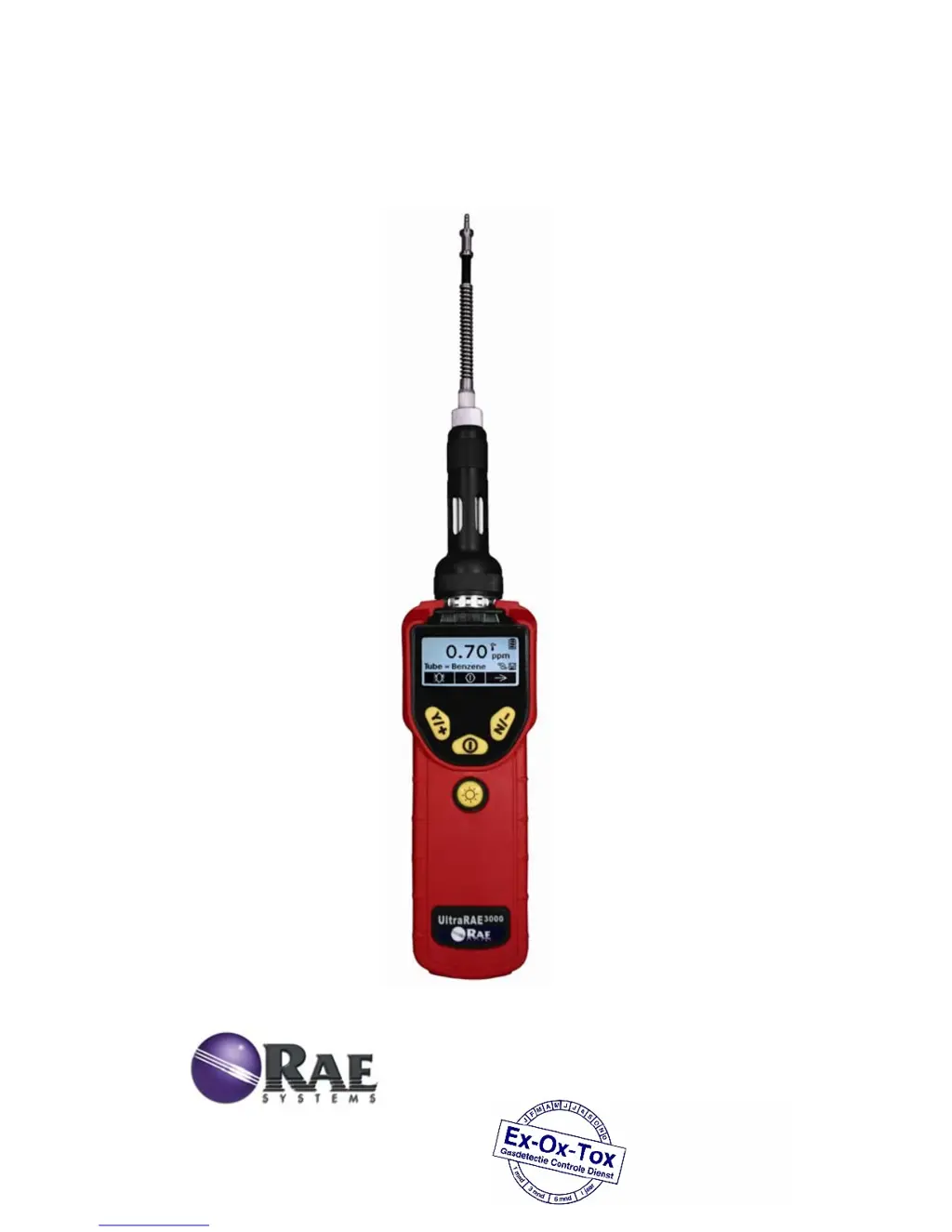
UltraRAE 3000
User’s Guide
Rev. C
August 2010
P/N 059-4023-000
Ex-Ox-Tox Gasdetectie
Westerdreef 5V
2152 CS Nieuw-Vennep
Telefoon: 0252 620885
E-mail: info@exoxtox.nl
Website: www.exoxtox.nl

Table of Contents

Other manuals for Rae UltraRAE 3000

Questions and Answers

Summary

FCC Information

FCC Compliance Statement

Device complies with FCC Part 15 rules and operates under specified conditions.

Standard Contents

Instrument and Accessories

Lists included accessories like calibration kit, charger, data cable, etc.

General Information

UltraRAE 3000 Overview

Describes the UltraRAE 3000 as a portable compound-specific PID monitor.

Key Features

Highlights features like lightweight design, accuracy, user-friendliness, and datalogging.

Accessories

Standard Kit & Accessories

Lists standard items like AC adapter, external filter, etc.

Optional Accessories

Lists optional items like calibration adapter, regulator, zeroing kit.

User Interface

Interface Components

Describes the display, LEDs, alarm transducer, and four keys.

Key Functions

Explains the labeled functions of the Y/+, MODE, N/-, and flashlight keys.

Operating The Instrument

Turning Instrument On

Step-by-step guide for powering on the instrument.

Turning Instrument Off

Instructions for shutting down the instrument.

Built-in Flashlight Operation

How to use the instrument's flashlight feature.

Pump Status

Understanding Pump Icons

Explains different pump status icons displayed on the screen.

Read Before Operating

General Safety Precautions

Important cautions regarding electrical shock and hazardous environments.

ATEX Warning

Warning about electrostatic ignition and the rubber boot.

Special Notes

Initial Sensor Reading Behavior

Explains residual vapor effects on initial PID sensor readings.

Battery Charging Recommendation

Advises on charging the instrument before use and for at least 10 hours.

WARNINGS

Static Hazard and Cleaning

Instructions to clean only with a damp cloth.

Safety and Operation Guidelines

Emphasizes qualified personnel, manual study, and battery usage.

Calibration and Daily Checks

Importance of calibration and daily accuracy checks.

Physical Description

Main Components

Lists keys, LCD, flashlight, LEDs, charge contacts, tube holder, USB port, rubber cover.

Specifications

Physical Specs

Details size, weight, detector type, battery, charging, and operating hours.

Measurement Range and Resolution

Table showing range and resolution for different lamps.

Safety and Compliance

Lists intrinsic safety certifications and EM interference compliance.

Alarm and Datalogging Specs

Details alarm settings, operating modes, datalogging capacity, and communication.

Replacing Alkaline Batteries

Adapter Installation

Step-by-step guide to install the alkaline battery adapter.

Inserting Batteries into Adapter

Instructions for inserting AA batteries into the adapter.

Important Battery Notes

Important information about alkaline batteries not being rechargeable.

Charging A Lithium-Ion Battery

Charging Procedure

Steps to charge the instrument using the charger stand or travel charger.

Charger Notes

Note about cleaning contacts before connecting the charger.

Charging Status Indicators

Explains the LED indicators and display messages during charging.

Low Voltage Warning

Low Battery Alert

Describes the warning signals for low battery voltage.

User Interface

Interface Components

Describes the display, LEDs, alarm transducer, and four keys.

Key Functions

Explains the labeled functions of the Y/+, MODE, N/-, and flashlight keys.

Display Mapping to Keys

Illustrates how display panes map to the Y/+, MODE, and N/- keys in menus.

Display

Information Displayed

Lists and describes the information shown on the display.

Operating The Instrument

Turning The Instrument On (Simple)

Step-by-step guide for powering on the instrument.

Turning The Instrument Off

Instructions for shutting down the instrument.

Operating The Built-In Flashlight

How to use the flashlight feature.

Pump Status

Understanding Pump Icons

Explains the icons for normal operation, duty cycling, and pump failure.

Calibration Status

Calibration Required Indicator

Describes the icon indicating when calibration is needed and why.

Operating Modes

Compound-Specific vs. VOC Monitor

Explains the two primary operating modes of the UltraRAE 3000.

Mode Navigation

Guides on navigating between modes and potential password entry.

Compound-Specific Operation

Compound-Specific Measurement

Explains how to perform compound-specific measurements using a RAE-Sep tube.

Measurement Phases

Outlines the steps for a compound-specific measurement.

Performing a Measurement

Details on preparing for and executing a compound-specific measurement.

Separation Tube Preparation

Separation Tube Preparation

Instructions on preparing the RAE-Sep separation tube.

Inserting The Separation Tube

Tube Insertion Procedure

Instructions for inserting the separation tube into the probe.

Seal Leak Test

Procedure to test for leaks after inserting the tube.

Measuring

Initiating Measurement

How to start the measurement process after tube insertion.

Post-Measurement Actions

Options after measurement, like continuing sampling or returning to the menu.

VOC Operation

Basic User Level;Hygiene Mode

Description of the default operating mode and its features.

Zero Calibration

Performing Zero Calibration

Steps to perform a fresh air (zero) calibration.

Alarm Signals

Alarm Conditions

Explains when the instrument triggers alarms (gas concentration, low battery, lamp failure, etc.).

Alarm Signal Summary

Alarm Message and Signal Table

Details the messages and corresponding alarm signals.

Preset Alarm Limits & Calibration

Default Calibration Gas and Limits

Table showing default calibration gases and alarm limits.

Testing The Alarm

Alarm Test Procedure

How to test the audible and visible alarms.

Datalogging

Datalogging Enabled Indicator

Describes the disk icon indicating datalogging is active.

Stored Data Information

Lists information stored with measurements (user ID, calibration date, etc.).

Datalogging Event Creation

Explains how new datalog events are created.

Auto;Manual;Snapshot Datalogging Types

Explains the three datalogging modes.

Accessories

Included Accessories

Lists items included with the instrument.

Hard-Case Kit Accessories

Lists accessories included in hard-case kits.

Standard Two-Point Calibration (Zero & Span)

Calibration Diagram

Flowchart illustrating the two-point calibration process in Basic/Hygiene mode.

Entering Calibration

Password Screen and Menu Access

Steps to enter the calibration menu, including password entry.

Calibration Menu Options

Describes the options in the calibration menu: Zero Calib, Span Calib.

Zero (Fresh Air) Calibration

Purpose of Zero Calibration

Explains how zero calibration determines the sensor's zero point.

Zero Calibration Procedure

Steps to initiate and perform a zero calibration.

Zeroing Process and Completion

Details the zeroing process, countdown, and completion message.

Span Calibration

Purpose of Span Calibration

Explains how span calibration determines the second point of the sensor curve.

Initiating Span Calibration

Steps to initiate and perform a span calibration.

Span Calibration Process

Details the 30-second countdown and automatic calibration process.

Exiting Two-Point Calibration

Updating Settings and Return to Main Display

Describes the process of exiting calibration and updating settings.

Three-Point Calibration

Purpose and Requirements

Explains the need for a second span calibration for enhanced accuracy.

Performing Span 2 Calibration

Details on performing the second span calibration process.

Exiting Three-Point Calibration

Steps to exit the three-point calibration process.

Programming Mode

Entering Programming Mode

How to access the programming mode, including password entry.

Programming Mode Menus

Table showing the main programming menus and their sub-menus.

Navigating Menus

Explains how to navigate through the programming menus using the keys.

Calibration Menu

Zero and Span Calibration Options

Describes the Zero and Span calibration options within the programming menu.

Measurement Menu

Measurement Gas Selection

Explains how to select measurement gases from different lists.

Measurement Unit Selection

Describes how to choose measurement units like ppm or mg/m3.

Tube Selection

How to select the appropriate separation tube type.

Alarm Setting Menu

Adjusting Alarm Limits

How to change High, Low, STEL, and TWA alarm limits.

Alarm Mode Selection

How to select between Latched and Automatic Reset alarm modes.

Datalog Menu

Clear Datalog Function

How to erase all stored datalog data.

Datalog Interval Setting

How to set the time interval for datalogging.

Auto;Manual;Snapshot Datalogging Types

Explains the three datalogging modes.

Monitor Setup Menu

Radio Power Setting

How to turn the radio connection on or off.

Operation Mode Setting

How to select between Hygiene and Search operation modes.

Site ID Configuration

How to enter and set the 8-digit Site ID.

User Mode Selection

How to switch between Basic and Advanced user modes.

Hygiene Mode

Hygiene vs. Search Mode Differences

Compares the features of Hygiene and Search modes.

Basic User Level & Hygiene Mode

Default Navigation Path

Illustrates the default navigation flow in this mode.

Entering Search Mode From Hygiene Mode

Programming Mode Access for Mode Change

Steps to enter Programming Mode to change operational mode.

Selecting Search Mode

How to select Search mode after accessing Monitor Setup.

Basic User Level & Search Mode

Sampling Activation in Search Mode

How to activate and stop sampling in Search Mode.

Diagnostic Mode

Entering Diagnostic Mode

Step-by-step guide to enter Diagnostic Mode with the instrument off.

Pump Stall Threshold Adjustment

How to adjust pump stall parameters.

Humidity Sensor Testing

Procedure to test the humidity sensor.

Exiting Diagnostic Mode

How to exit Diagnostic Mode and prevent re-entry without a restart.

Transferring Data To & From Computer

Downloading Datalog To PC

Steps to download datalogged data to a computer.

Uploading Firmware From PC

Steps to upload new firmware to the instrument.

Maintenance

Key Maintenance Items

Lists major maintenance tasks like battery, sensor, lamp, and pump.

Battery Charging & Replacement

Information on recharging and replacing the instrument's battery.

PID Sensor & Lamp Cleaning;Replacement

When to clean the PID sensor, lamp, and housing.

Cleaning The PID Sensor

Detailed steps for cleaning the PID sensor module with methanol.

Troubleshooting

Power and Password Issues

Solutions for the instrument not turning on or a lost password.

Reading Abnormalities (High;Low)

Reasons and solutions for abnormal high or low readings.

Buzzer and Inlet Flow Issues

Solutions for a non-operative buzzer or low inlet flow.

Lamp Message During Operation

Solutions for a "Lamp" message during operation.

Technical Support

Contacting the Support Team

Provides contact information for RAE Systems Technical Support.

RAE Systems Contacts

World Headquarters and Europe

Lists contact details for RAE Systems HQ and European offices.

UK, France, and BeNeLux Offices

Lists contact details for UK, France, and Netherlands offices.

Spain, Middle East, and Hong Kong Offices

Lists contact details for Spain, Middle East, and Hong Kong offices.

Japan and Korea Offices

Lists contact details for Japan and Korea offices.

Basic Operation

Instrument Power Control

Instructions for powering on the instrument.

Instrument Power Control

Instructions for powering off the instrument.

Alarm Signals

Alarm Summary and Limits

Details alarm messages, conditions, and preset limits.

Preset Alarm Limits & Calibration Overview

Information on factory calibration and default alarm limits.

Summary

FCC Information

FCC Compliance Statement

Device complies with FCC Part 15 rules and operates under specified conditions.

Standard Contents

Instrument and Accessories

Lists included accessories like calibration kit, charger, data cable, etc.

General Information

UltraRAE 3000 Overview

Describes the UltraRAE 3000 as a portable compound-specific PID monitor.

Key Features

Highlights features like lightweight design, accuracy, user-friendliness, and datalogging.

Accessories

Standard Kit & Accessories

Lists standard items like AC adapter, external filter, etc.

Optional Accessories

Lists optional items like calibration adapter, regulator, zeroing kit.

User Interface

Interface Components

Describes the display, LEDs, alarm transducer, and four keys.

Key Functions

Explains the labeled functions of the Y/+, MODE, N/-, and flashlight keys.

Operating The Instrument

Turning Instrument On

Step-by-step guide for powering on the instrument.

Turning Instrument Off

Instructions for shutting down the instrument.

Built-in Flashlight Operation

How to use the instrument's flashlight feature.

Pump Status

Understanding Pump Icons

Explains different pump status icons displayed on the screen.

Read Before Operating

General Safety Precautions

Important cautions regarding electrical shock and hazardous environments.

ATEX Warning

Warning about electrostatic ignition and the rubber boot.

Special Notes

Initial Sensor Reading Behavior

Explains residual vapor effects on initial PID sensor readings.

Battery Charging Recommendation

Advises on charging the instrument before use and for at least 10 hours.

WARNINGS

Static Hazard and Cleaning

Instructions to clean only with a damp cloth.

Safety and Operation Guidelines

Emphasizes qualified personnel, manual study, and battery usage.

Calibration and Daily Checks

Importance of calibration and daily accuracy checks.

Physical Description

Main Components

Lists keys, LCD, flashlight, LEDs, charge contacts, tube holder, USB port, rubber cover.

Specifications

Physical Specs

Details size, weight, detector type, battery, charging, and operating hours.

Measurement Range and Resolution

Table showing range and resolution for different lamps.

Safety and Compliance

Lists intrinsic safety certifications and EM interference compliance.

Alarm and Datalogging Specs

Details alarm settings, operating modes, datalogging capacity, and communication.

Replacing Alkaline Batteries

Adapter Installation

Step-by-step guide to install the alkaline battery adapter.

Inserting Batteries into Adapter

Instructions for inserting AA batteries into the adapter.

Important Battery Notes

Important information about alkaline batteries not being rechargeable.

Charging A Lithium-Ion Battery

Charging Procedure

Steps to charge the instrument using the charger stand or travel charger.

Charger Notes

Note about cleaning contacts before connecting the charger.

Charging Status Indicators

Explains the LED indicators and display messages during charging.

Low Voltage Warning

Low Battery Alert

Describes the warning signals for low battery voltage.

User Interface

Interface Components

Describes the display, LEDs, alarm transducer, and four keys.

Key Functions

Explains the labeled functions of the Y/+, MODE, N/-, and flashlight keys.

Display Mapping to Keys

Illustrates how display panes map to the Y/+, MODE, and N/- keys in menus.

Display

Information Displayed

Lists and describes the information shown on the display.

Operating The Instrument

Turning The Instrument On (Simple)

Step-by-step guide for powering on the instrument.

Turning The Instrument Off

Instructions for shutting down the instrument.

Operating The Built-In Flashlight

How to use the flashlight feature.

Pump Status

Understanding Pump Icons

Explains the icons for normal operation, duty cycling, and pump failure.

Calibration Status

Calibration Required Indicator

Describes the icon indicating when calibration is needed and why.

Operating Modes

Compound-Specific vs. VOC Monitor

Explains the two primary operating modes of the UltraRAE 3000.

Mode Navigation

Guides on navigating between modes and potential password entry.

Compound-Specific Operation

Compound-Specific Measurement

Explains how to perform compound-specific measurements using a RAE-Sep tube.

Measurement Phases

Outlines the steps for a compound-specific measurement.

Performing a Measurement

Details on preparing for and executing a compound-specific measurement.

Separation Tube Preparation

Separation Tube Preparation

Instructions on preparing the RAE-Sep separation tube.

Inserting The Separation Tube

Tube Insertion Procedure

Instructions for inserting the separation tube into the probe.

Seal Leak Test

Procedure to test for leaks after inserting the tube.

Measuring

Initiating Measurement

How to start the measurement process after tube insertion.

Post-Measurement Actions

Options after measurement, like continuing sampling or returning to the menu.

VOC Operation

Basic User Level;Hygiene Mode

Description of the default operating mode and its features.

Zero Calibration

Performing Zero Calibration

Steps to perform a fresh air (zero) calibration.

Alarm Signals

Alarm Conditions

Explains when the instrument triggers alarms (gas concentration, low battery, lamp failure, etc.).

Alarm Signal Summary

Alarm Message and Signal Table

Details the messages and corresponding alarm signals.

Preset Alarm Limits & Calibration

Default Calibration Gas and Limits

Table showing default calibration gases and alarm limits.

Testing The Alarm

Alarm Test Procedure

How to test the audible and visible alarms.

Datalogging

Datalogging Enabled Indicator

Describes the disk icon indicating datalogging is active.

Stored Data Information

Lists information stored with measurements (user ID, calibration date, etc.).

Datalogging Event Creation

Explains how new datalog events are created.

Auto;Manual;Snapshot Datalogging Types

Explains the three datalogging modes.

Accessories

Included Accessories

Lists items included with the instrument.

Hard-Case Kit Accessories

Lists accessories included in hard-case kits.

Standard Two-Point Calibration (Zero & Span)

Calibration Diagram

Flowchart illustrating the two-point calibration process in Basic/Hygiene mode.

Entering Calibration

Password Screen and Menu Access

Steps to enter the calibration menu, including password entry.

Calibration Menu Options

Describes the options in the calibration menu: Zero Calib, Span Calib.

Zero (Fresh Air) Calibration

Purpose of Zero Calibration

Explains how zero calibration determines the sensor's zero point.

Zero Calibration Procedure

Steps to initiate and perform a zero calibration.

Zeroing Process and Completion

Details the zeroing process, countdown, and completion message.

Span Calibration

Purpose of Span Calibration

Explains how span calibration determines the second point of the sensor curve.

Initiating Span Calibration

Steps to initiate and perform a span calibration.

Span Calibration Process

Details the 30-second countdown and automatic calibration process.

Exiting Two-Point Calibration

Updating Settings and Return to Main Display

Describes the process of exiting calibration and updating settings.

Three-Point Calibration

Purpose and Requirements

Explains the need for a second span calibration for enhanced accuracy.

Performing Span 2 Calibration

Details on performing the second span calibration process.

Exiting Three-Point Calibration

Steps to exit the three-point calibration process.

Programming Mode

Entering Programming Mode

How to access the programming mode, including password entry.

Programming Mode Menus

Table showing the main programming menus and their sub-menus.

Navigating Menus

Explains how to navigate through the programming menus using the keys.

Calibration Menu

Zero and Span Calibration Options

Describes the Zero and Span calibration options within the programming menu.

Measurement Menu

Measurement Gas Selection

Explains how to select measurement gases from different lists.

Measurement Unit Selection

Describes how to choose measurement units like ppm or mg/m3.

Tube Selection

How to select the appropriate separation tube type.

Alarm Setting Menu

Adjusting Alarm Limits

How to change High, Low, STEL, and TWA alarm limits.

Alarm Mode Selection

How to select between Latched and Automatic Reset alarm modes.

Datalog Menu

Clear Datalog Function

How to erase all stored datalog data.

Datalog Interval Setting

How to set the time interval for datalogging.

Auto;Manual;Snapshot Datalogging Types

Explains the three datalogging modes.

Monitor Setup Menu

Radio Power Setting

How to turn the radio connection on or off.

Operation Mode Setting

How to select between Hygiene and Search operation modes.

Site ID Configuration

How to enter and set the 8-digit Site ID.

User Mode Selection

How to switch between Basic and Advanced user modes.

Hygiene Mode

Hygiene vs. Search Mode Differences

Compares the features of Hygiene and Search modes.

Basic User Level & Hygiene Mode

Default Navigation Path

Illustrates the default navigation flow in this mode.

Entering Search Mode From Hygiene Mode

Programming Mode Access for Mode Change

Steps to enter Programming Mode to change operational mode.

Selecting Search Mode

How to select Search mode after accessing Monitor Setup.

Basic User Level & Search Mode

Sampling Activation in Search Mode

How to activate and stop sampling in Search Mode.

Diagnostic Mode

Entering Diagnostic Mode

Step-by-step guide to enter Diagnostic Mode with the instrument off.

Pump Stall Threshold Adjustment

How to adjust pump stall parameters.

Humidity Sensor Testing

Procedure to test the humidity sensor.

Exiting Diagnostic Mode

How to exit Diagnostic Mode and prevent re-entry without a restart.

Transferring Data To & From Computer

Downloading Datalog To PC

Steps to download datalogged data to a computer.

Uploading Firmware From PC

Steps to upload new firmware to the instrument.

Maintenance

Key Maintenance Items

Lists major maintenance tasks like battery, sensor, lamp, and pump.

Battery Charging & Replacement

Information on recharging and replacing the instrument's battery.

PID Sensor & Lamp Cleaning;Replacement

When to clean the PID sensor, lamp, and housing.

Cleaning The PID Sensor

Detailed steps for cleaning the PID sensor module with methanol.

Troubleshooting

Power and Password Issues

Solutions for the instrument not turning on or a lost password.

Reading Abnormalities (High;Low)

Reasons and solutions for abnormal high or low readings.

Buzzer and Inlet Flow Issues

Solutions for a non-operative buzzer or low inlet flow.

Lamp Message During Operation

Solutions for a "Lamp" message during operation.

Technical Support

Contacting the Support Team

Provides contact information for RAE Systems Technical Support.

RAE Systems Contacts

World Headquarters and Europe

Lists contact details for RAE Systems HQ and European offices.

UK, France, and BeNeLux Offices

Lists contact details for UK, France, and Netherlands offices.

Spain, Middle East, and Hong Kong Offices

Lists contact details for Spain, Middle East, and Hong Kong offices.

Japan and Korea Offices

Lists contact details for Japan and Korea offices.

Basic Operation

Instrument Power Control

Instructions for powering on the instrument.

Instrument Power Control

Instructions for powering off the instrument.

Alarm Signals

Alarm Summary and Limits

Details alarm messages, conditions, and preset limits.

Preset Alarm Limits & Calibration Overview

Information on factory calibration and default alarm limits.

Rae UltraRAE 3000 Specifications

General IconGeneral
Sensor TypePhotoionization Detector (PID)
Gas DetectedVolatile Organic Compounds (VOCs)
Resolution1 ppm
Lamp Energy10.6 eV
Battery TypeRechargeable Lithium-ion
Operating Humidity0 to 95% RH (non-condensing)
Ingress ProtectionIP65
Response Time (T90)< 3 s
DisplayGraphical LCD
Data LoggingYes
Wireless CommunicationBluetooth
Operating Temperature-20°C to 50°C

Related product manuals