FAQs
How to Adjust DPI?
- If you need to adjust it, press the top button of the mouse to adjust it. Click the button to switch to
different gears: 800, 1600, 3200, 6400, 12000, 16000. You can adjust and test until you find the
best DPI.
I tried charging the mouse but it didn't work
- Please make sure you are using the charging cable that comes with the package, and plug the
other end into the USB port of your computer, not the socket of the charging head.
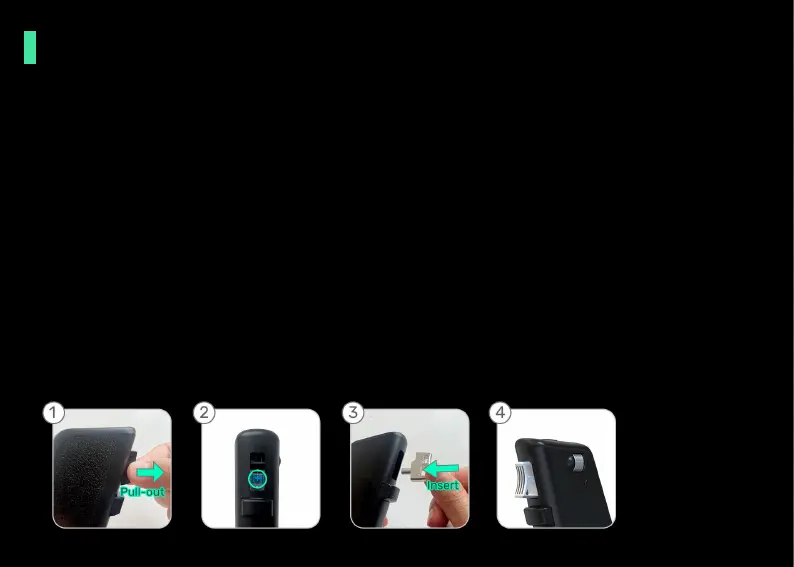
How to replace the metal trigger?
- Simply pull out the plastic trigger, then align the metal trigger with the axis and insert it.



 To Next Page