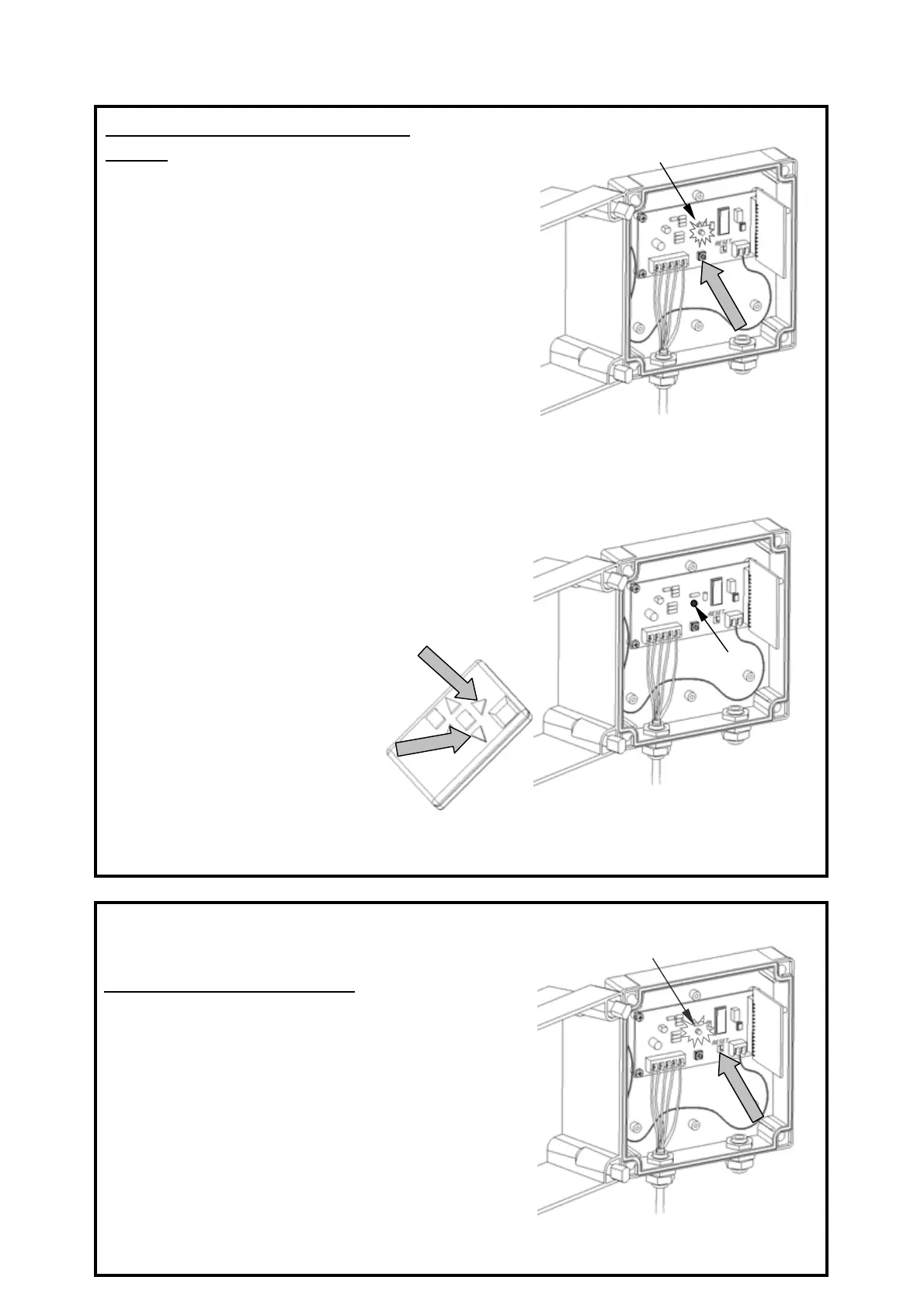
Step 1:
A: Press the push-button.
B: A green lamp will flash for 10 seconds. During
this period, the radio interface is ready to register
a 99-Channel Transmitter code.
B: Transmit an "ON" command. The
display will flash once to confirm
the command.
C: The radio interface lamp will
stop flashing and remain on for 3
seconds to indicate that the
transmitter code has been properly
recorded.
Store the 99-Channel transmitter code:
Concept: Each transmitter has a specific code. Your
controller can only be operated by transmitters with
codes which have been stored. You can store up to 10
different transmitters.
Step 2: ( to be done during the 10 seconds
above)
A: Activate your 99-Channel Transmitter to display
To store a second transmitter's code, repeat the the 2 steps above.
A
B
A
B
C
Delete stored transmitter codes:
A: To delete codes already stored. Simultaneously
touch the two "reset" plates with a metallic object
(small screwdriver). This will delete all stored
transmitter codes.
B: The led will rapidly flash during 3 seconds to
indicate that the "reset" procedure has been
completed.
A
B
5



 To Next Page
 Loading...