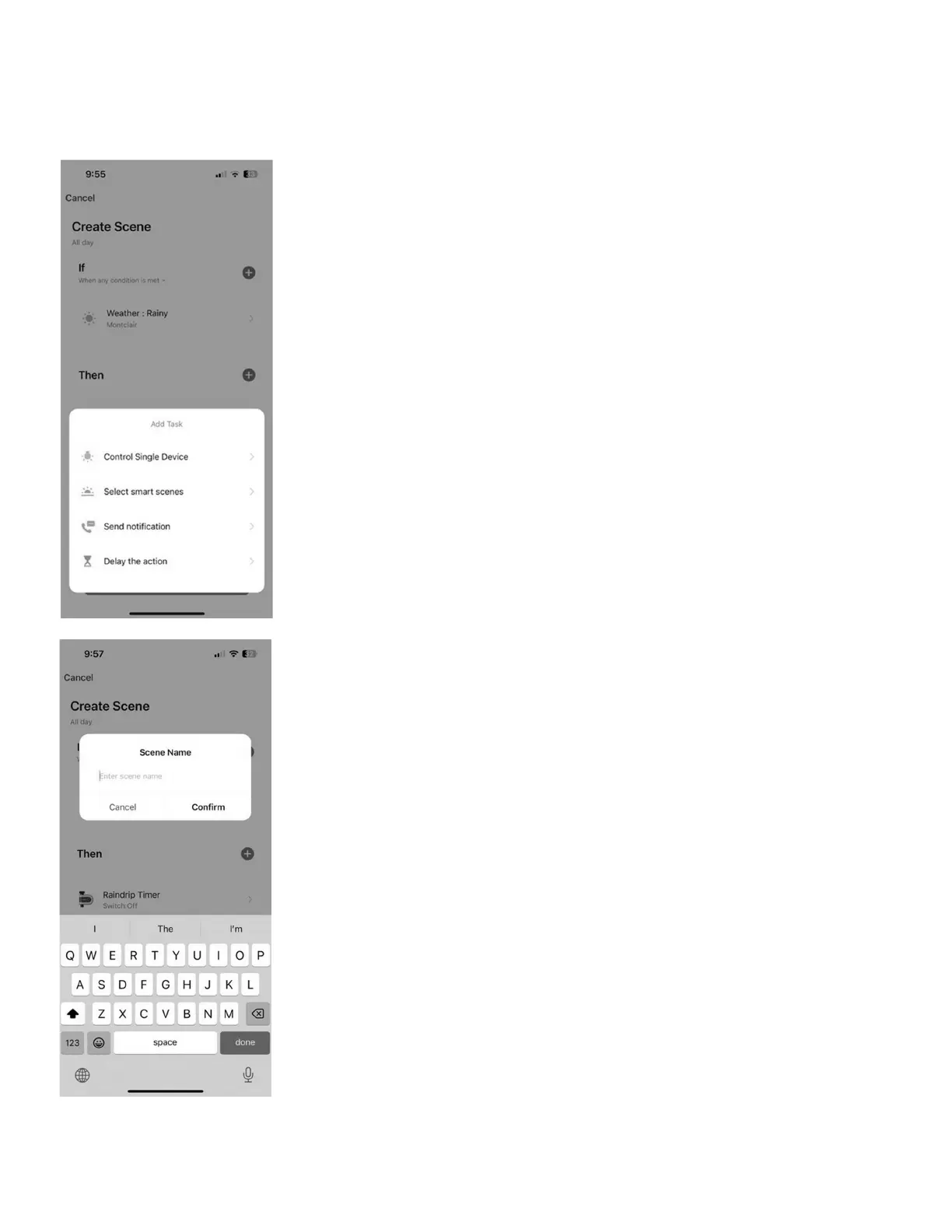
• If – will list the value you chose in the last step
• Then – tap “+” to add the desired action
• Tap "Control Single Device"
• Select a device from the list
• Tap “Switch,” choose action (Switch On will turn the timer ON)
• Tap “Next”
• Validity scope – no choice required for basic weather-based
watering functions; advanced users may require additional conditions
• More Settings – no choice required; will use cloud features by default
• Tap “Save”
• Enter a Scene Name and tap “Conrm”
• Tap “Yes” to start using the Routine
• Routines can be toggled on and off in the Routine screen
• Tap the 3 dots in the upper right to Manage Routines or
view logs of automated routine events
Visit raindrip.com for more information
14


 To Next Page