Weather-based Watering
• To enable weather-based watering, set up of “My Home” data is required
(See SET UP "MY HOME" section on page 9)
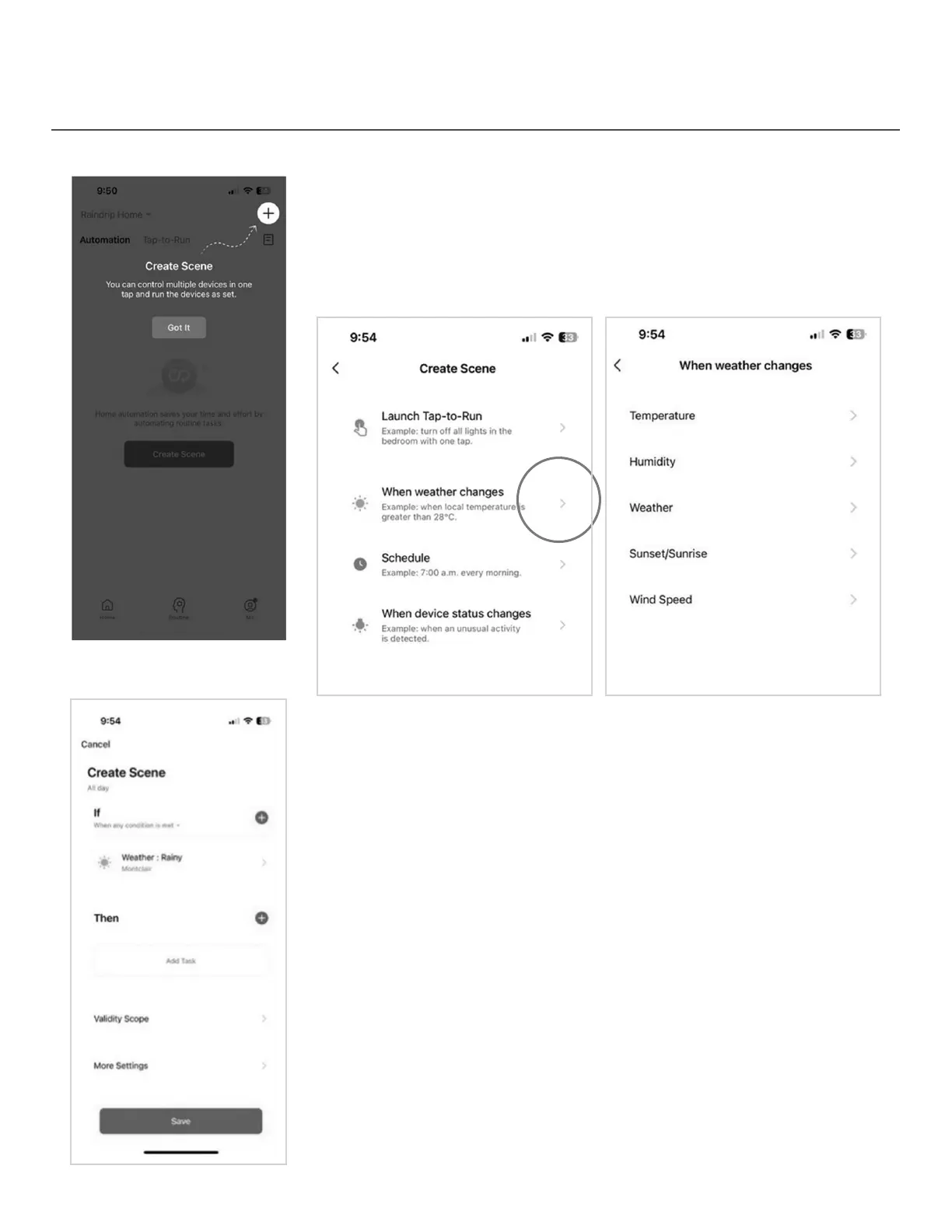
• Tap Routine
• Tap “Create Scene” or tap the “+” icon in the top right corner
• To enable weather-based watering, choose “When weather changes”
• Choose the weather parameter (Temperature, Humidity, Weather,
Sunset/Sunrise, Wind Speed) upon which the routine will be based
• Choose the value or condition, then tap “Next”
• Create scene using “if, then” logic
13


 To Next Page