STEP 2 : Set Current Date
STEP 3: Set Number of people in the house
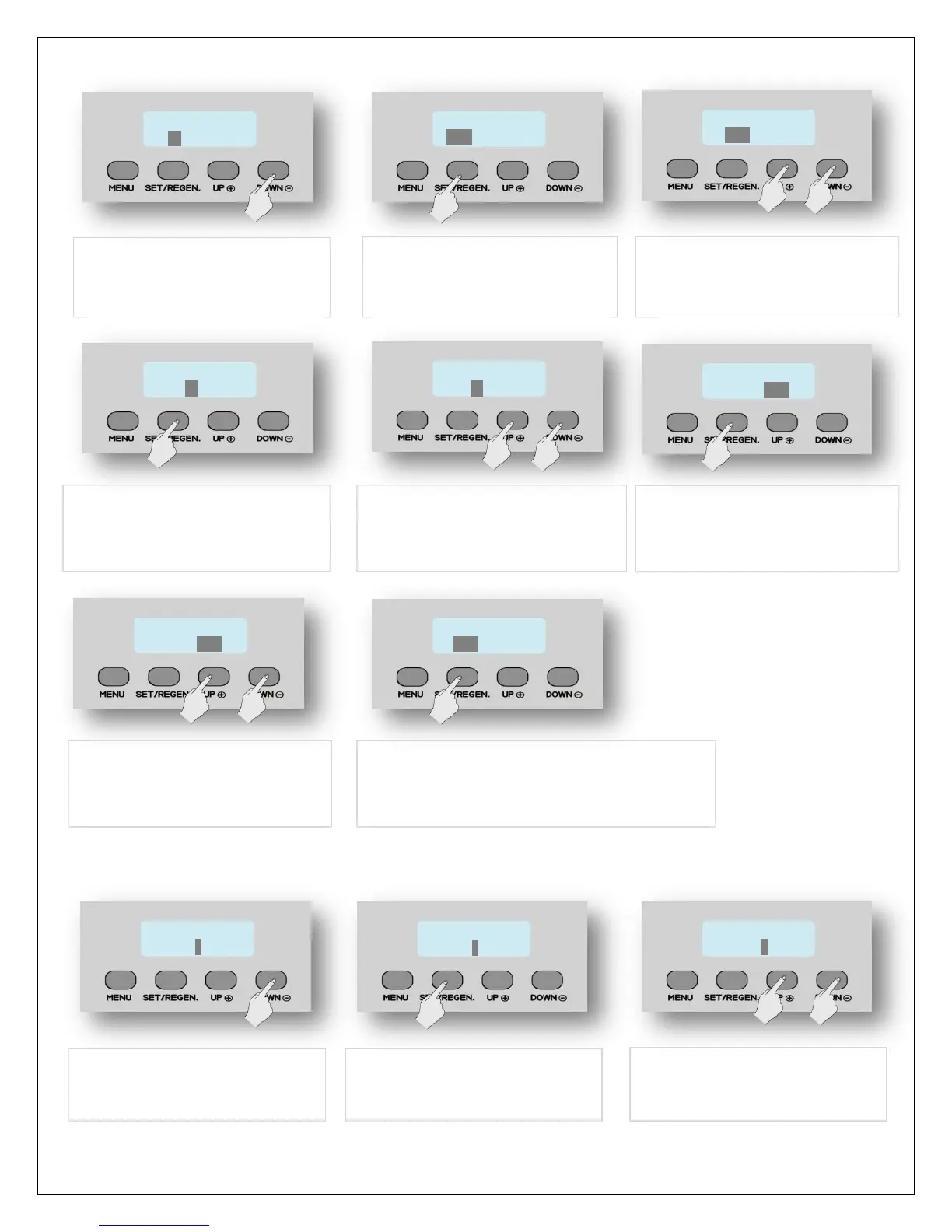
13. Press SET/REGEN again and
the MONTH value flashes
15. Press SET/REGEN again.
Month value is accepted and
the DAY starts flashing
12. Press DOWN to advance to
CURRENT DATE. The month
value is highlighted
14. Now press UP or DOWN key
to change the value to current
month
16. Now press UP or DOWN key
to change the value to current
day of the month
17. Press SET/REGEN again. Date
value is accepted and the
YEAR starts flashing
18. Now press UP or DOWN key
to change the value to current
day of the month
19. Press SET/REGEN again to accept.
Flashing stops & MONTH value is
highlighted again. PROCEED TO STEP 3
20. Press DOWN to advance
to NUMBER OF PEOPLE
21. Press SET/REGEN once
and the value flashes
22. Press UP or DOWN to
change the NUMBER OF
PEOPLE in your home



 To Next Page