QUICK INSTALLATION & PRECAUTIONS
BEFORE START
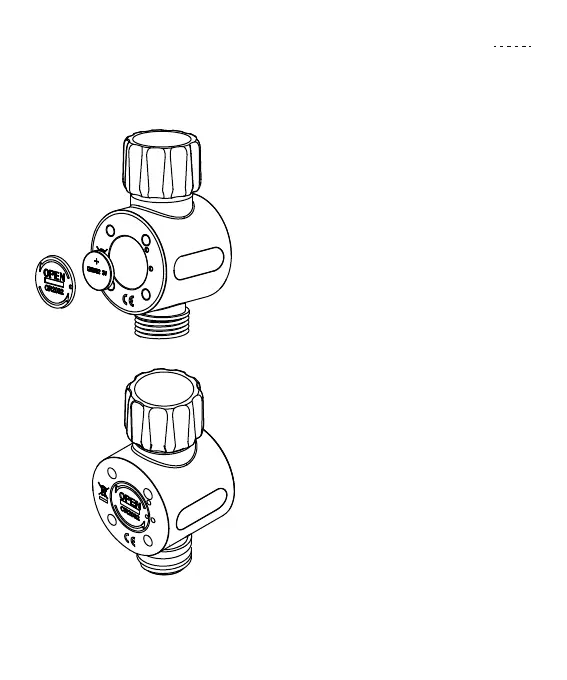
Inse the opener into the notch at the
back of the device and rotate the
batte coin to remove the batte
case.
Put a CR2032 batte into the batte
compament, and then rmly screw
the batte cover back on


 To Next Page