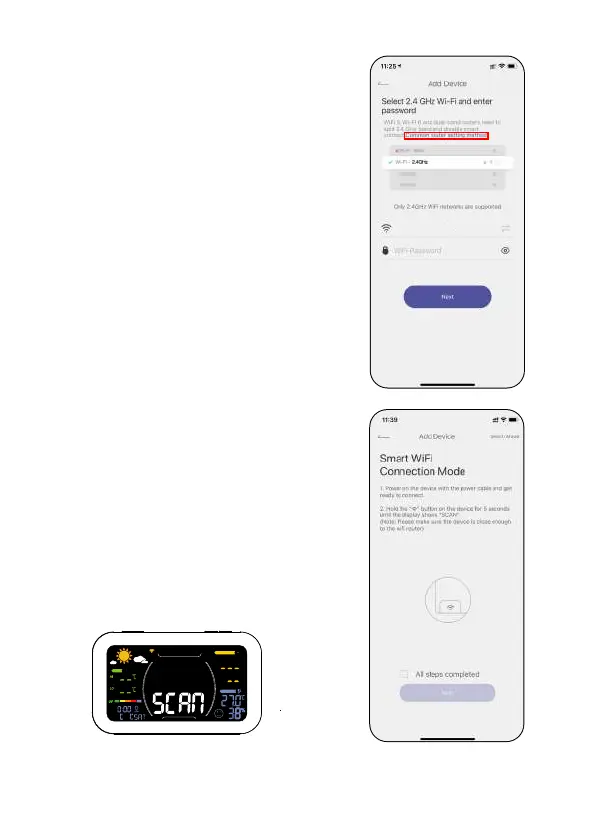
•On the device, press and hold the "Wi-Fi"
button for about 5 sec until it shows
"SCAN".
SENSOR NO.
INDOOR
TODAY
- 08 -
Tips: Please select 2.4Ghz WiFi
If your router is a dual-band router, and
you cannot identify the 2.4Ghz or 5Ghz
WiFi, please tap the blue words ''Common
router setting method'' to name the
2.4Ghz WiFi dierently,then you can select
it individually.
Rainpoint_2.4G


 To Next Page